
How to Create Custom Monograms for Laser Engraving and CNC
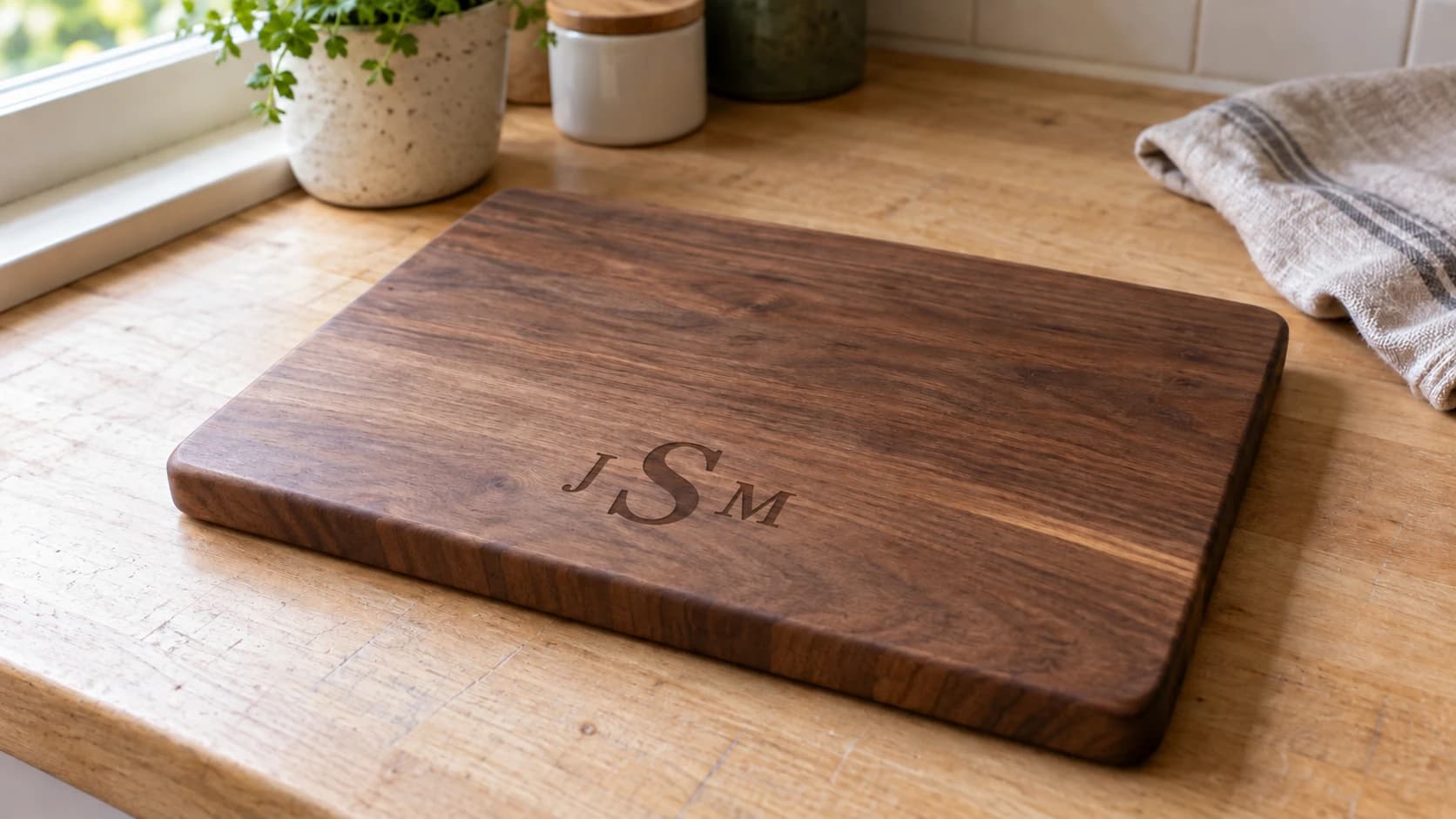
Monograms are one of the most reliably popular personalized items you can make with a laser engraver or CNC router. Weddings, baby gifts, housewarming presents, door signs, cutting boards, ornaments. People want their name on things, and a well-designed monogram looks far more elegant than plain block text.
The challenge is that monograms have typographic rules. Traditional monograms have specific letter ordering conventions. Split monograms need the horizontal line positioned correctly through the middle of the text. Font choice matters enormously. Getting all of this right in a vector editor means fussing with baselines, letter spacing, and alignment until it looks professional.
Monogram Generator handles all of that automatically. Pick your style, type in the name or initials, choose a font and optional frame, and download a clean SVG ready for your machine.
Split Monograms vs Classic Monograms
Two styles, two different looks.
Split Monograms
A split monogram is a large first initial with a horizontal band cut through the middle of it, and the full name sitting inside that band between two bars. Type "Johnson" and you get a big J divided by a band carrying the name.
Split monograms are popular for:
- Family name signs
- Mailbox markers
- Welcome signs
- Wedding gifts
The line splits each letter roughly at the vertical center, and the font choice affects how this looks dramatically. Bold serif fonts like Times or Georgia split cleanly. Thin scripts can look fragile when split.
Classic Monograms
A classic monogram is 1-3 initials arranged with the last name initial in the center and larger, and the first and middle initials on either side. Enter them in First-LAST-Middle order, so "John Michael Smith" is entered as JSM and comes out with the S largest.
Enter one or two letters and the generator still expands them across three positions with the center letter larger. It does not accept ampersands, so a couples' monogram needs to be built from initials rather than an "&".
Classic monograms work great for:
- Ornaments
- Coasters
- Jewelry boxes
- Leather goods
- Napkins and linens
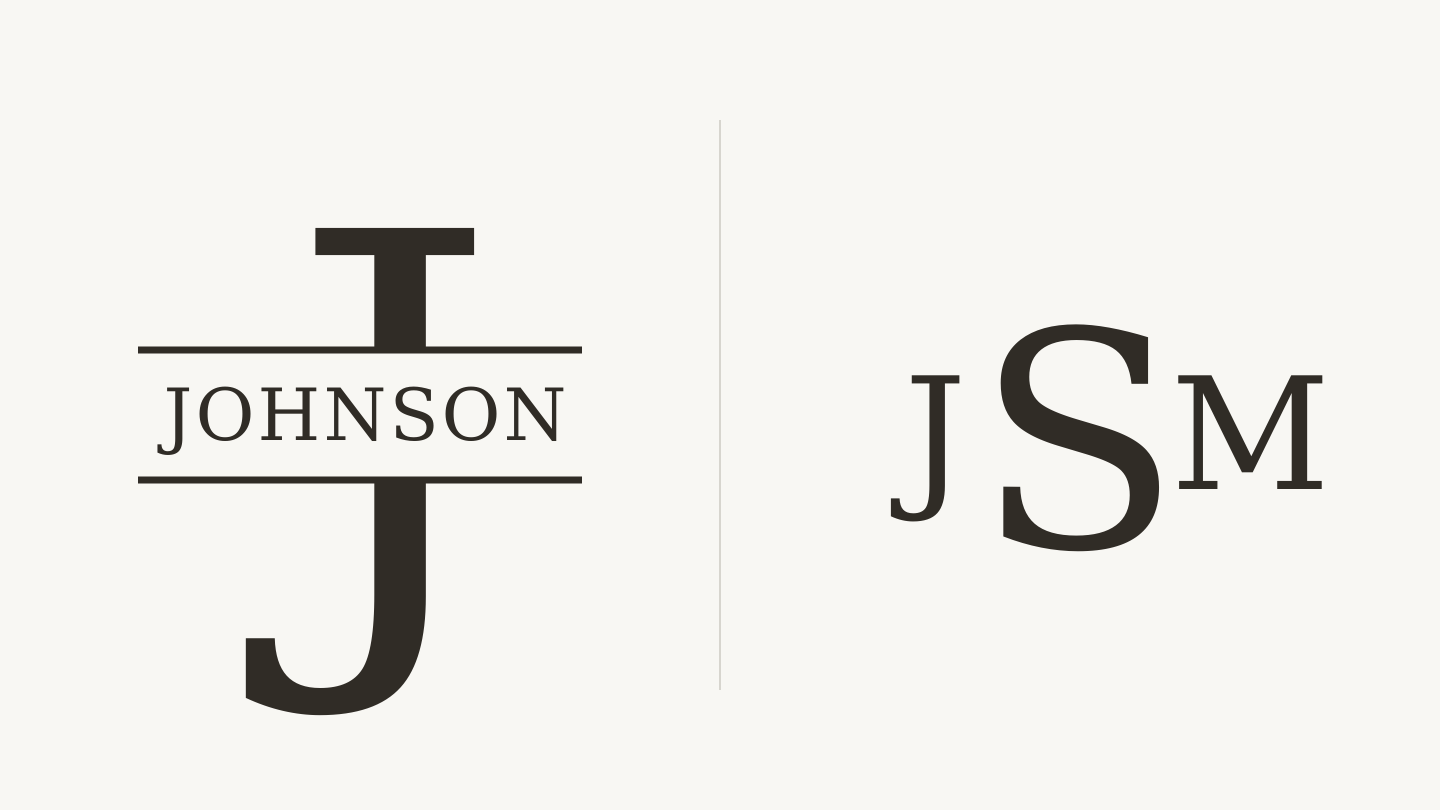
Left: a split initial makes room for the full name. Right: the larger center letter is the last-name initial, with the other two initials at its sides.
PRINT. CUT. CARVE.
- Multiple formats (SVG, DXF, PNG)
- Machine-tested designs
- Commercial licenses
Sponsored by PrintCutCarve.com
Using the Monogram Generator
Step 1: Choose Your Style
Open Monogram Generator and select Split or Classic mode.
Split mode asks for the full name (the word that gets split by the line).
Classic mode asks for 1-3 initials.
Step 2: Enter Your Text
For a split monogram, type the family name. Keep it under 12 characters for best proportions. Very long names get compressed horizontally, which can look cramped.
For a classic monogram, enter your initials. The tool handles the sizing and arrangement.
Step 3: Pick a Font
The font choice makes or breaks a monogram. The generator offers fonts in several categories:
| Category | Character | Good For |
|---|---|---|
| Serif | Traditional, formal | Wedding gifts, formal signs |
| Sans-Serif | Clean, modern | Contemporary decor, minimalist style |
| Script | Elegant, flowing | Feminine gifts, wedding items |
| Display | Bold, decorative | Statement pieces, large signs |
For split monograms, serif and sans-serif fonts work best. The horizontal line needs solid letterforms to split through. Script fonts with thin strokes can be too delicate for the split effect.
For classic monograms, script fonts shine. The flowing curves of a script initial at a large size look genuinely elegant. Serif fonts give a more traditional, understated look.
Tip
Preview multiple fonts before committing. The same name looks completely different in a bold serif versus a delicate script. The dropdown shows a sample of each font, but the monogram itself only redraws when you press Generate, so try 3-4 options and regenerate each time.
Step 4: Add a Frame or Border (Optional)
The generator offers decorative frames and borders that surround the monogram. Frames are complete enclosures (circles, ovals, rectangles, ornate shapes). Borders are edge decorations that accent the monogram without fully enclosing it.
Frames work especially well for:
- Ornaments (the frame becomes the outer cut line)
- Coasters (circular frame matches the coaster shape)
- Standalone wall signs (the frame defines the piece shape)
Skip the frame when the monogram is being placed onto an existing object (a cutting board, a box lid, a plaque) where the object itself provides the visual boundary.
Step 5: Adjust and Download
Fine-tune the band offset, which moves the band up and down through the initial, and Monogram Size, which scales the monogram inside a frame or border. Download the SVG when it looks right.
The output is a clean, single-color SVG with properly spaced typography and vector paths. Import it straight into whatever software drives your machine.
Project Ideas
Wedding Signs
Split monograms with the new shared family name are a classic wedding gift. Cut from 1/4" maple or walnut, stained and mounted on a piece of reclaimed wood or a metal stand. Add the wedding date below the monogram in a smaller font.
Ornaments
Classic monogram initials inside a circular frame. Cut from 1/8" birch plywood or acrylic. Drill a small hole at the top for ribbon. These take about 2 minutes each to cut, so you can produce a dozen in under an hour. Excellent holiday gifts.
Cutting Boards
Engrave a split monogram onto a hardwood cutting board (maple or walnut). Engrave only, no cutting through. The monogram turns an ordinary cutting board into a personalized gift. Position the monogram in the lower third of the board so the top two-thirds remain usable as a cutting surface.
Door Signs
Split monogram of the family name, cut from 1/4" wood or acrylic. Mount on a decorative backing board or hang directly. Add "Welcome" or the house number as a secondary element.
Baby Name Signs
The baby's first name as a split monogram in a playful font. Cut from 1/4" birch or MDF, paint in pastels, and mount on nursery wall. These sell extremely well on Etsy and at craft fairs.
Leather Goods
Engrave a classic monogram (single or triple initial) onto a leather journal cover, wallet, or coaster set. Vegetable-tanned leather engraves beautifully with a laser. Position the monogram small and centered for a subtle luxury feel.
Info
Monograms are one of the highest-value personalized products you can make because the material cost is minimal and the perceived value is high. A $3 cutting board blank with a 2-minute engraving becomes a $25-35 gift. For more on selling personalized items, see our guide on selling personalized gifts with a laser engraver.
Font Pairing Tips
When combining the monogram with other text (dates, phrases, addresses), the second font should complement but contrast with the monogram font.
Script monogram + sans-serif secondary text: The script carries the elegance while the sans-serif provides clean readability for smaller details.
Serif monogram + serif secondary text: Classic and cohesive. Works for formal, traditional pieces.
Bold display monogram + light sans-serif secondary text: The weight contrast keeps the monogram as the focal point.
Avoid using two script fonts together. They compete for attention and the result looks busy.
Machine-Specific Tips
Laser Engraving
For monograms on wood, engrave at moderate power and speed. You want a clean, dark mark without deep charring. Our laser engraving settings for wood guide covers the specifics.
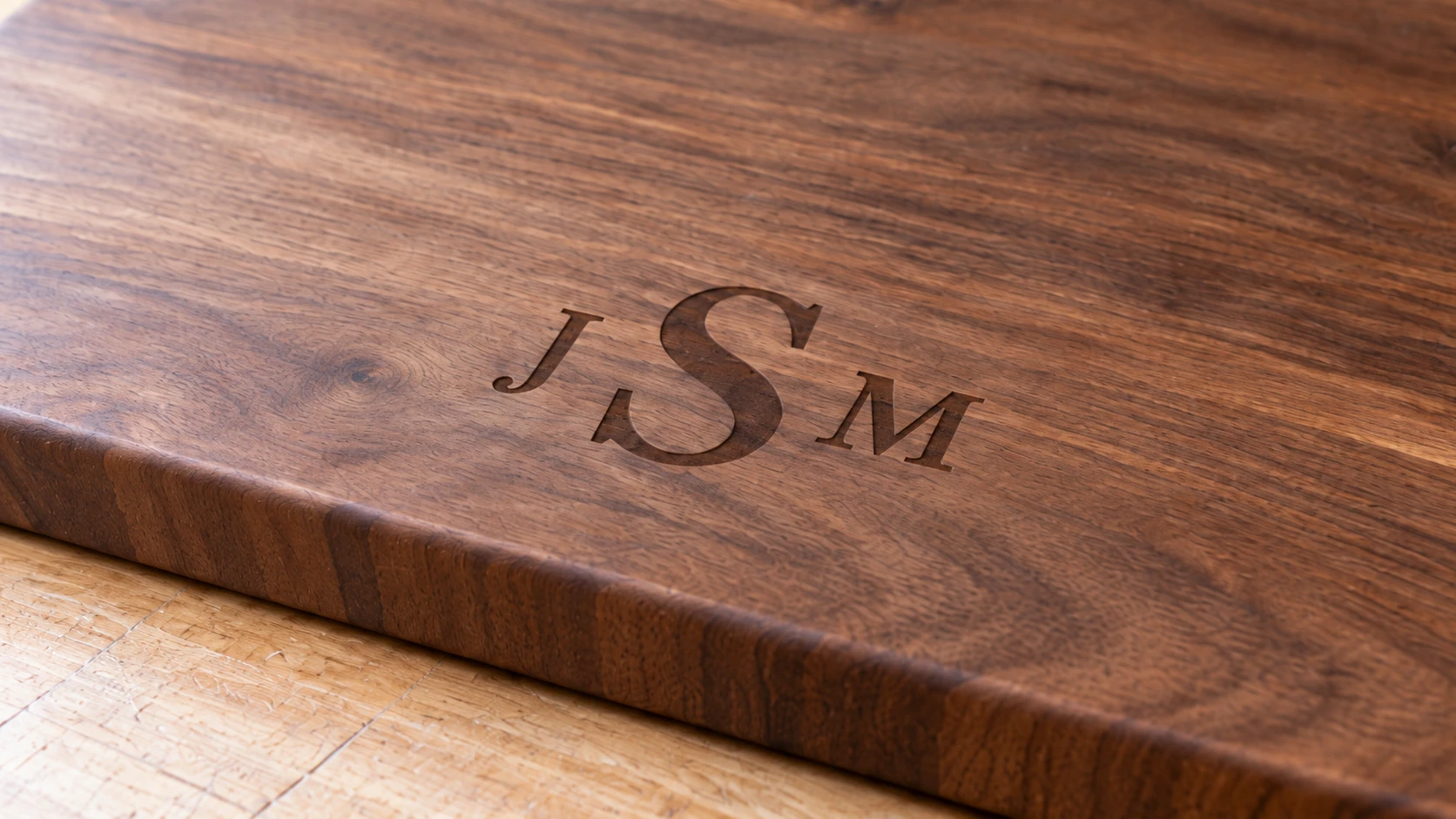
The close view shows the brown engraving against the walnut grain. Keep the mark shallow and the surrounding face clean.
For acrylic, engrave on the back side through the protective paper. The result is a frost-white engraving visible through the clear front surface.
CNC Carving
V-bits (60 or 90 degree) produce the most elegant monogram carvings. The V-bit varies its width based on the letter stroke width, creating thin and thick areas that mimic calligraphic lettering. A 0.5-1mm depth is usually sufficient for a clean, visible carving.
Cutting Machines
Export the monogram SVG and load it into whatever software came with your cutting machine. Cut from vinyl for application to mugs, glasses, or other smooth surfaces. Or cut from cardstock for card-making and scrapbooking.
If you need to convert the SVG to DXF for your machine software, File Converter handles that without using tool credits. See our SVG to DXF guide for the walkthrough. Downloading the converted file requires an active paid plan.
Go Make a Monogram
Open Monogram Generator, type in a name or initials, and preview a few font and frame combinations. The whole process takes about a minute, and the SVG is ready for your machine immediately.
A well-executed monogram works equally well as a gift for someone else or a nameplate for your own workshop.
Happy making.
Related Tools
Ready to try these tools?
Sign up free, no credit card required. Free tools available immediately.
Start Free