

How to Make a Custom Family Name Wreath Sign
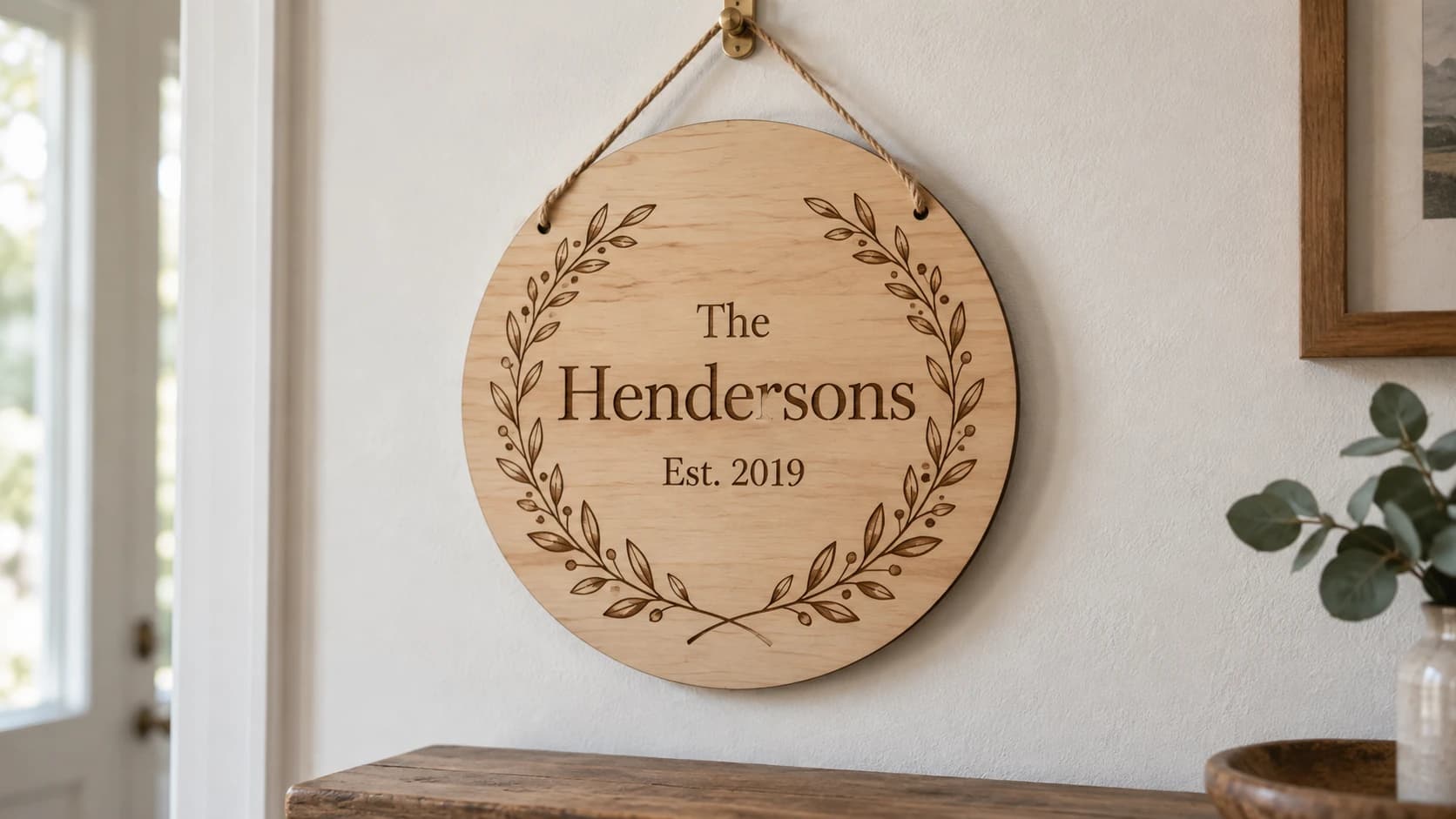
Family name wreath signs are everywhere. Scroll through Etsy, walk through a craft fair, or browse Instagram for ten seconds and you'll see them. A circular botanical wreath with a family name in the center, maybe an "Est. 2019" underneath. They hang on front doors, above mantels, in entryways. They show up at weddings and housewarming parties wrapped in tissue paper.
They sell because they work. A wreath sign feels personal without demanding much research, and it works as a gift for almost anyone. You don't need to know someone's taste in art or their shoe size. You just need their name and maybe a date.
The good news: these are surprisingly straightforward to make. If you have a laser engraver, CNC router, or cutting machine, you can produce professional-looking family wreath signs in minutes. And the design part just got a lot easier.
What Is a Family Wreath Sign?
A family wreath sign is a circular design featuring botanical elements (leaves, branches, florals) arranged in a wreath shape with a family name displayed prominently in the center. The typography is usually elegant, sometimes serif, sometimes script, always readable from across the room.
Most designs include three text elements:
- Prefix (optional): Something like "The" at the top of the wreath
- Family Name (required): The main event. "Johnson," "Garcia," "Patel." Centered and sized to fill the wreath
- Suffix (optional): "Family," "Est. 2024," or both. Sits below the name
The wreath itself varies. Some lean toward minimalist with simple olive branches. Others go lush with layered leaves, berries, and floral accents. The botanical elements frame the name and give the design warmth that plain text on wood just can't match.
Common uses include front door signs, entryway wall art, living room decor, wedding gifts, housewarming presents, and anniversary gifts. The circular shape looks natural mounted on a round piece of wood, but rectangular backgrounds work too with the wreath floating in the center.
You can laser engrave them into wood, V-carve them on a CNC router, or cut them from vinyl with a Cricut or Silhouette and apply them to a painted surface.
PRINT. CUT. CARVE.
- Multiple formats (SVG, DXF, PNG)
- Machine-tested designs
- Commercial licenses
Sponsored by PrintCutCarve.com
Generating Your Design
Designing a wreath from scratch in a vector editor means sourcing botanical vector assets, arranging them symmetrically, sizing text to fit inside, and making sure the whole composition works at your target size. It takes a while, and getting the proportions right is fiddly.
Family Wreath Generator skips all of that. It's an AI-powered tool that creates a complete wreath design from three simple inputs:
- Prefix (optional, 1 to 8 characters): "The," "Welcome," or leave it blank
- Family Name (required, 1 to 12 characters): Your family name or any word you want centered
- Suffix (optional, 1 to 8 characters): "Family," "Est. 2024," a date, or a short phrase
Type in your text, hit generate, and the tool creates a unique botanical wreath with elegant typography. You get a PNG preview to see how it looks and a downloadable SVG vector file ready for your machine. The AI generates a fresh layout each time, so the botanical elements aren't just stamped from a single template.
The whole process takes seconds. One credit per generation.
Tip
Try a few different prefix and suffix combinations before committing. "The Johnsons" hits different than "Johnson Family" or "Johnson, Est. 2019." Each variation changes the visual balance of the design. Generate two or three versions and pick the one that fits your vision.
Choosing Your Material
The material you choose affects the look, durability, and price point of the finished sign. Here are the most popular options.
Birch plywood is the go-to for most makers. It's light in color, provides excellent contrast for laser engraving, and is affordable in bulk. Use 3mm (1/8") for lightweight wall signs and 6mm (1/4") for sturdier door hangers. Baltic birch is the premium choice with clean edges and minimal voids.
Walnut gives you a darker, richer look. The natural grain adds character, and walnut commands a higher price point. Excellent for gifts where you want the finished piece to feel premium.
Acrylic produces a modern, polished look. Available in clear, frosted, colored, and mirrored finishes. Clear acrylic engraves to a frosty white, which looks striking. Mirror acrylic with engraving through the reflective layer creates a high-end appearance.
MDF is the budget option. No visible grain, consistent surface, and easy to paint any color. Paint it white before engraving for a farmhouse aesthetic, or go dark for a more dramatic piece.
For cutting machine users: Cardstock works for paper crafts and scrapbooking. Permanent vinyl applied to a painted wood round or a glass surface creates a durable finished piece without a laser or CNC.
For more detailed material recommendations across different gift projects, check out our personalized gifts guide.
Making the Sign (By Equipment Type)
Laser Engraving
Laser engraving is the most common approach, and wreath signs are a perfect laser project.
Import and position. Open the SVG in your laser software. If you need one, Beam Bench is free. Scale the design to fit your material. For a typical wall sign, 10 to 14 inches diameter works well. Door hangers are usually 8 to 10 inches.
Settings. Use moderate power and moderate speed for a clean, visible engraving without deep charring. Every laser is different, but as a starting point: 30 to 50% power and 200 to 400 mm/s on a diode laser, or 15 to 25% power and 300 to 500 mm/s on a CO2 laser. Run a test on scrap material first.
Masking. Apply painter's tape or transfer tape over the wood surface before engraving. The laser burns through the tape and into the wood, but the tape protects the surrounding area from smoke residue. Peel the tape after engraving for a crisp, clean result.
Paint fill (optional). For extra contrast, engrave first, then apply acrylic paint over the engraved area. Let it dry, then sand the surface with 220-grit sandpaper. The paint stays in the engraved grooves while the flat surface sands clean. Black paint on light wood is classic. White paint on dark-stained wood is equally striking.
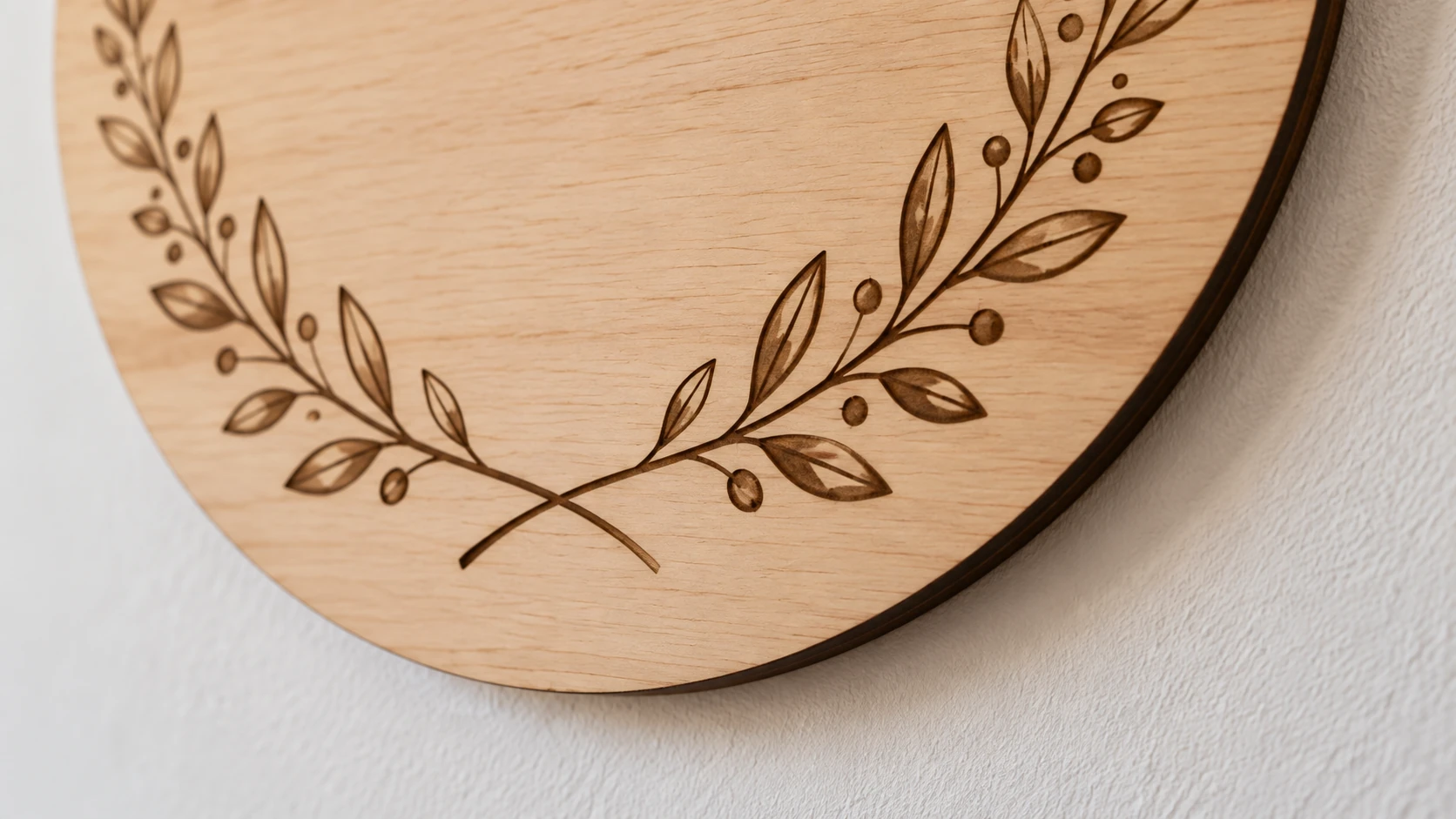
The wreath is engraved into a solid face. The close-up shows the shallow brown marks and thin cut edge, with no separate leaves to attach.
CNC Carving
CNC routers and mills produce a tactile, dimensional result that looks and feels different from laser engraving. The wreath details have depth.
Import and toolpath. Open the SVG in your CAM software. Create a V-carve toolpath for the entire design. V-carving works beautifully for botanical wreaths because the bit varies its width based on the path width, creating natural thin-to-thick transitions in the leaves and letters.
Bit selection. A 60-degree V-bit handles the fine details well. For larger signs (14 inches and up), a 90-degree V-bit gives bolder results. Use a sharp bit. Dull V-bits tear wood fibers instead of slicing them, and wreath details are intricate enough that tearout shows.
Depth. Keep it shallow. 0.5 to 1mm depth produces a delicate, elegant look appropriate for a decorative sign. Going deeper makes the carving more visible from across the room but risks losing fine leaf details.
Material. Hardwoods carve cleanest. Maple, cherry, and walnut all work well. Avoid softwoods like pine for V-carving. The soft grain compresses unevenly and produces fuzzy edges on detailed work.
Cutting Machine
Cutting machines (Cricut, Silhouette, Brother) take a different approach. Instead of engraving into material, you're cutting the design from vinyl or cardstock and applying it to a surface.
Vinyl on wood rounds. Cut the wreath design from permanent vinyl (Oracle 651 or similar). Weed the excess vinyl. Apply transfer tape, position on a painted or stained wood round, and burnish. Peel the transfer tape. The result is a clean, professional sign with no laser or CNC required.
Cardstock wreath. Cut from heavy cardstock (65 lb or heavier) for a paper wreath that works for scrapbooking, card-making, or framed wall art. Layer multiple colors for depth.
HTV on fabric. Cut from heat transfer vinyl and press onto a canvas tote bag, pillow cover, or fabric banner. Family wreath designs translate well to fabric gifts.
Finishing and Display
The finishing steps turn a good project into a great one.
Sanding. For wood pieces, sand with 220-grit sandpaper before finishing. For laser-engraved pieces where you used masking tape, the surface should be clean already. For CNC-carved pieces, light sanding removes any fuzz from the carving edges.
Staining. A light natural stain lets the wood grain show through while warming up the color. Dark stain (espresso, walnut, ebony) creates dramatic contrast with the engraved or carved design, especially if the engraving is left natural. Apply stain before engraving if you want the engraving to show as lighter wood against dark background.
Clear coat. Protect the finished piece with polyurethane, lacquer, or a spray clear coat. Matte finish looks more natural and rustic. Satin or semi-gloss adds a bit of sheen. High-gloss works on modern or acrylic pieces but can look out of place on rustic wood signs.
Warning
If you're using the paint fill technique, apply the clear coat after sanding off the excess paint. Sealing the paint before sanding makes it much harder to remove cleanly from the surface.
Mounting options. Sawtooth hangers work for wall-mounted signs. Attach two, spaced apart, for signs wider than 8 inches so they hang level. Easel backs let the sign sit on a shelf or mantel. For door hangers, attach a ribbon or jute rope loop at the top. A metal wreath hanger over the door is the simplest installation.
Seasonal Variations
One wreath design can serve as a base for year-round decor with small physical additions around the sign.
Spring: Mount the sign on a grapevine wreath base and tuck dried or artificial flowers around it. Lavender, baby's breath, and eucalyptus all complement the botanical engraving.
Fall: Add mini pumpkins, autumn leaves, or dried wheat stalks around the base of the sign. Warm-toned ribbon (burnt orange, deep red) for the hanging loop ties the seasonal look together.
Christmas: Attach a red velvet bow at the top. Add small holly sprigs or pine cuttings around the edges. For a fully themed piece, engrave a separate ornament-shaped tag with the year and hang it from the bottom of the wreath sign.
Weddings: Paint fill in white, add gold leaf accents to the botanical elements, and mount on a clear acrylic stand or hang with white satin ribbon. These make meaningful ceremony decorations that become permanent home decor after the wedding.
For complementary personalized designs that pair well with wreath signs, take a look at our custom monograms guide. A monogram beside a family wreath creates a cohesive set.
Selling Family Wreath Signs
Family wreath signs are one of the most consistent sellers in the personalized home decor market. They sell year-round (not just seasonally), and the personalization means every order is unique, which limits direct competition.
Pricing. Depending on size and material, family wreath signs typically sell for $25 to $75. A 10-inch birch sign might list at $30. A 14-inch walnut piece with paint fill and clear coat can command $60 to $75. Acrylic versions often price higher due to the perceived modern-premium look.
Production workflow. Batch processing keeps you efficient. As orders come in, generate each design with Family Wreath Generator, queue them up, and cut or engrave in batches. Material prep (cutting blanks, masking, sanding) can be done in advance. The design generation takes seconds per order, so the bottleneck is machine time, not design time.
Personalization premium. Personalized items command higher prices than generic ones. A plain wood circle sign might sell for $10. Put someone's family name on it inside a beautiful wreath and it's worth $30 to $50. The personalization adds minutes of work and dollars of value.
Craft fairs. Display one or two sample signs and take custom orders on the spot. Collect the family name and suffix at the booth, produce the sign at home, and ship or arrange pickup. Having a sample in hand lets buyers see the quality before ordering.
Etsy listings. Use mockup photos showing the sign in a home setting (on a front door, above a mantel). Include clear instructions in the listing about what customers need to provide (family name, prefix, suffix). Offer a few material and size options as listing variations. For help writing optimized Etsy listings, our selling on Etsy guide covers the complete process.
Tip
Offer bundle deals. A family wreath sign paired with matching monogram coasters or a personalized ornament increases average order value. Customers buying a gift often want a set.
Start with Your Own
Before making these for customers, make one for your own home. Pick your family name, choose a suffix that feels right, and run it through Family Wreath Generator. You'll have an SVG in seconds. Then take it to your machine and turn it into something real.
It's the kind of project where you finish, hang it up, step back, and think: I should make more of these. And then you probably will.
Happy making.
Related Tools
Ready to try these tools?
Sign up free, no credit card required. Free tools available immediately.
Start Free