Free SVG Files for Laser and Cricut: Where to Find Them (and How to Make Your Own)
Every maker hits this wall eventually. You've got a laser cutter or a Cricut, you're ready to make something, and you need an SVG file. You Google "free SVG files" and land on a site with 10,000 results, most of which are low-quality clip art, files with broken paths, or "free" downloads that require signing up for a subscription you'll forget to cancel.
Finding good free SVGs is a skill. Knowing when to stop searching and just make your own is an even more important one.
This guide covers both: the best places to find quality free SVG files, the problems to watch for, and how to create exactly what you need when the free options aren't cutting it (pun intended).
The Problem with Free SVG Sites
Before we get to the good sources, let's talk about why so many free SVGs are terrible for makers.
They're designed for screen, not machines. Many free SVGs are created for web use or print design. They look great in a browser but have overlapping paths, unclosed shapes, or strokes instead of filled paths. Your laser or Cricut needs clean, closed vector paths to cut properly.
Hidden complexity. A simple-looking flower SVG might have 500 anchor points when 50 would do. Extra nodes create longer cut times and rougher edges on physical materials.
Wrong scale. SVGs from design sites are often sized for web use (100x100px viewport). Import one into your laser or cutting software and it might show up as a tiny dot or fill the entire workspace. Fixable, but annoying.
Licensing confusion. "Free" doesn't always mean "free to use commercially." If you're selling laser-cut signs at craft fairs, you need to check whether the license allows commercial use. Many "free" SVGs are personal use only.
Warning
Always check the license before using free SVGs in products you sell. "Free for personal use" is the most common restriction. If you're running a maker business, look specifically for "free for commercial use" or create your own designs.
PRINT. CUT. CARVE.
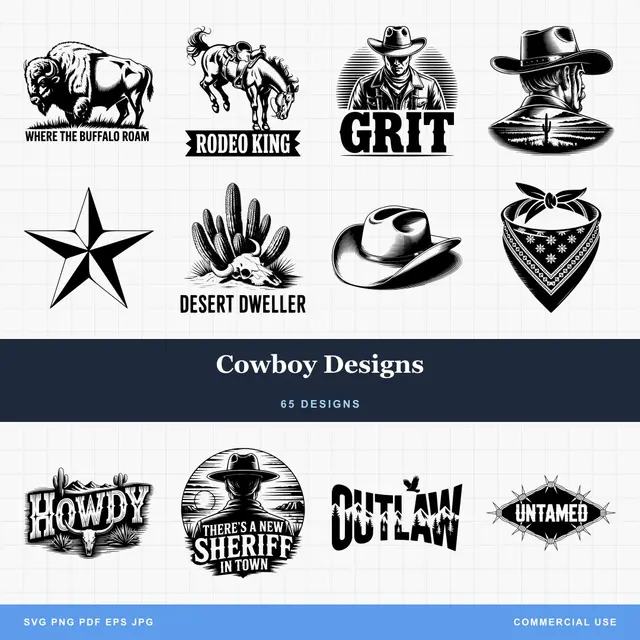
- Multiple formats (SVG, DXF, PNG)
- Machine-tested designs
- Commercial licenses
Sponsored by PrintCutCarve.com
Best Free SVG Sources (Curated, Not Exhaustive)
Rather than listing every SVG site on the internet, here are the ones that consistently deliver files that actually work on machines.
For Cricut and Cutting Machines
Design Bundles has a "Free Design of the Week" section with Cricut-compatible SVGs. The quality is usually good because the files are created by professional designers. Commercial licenses vary by file, so check each one.
Craft Bundles offers a rotating selection of free SVG bundles. They're specifically designed for cutting machines, so the paths are generally clean. Sign-up required.
Love SVG has a decent free selection of SVGs designed for Cricut and Silhouette. Mostly text-based designs, monograms, and holiday themes. Free for personal and commercial use.
For Laser Cutting and CNC
Thingiverse isn't just for 3D printing. Search for "laser cut SVG" or "laser cut DXF" and you'll find boxes, organizers, puzzles, and decorative pieces. Quality varies wildly. Always preview the file before cutting.
Obrary specializes in open-source CNC and laser designs. Fewer files than other sites, but the ones they have are properly designed for fabrication with correct kerf considerations.
Boxes.py is a parametric box generator. Enter your dimensions and material thickness, and it generates a custom SVG with finger joints, tabs, and hinges. Not a file library, but a tool that creates exactly what you need.
General Vector Resources
SVG Repo has a massive collection of open-source SVG icons and illustrations. Great for finding simple graphics to incorporate into larger designs. All files are free for commercial use.
Openclipart is a public domain vector library. No licenses to worry about. Quality is inconsistent, but the legal clarity is unbeatable.
| Source | Best For | Commercial Use | Quality |
|---|---|---|---|
| Design Bundles | Cricut crafts | Varies by file | High |
| Craft Bundles | Cutting machines | Check each file | High |
| Love SVG | Text/monogram designs | Yes (most files) | Medium-High |
| Thingiverse | Laser cut projects | Varies (check license) | Varies |
| Obrary | CNC/laser fab parts | Yes | High |
| Boxes.py | Custom boxes | Yes (generated) | Excellent |
| SVG Repo | Icons/simple graphics | Yes | Medium |
| Openclipart | Anything (public domain) | Yes | Varies |
How to Check SVG Quality Before Cutting
Found a free SVG that looks promising? Before you commit material, check these things:
-
Open it in your vector editor. Look for overlapping paths, unclosed shapes, and unnecessary grouping.
-
Check the node count. Select all paths and look at the node count. If a simple circle has 200 nodes instead of 4, the file needs cleaning.
-
Look for hidden elements. Some SVGs have invisible paths, hidden layers, or elements positioned off the canvas. These can cause unexpected cuts.
-
Verify dimensions. Check that the design is sized appropriately. Many web SVGs use viewBox coordinates that don't map to real-world dimensions.
-
Test on scrap. Always run a test cut on cheap material before using your good stock. A 30-second test on cardboard can save a piece of walnut.
Tip
After importing an SVG, use your laser software's select-all function to check for hidden paths outside the visible area. Stray paths can cause your laser head to travel to unexpected positions.
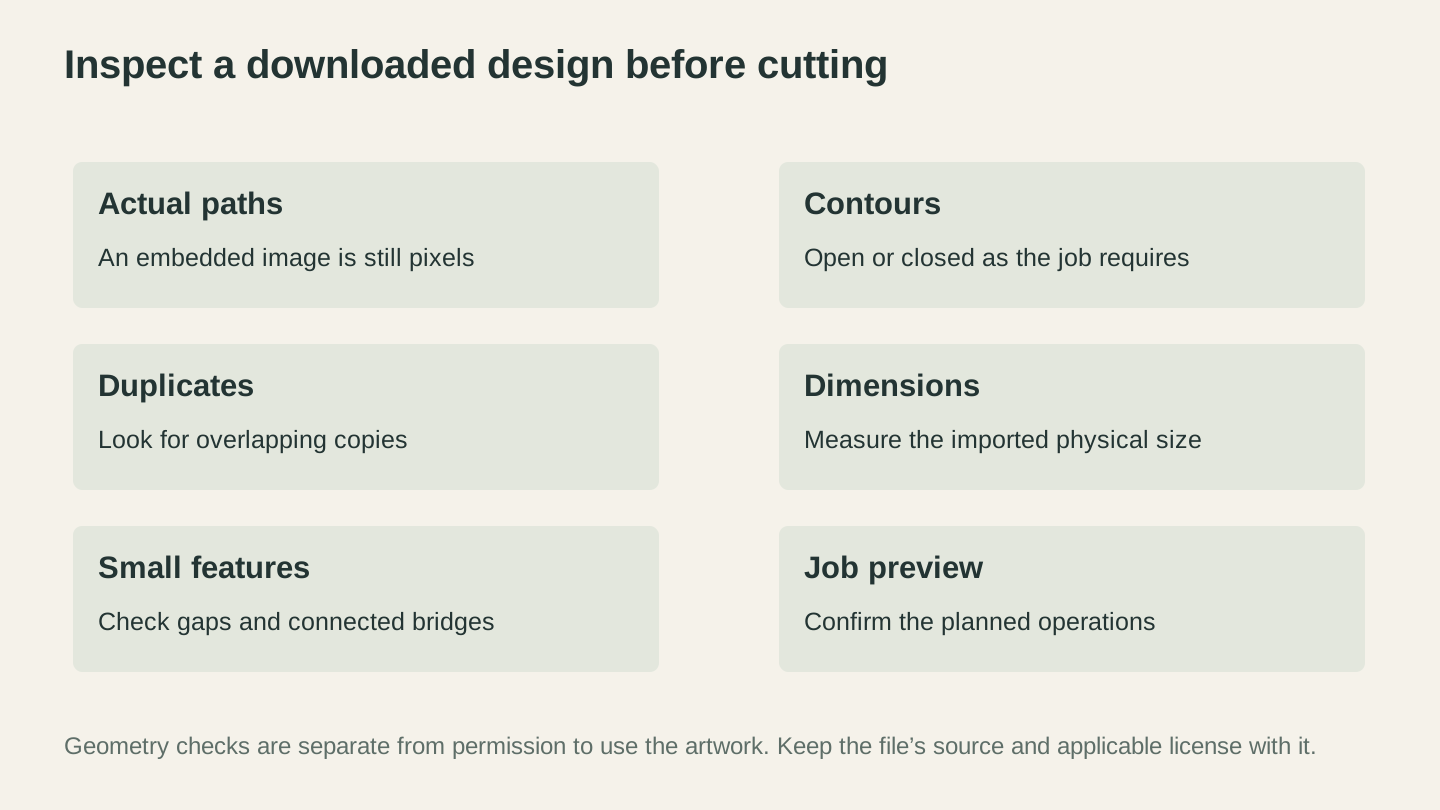
Inspect the paths, dimensions and small features before cutting. Keep the source and license information with the file as a separate record of how you may use the artwork.
When Free SVGs Aren't Enough
Free SVG libraries work for generic stuff: basic shapes, common phrases, popular holidays. But the moment you need something specific ("a mountain scene with exactly three pine trees and a crescent moon, in a simple line art style"), you'll spend an hour searching and still not find it.
That's when making your own becomes faster than searching.
Turn Any Image into an SVG
Got a PNG, JPG, or photo of something close to what you want? MonoTrace converts raster images to clean SVG paths. It's free, runs in your browser, and produces machine-ready files.
The workflow:
- Find or create a raster image (Google Images, your own photo, a hand drawing)
- Upload to MonoTrace
- Turn on Sketch mode if the source is a photographed drawing
- Download the SVG
- Import into your machine software
This works best for high-contrast images: logos, silhouettes, text, simple illustrations. For photos, you'll get a stylized traced version rather than a photo reproduction. For photo engraving, check out our guide to engraving photos on wood.
Generate SVGs from Text Descriptions
Don't have an image to trace? Describe what you want and let AI create it.
Vector Studio generates machine-ready SVGs from text prompts. Type "a detailed compass rose with cardinal directions" or "a floral border frame with roses," pick a style, and get an SVG ready for your laser or Cricut.
This is genuinely faster than searching free SVG sites for most custom designs. You describe exactly what you need and get exactly that, instead of scrolling through 500 flower designs hoping one matches your vision.
Edit and Combine in the Browser
Need to clean up an SVG, combine elements from multiple files, or add text to a design? Canvas Pro is a full image editor that runs in your browser. Edit images, add layers, and export a PNG without installing desktop software, then vectorize it with MonoTrace when you need an SVG.
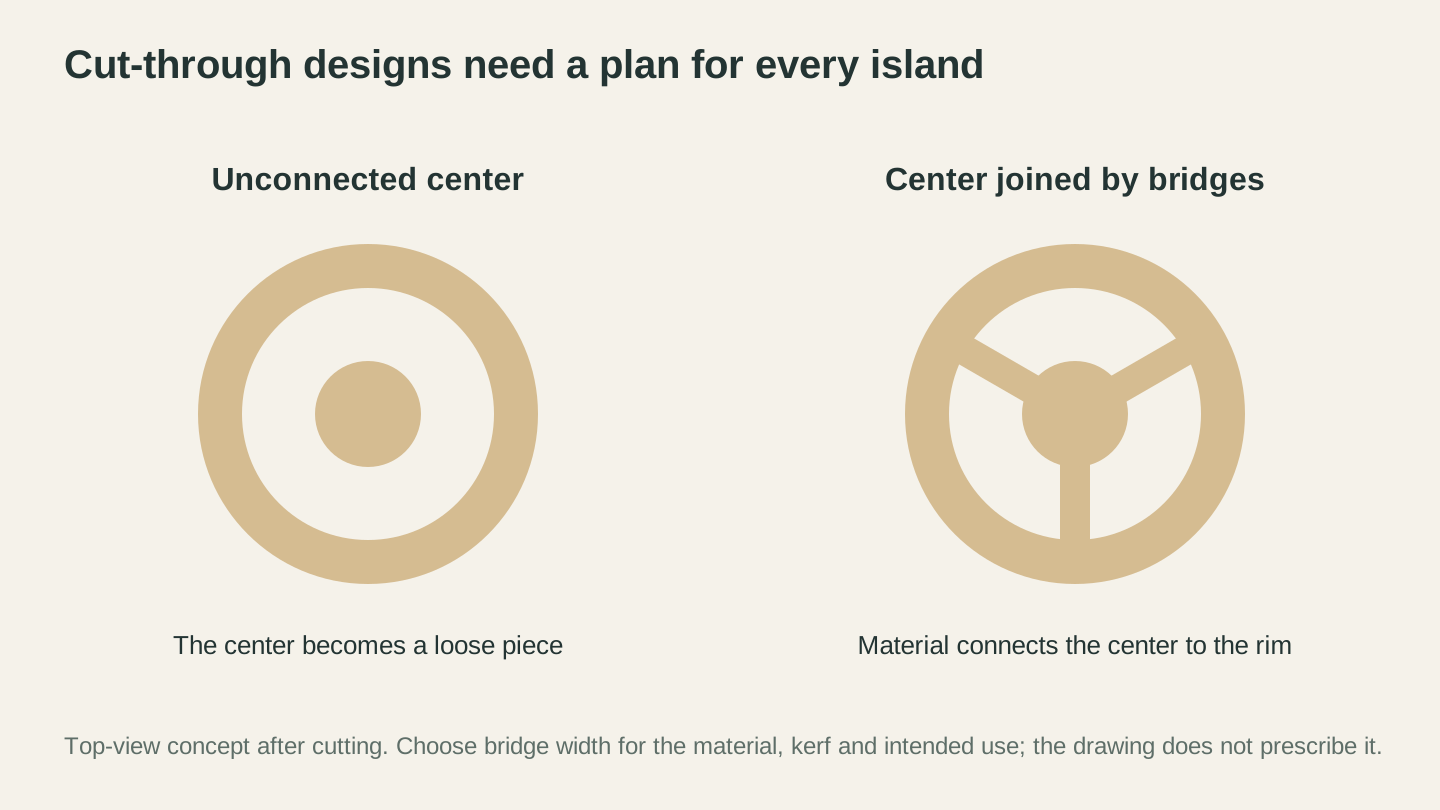
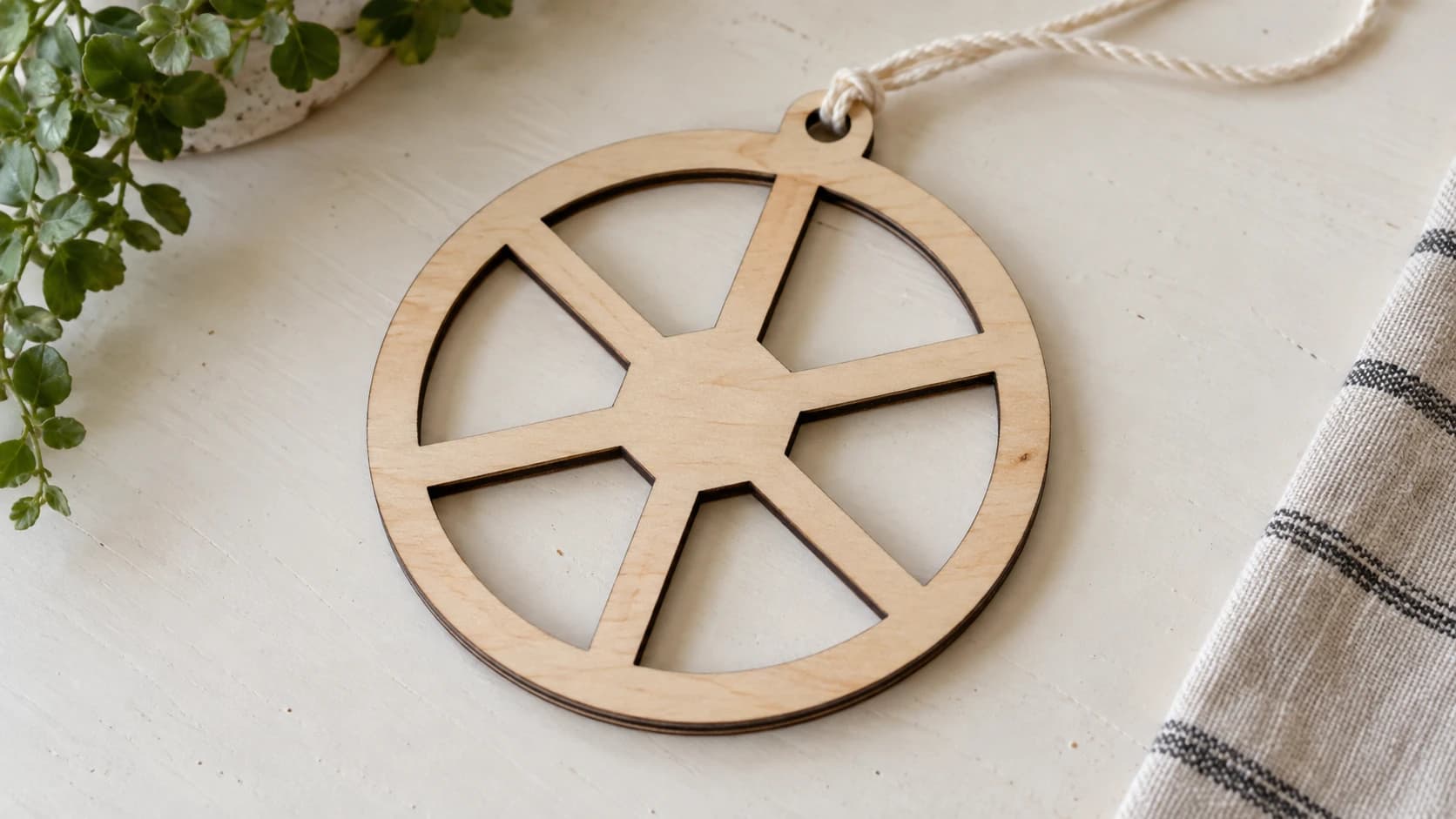
A center surrounded by a complete cut becomes a separate piece. Bridges are one way to keep it attached; their dimensions need to suit the material and the job.
Building Your Own SVG Library
If you make things regularly, you'll accumulate a collection of SVGs you like. A few tips for keeping that collection useful:
Organize by project type, not by source. "Box designs," "holiday signs," "pet silhouettes" beats "stuff from Thingiverse" and "stuff from that one site."
Clean files before saving. Remove unnecessary nodes, ungroup elements, and set consistent dimensions. A few minutes of cleanup now saves frustration later.
Note the license. If you sell your work, keep a record of where each file came from and what license it has. A simple text file in each folder works fine.
Save your settings too. When you dial in perfect cut settings for a particular design and material combo, save those notes alongside the SVG file. Future you will be grateful.
Stop Searching. Start Making.
Here's the real talk: most makers spend too much time hunting for the perfect free SVG and not enough time making things. Free file sites are great for inspiration and generic designs. But for anything specific, creating your own is faster and produces better results.
MonoTrace converts images to SVGs for free. Vector Studio generates custom designs from descriptions. Between those two tools and the free sources listed above, you should never be stuck without a design to cut.
The best SVG is the one that's on your machine right now, ready to go. Whether you found it, traced it, or generated it matters a lot less than whether you're actually making something with it.
Got an image sitting around? Head to MonoTrace and turn it into a machine-ready SVG right now.
Related Tools
Ready to try these tools?
Sign up free, no credit card required. Free tools available immediately.
Start Free