

Laser Engraving Metal: Anodized Aluminum, Stainless Steel, and More
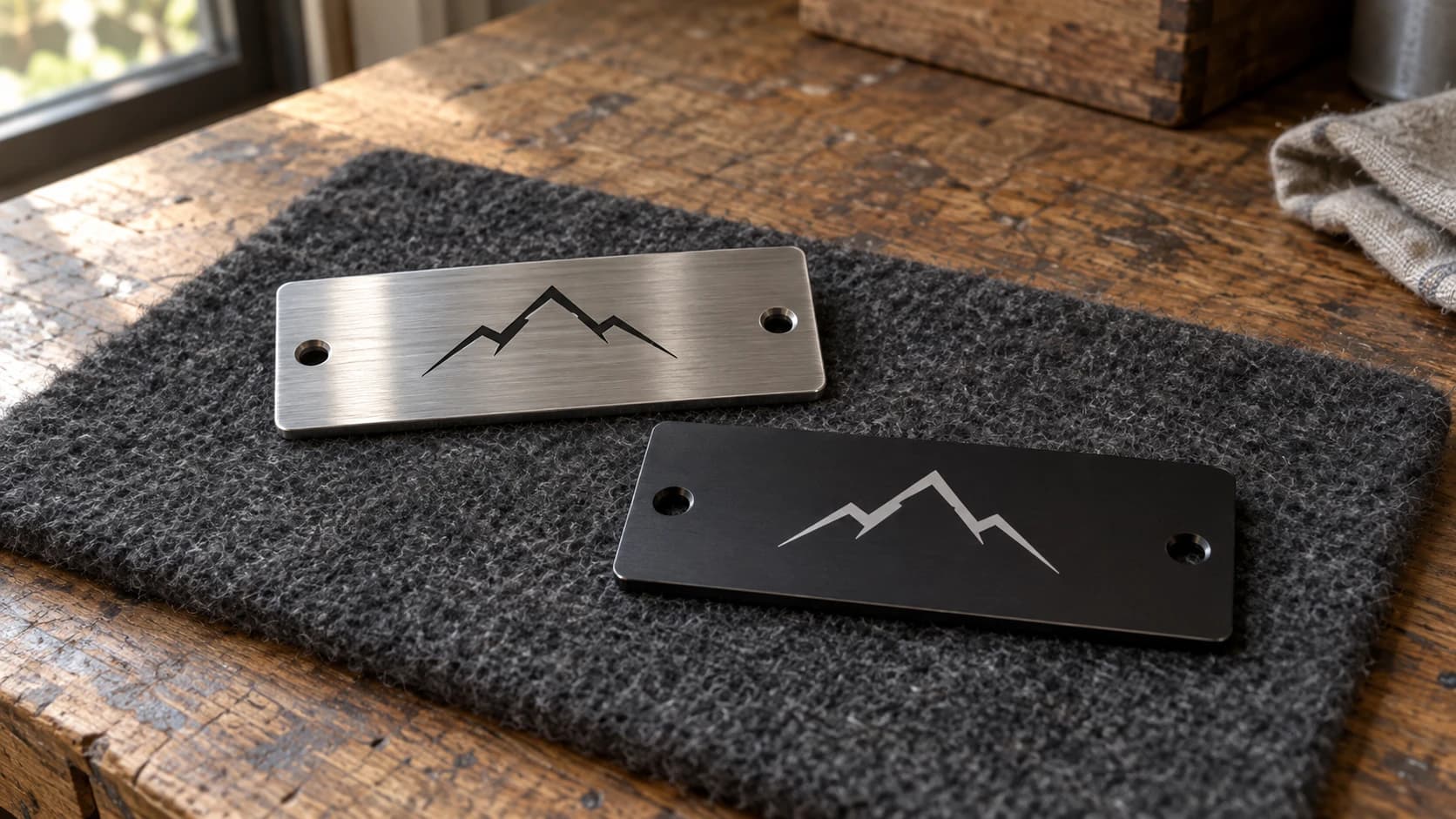
Metal and lasers. Two words that get makers excited the moment they hear them together. You bought a laser engraver, you see metal projects all over social media, and now you want to engrave a stainless steel tumbler with someone's name on it. The good news: you can absolutely mark metal with a hobby laser. The less good news: the answer to "can my laser engrave metal?" is "it depends on the metal, your laser type, and what you mean by engrave."
This guide covers what hobby CO2 and diode lasers can actually do on metal, which metals work best, and the techniques that make it all possible. If you're brand new to laser work, start with our laser engraving beginner's guide first, then come back here.
How Hobby Lasers Work on Metal (The Physics)
Here's the thing most beginners don't realize: hobby lasers cannot engrave raw bare metal. At all.
A CO2 laser typically operates at a 10.6 micron wavelength in the infrared spectrum. When that beam hits a polished metal surface, the metal reflects most of the energy right back. It's like shining a flashlight at a mirror. The beam bounces off instead of being absorbed, and nothing happens to the surface. Your 60W CO2 laser, which cuts through 6mm plywood like a hot knife through butter, will just sit there politely reflecting off a sheet of stainless steel.
Diode lasers (typically around 445nm, the blue-violet ones) are in a similar boat. They can't engrave raw steel or aluminum either. But they do have one party trick: they can mark anodized aluminum directly by vaporizing the thin anodized coating layer.
Most lower-power hobby CO2 and diode machines can't cut metal in any practical sense, not even thin sheet metal or foil. Some higher-power diode systems are advertised by their manufacturers as capable of cutting very thin sheet metal, but results are highly machine- and material-dependent, and it's not what most hobby machines in the wild are set up to do. If cutting metal is the goal rather than an edge case, a fiber laser is the tool built for it: it operates at a 1064nm wavelength that metal actually absorbs. Entry-level fiber systems commonly cost several thousand dollars, with prices changing often, so check current listings before budgeting.
So what can you do? Plenty, actually. The trick is working with coatings, compounds, and surface treatments that your laser can interact with.
PRINT. CUT. CARVE.
- Multiple formats (SVG, DXF, PNG)
- Machine-tested designs
- Commercial licenses
Sponsored by PrintCutCarve.com
Anodized Aluminum: The Easy Win
If you want to mark metal with the least frustration, start here. Anodized aluminum is the most beginner-friendly metal surface for hobby lasers, and the results look professional with minimal effort.
Anodizing is an electrochemical process that creates a thin, hard, colored oxide layer on aluminum. When your laser hits this layer, it vaporizes the colored coating and reveals the bright silver aluminum underneath. You're not engraving the metal itself. You're removing the coating to create contrast.
The results are crisp, durable, and look fantastic. White/silver text and designs on colored aluminum backgrounds are clean and eye-catching.
What You Can Engrave
Anodized aluminum is everywhere once you start looking for it:
- Tumblers and water bottles (many colored ones are anodized)
- Dog tags and ID tags
- Business card blanks (available pre-anodized in various colors)
- Laptop cases and phone cases
- Tool handles and equipment labels
- Award plaques and nameplates
Which Laser Works Best?
Diode lasers do well on anodized aluminum. The 445nm wavelength is absorbed efficiently by the colored anodizing layer, and a 5-10W diode laser handles this job nicely.
CO2 lasers can also produce clean, high-contrast marks on anodized aluminum. Some makers find the longer wavelength leaves a slightly different, more frosted texture rather than a smooth bright reveal, while others get excellent results with CO2 as well. Which one looks better can depend on the specific coating and machine, so it's worth testing both if you have access to them.
Settings for Anodized Aluminum
| Laser Type | Power | Speed | Passes | Notes |
|---|---|---|---|---|
| Diode 5W | 80-100% | 800-1500 mm/min | 1 | Lower speed for darker anodizing |
| Diode 10W | 50-80% | 1000-2500 mm/min | 1 | Adjust speed based on coating thickness |
| CO2 40-60W | 15-30% | 200-400 mm/s | 1 | Lower power prevents melting the aluminum |
Tip
Always do a test mark on the back or bottom of the item first. Anodizing thickness and color depth vary between manufacturers, so the settings that work perfectly on one brand of tumbler might be too light or too aggressive on another. A quick 10-second test saves you from ruining the front of a $15 tumbler.
Marking Compounds: CerMark, LaserBond, and Enduramark
This is where things get really interesting. Marking compounds let you put permanent black marks on bare, uncoated metal using your hobby laser. They work with both CO2 and diode lasers.
How They Work
Marking compounds are ceramic-based pastes or sprays. The process is simple:
- Apply a thin, even layer of compound to the metal surface
- Let it dry completely (usually 5 to 15 minutes)
- Laser over the design at high power and slow speed
- Wash off the excess compound with water
The laser's heat fuses the ceramic particles into the metal surface, creating a permanent black bond. The unfired compound washes away cleanly. What's left is a dark, durable mark that won't scratch off, fade, or wear away with normal use.
The mark is genuinely permanent. It survives dishwashers, outdoor exposure, and regular handling. This isn't paint sitting on top of the surface. It's a ceramic material chemically bonded to the metal.
Product Comparison
Three main products dominate this space:
CerMark is the original and most widely known option. It's available as a spray or a paste. The spray version is easier to apply evenly. Many users report it produces consistently dark, even marks across different metals, though it also tends to sit at the higher end of the price range for these products. Check current pricing before buying, since it changes.
LaserBond 100 is a popular alternative. It comes as a liquid that you brush or spray on. Some users report results close to CerMark on stainless steel, with more mixed reports on other metals. It's generally priced lower and available in larger quantities, which is part of why some production shops prefer it.
Enduramark is often positioned as a budget option. Users report it works, especially on stainless steel, though anecdotal reports suggest mark quality can be less even than CerMark or LaserBond in some cases. If you're just starting out and want to try metal marking without a big investment, it's a reasonable place to begin, and testing any of these three on your own scrap is the only way to know how they perform on your setup.
Application Tips
Even coats are critical. Too thick and the compound won't fuse properly. Too thin and you get patchy, incomplete marks. With spray compounds, hold the can 8 to 10 inches away and apply a thin, even mist. Two light coats are better than one heavy coat. With brush-on compounds, use a foam brush and apply a thin, streak-free layer.
Let the compound dry completely before lasering. Damp compound produces inconsistent results and can create splattering during the laser pass.
Best Metals for Marking Compounds
Marking compounds work best on:
- Stainless steel (the gold standard for this technique)
- Titanium (excellent results, popular for jewelry and tools)
- Chrome-plated items (good adhesion)
- Bare aluminum (works, but less contrast than on steel)
They work less reliably on highly polished or very smooth surfaces. A light sanding with 400-grit sandpaper before application can improve adhesion on mirror-finish metals.
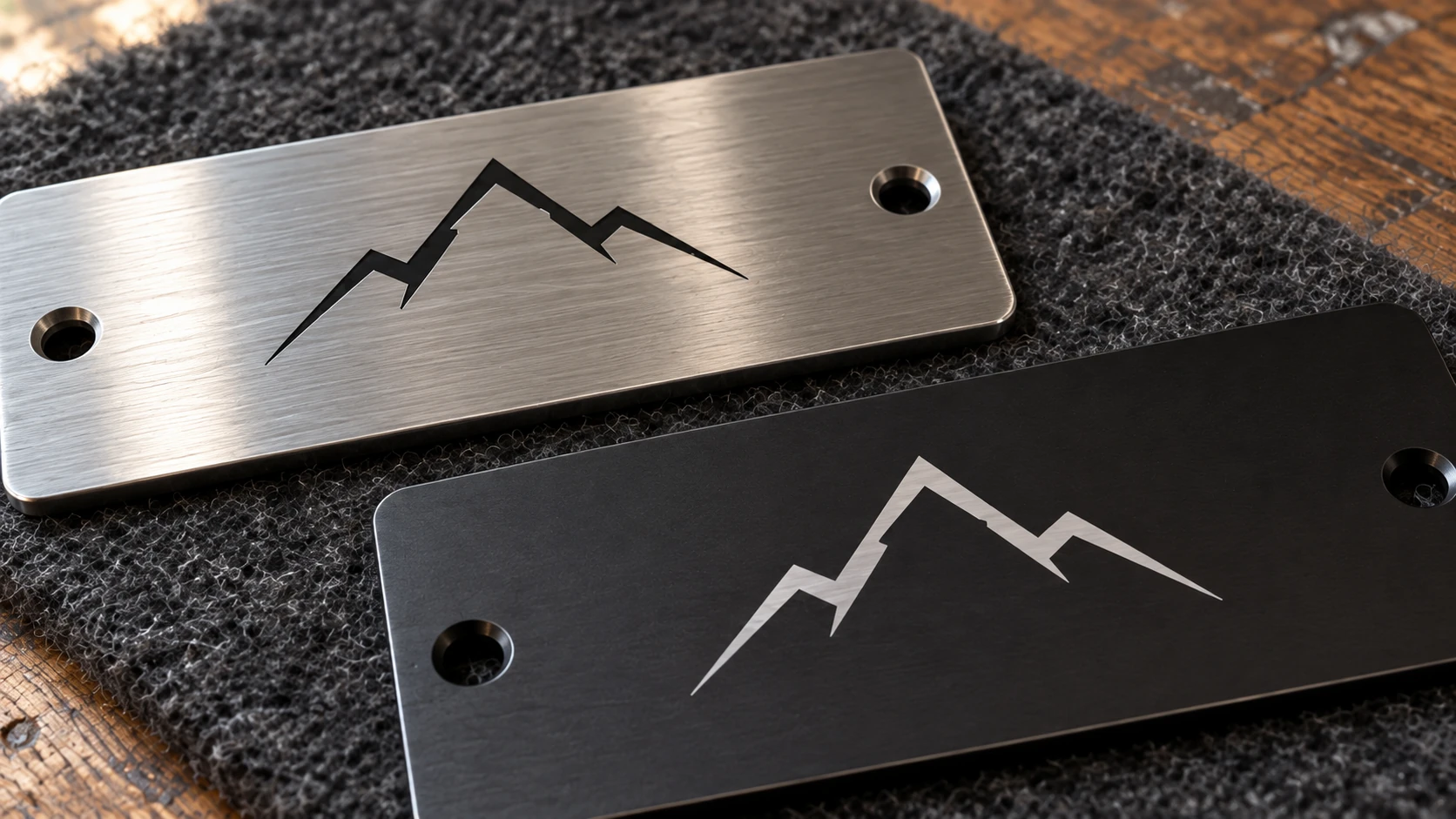
Dark-on-light and light-on-dark marks create different effects. Their appearance alone does not establish the process, material compatibility or durability.
Painted and Coated Metals
You don't always need marking compounds. Many metal items already have a coating you can remove with your laser to create contrast.
Powder-coated tumblers and bottles are hugely popular for personalization. The laser removes the colored powder coat to reveal the stainless steel underneath. The process is identical to engraving anodized aluminum: you're ablating (removing) a coating, not marking the metal itself. Settings are similar to anodized aluminum but may need slightly more power since powder coating is typically thicker than anodizing.
Painted metal signs work the same way. Vintage-style metal signs with a painted surface laser beautifully. The paint comes off cleanly and the exposed metal creates a nice contrast, especially on signs with a dark paint color.
Coated tool surfaces are another option. Many hand tools and utility knives have a black oxide or painted finish that lasers off cleanly, perfect for adding serial numbers, logos, or ownership marks.
Warning
Not all coatings are safe to laser. Unknown paints may contain lead, cadmium, or other toxic compounds that release dangerous fumes when vaporized. Powder coatings are usually polyester or epoxy based, but formulations vary, and some spray paints, automotive finishes, and industrial coatings carry additional hazards. Before you laser any coating, positively identify it and check its safety data sheet (SDS) for hazardous ingredients and fume warnings. Don't treat "well-ventilated" as a substitute for that check: run strong exhaust ventilation regardless, but confirm what the coating is made of before you fire the laser, not after.
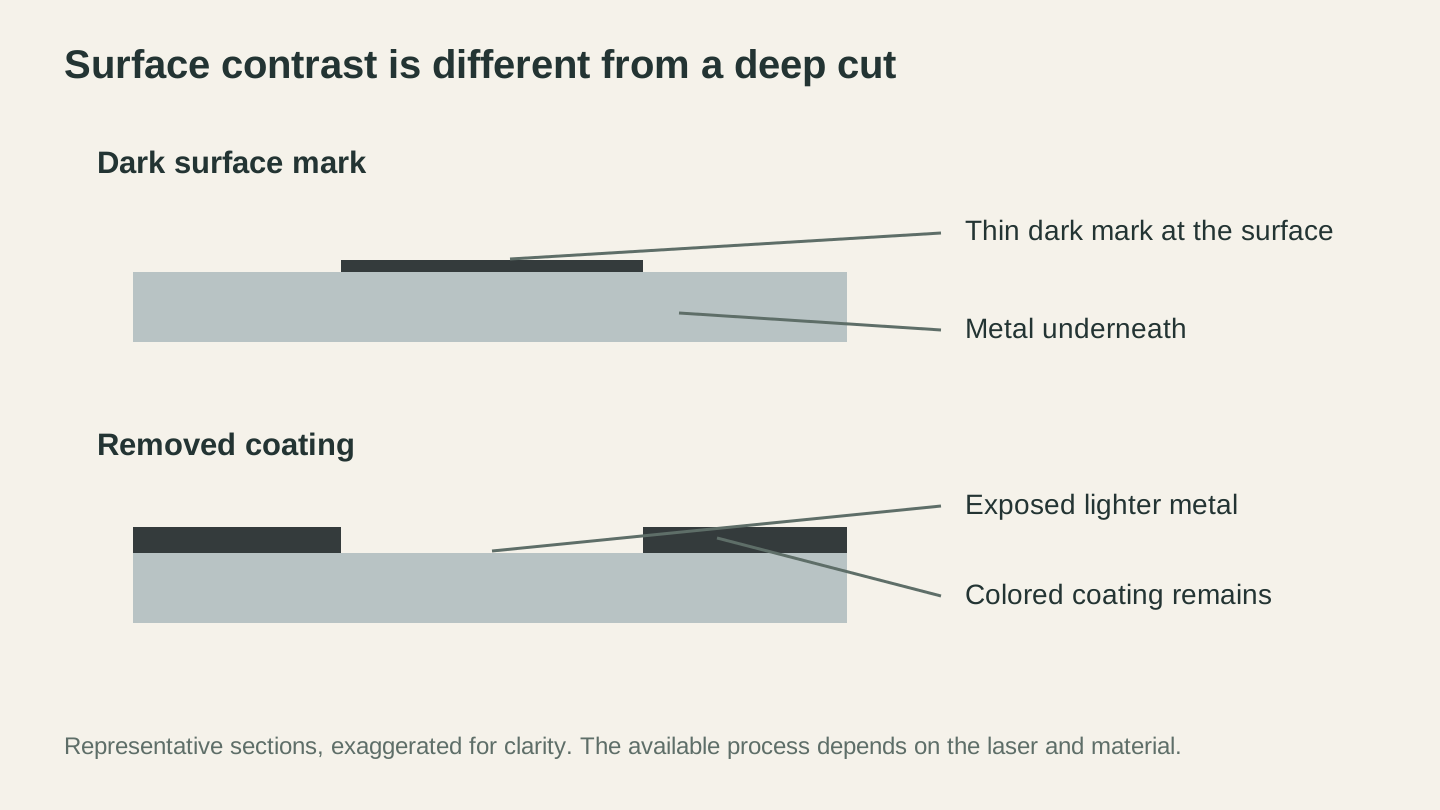
Surface marking and coating removal produce contrast in different ways. These representative sections are exaggerated to make the distinction visible.
Brass, Copper, and Other Metals
Beyond aluminum and steel, makers often ask about other metals. The short answer: it gets harder as surfaces get shinier.
Brass
Marking compounds work on brass, but the results are less consistent than on stainless steel. The mark tends to be lighter and may appear more gray than black. For best results, lightly sand the brass surface to remove the polish, apply CerMark (which performs best on brass among the three major products), and run at higher power and slower speed than you would for steel.
Patinated or antiqued brass can sometimes be marked without compounds. The laser removes the darkened patina to reveal brighter brass underneath, similar to how it works on painted metals.
Copper
Copper is one of the most difficult metals for hobby lasers. It's extremely reflective at both CO2 and diode wavelengths, and it conducts heat rapidly, pulling energy away from the marking area. Marking compounds can work on copper, but you'll need maximum power and very slow speed. Results are often lighter and less even than on steel.
If copper is important to your product line, this is one area where investing in a fiber laser starts to make financial sense.
Gold, Silver, and Precious Metals
Marking compounds can produce results on some gold and silver alloys, particularly lower-karat gold and sterling silver. Results vary significantly by alloy composition. If you're considering laser marking jewelry, test extensively on scrap pieces before committing to a customer order. The stakes are higher when the raw material costs $50+ per piece.
The General Rule
The shinier and more reflective the metal, the harder it is to mark. Brushed or matte finishes absorb more energy than mirror finishes. If you're choosing blanks specifically for laser marking, opt for satin or brushed finishes over polished ones whenever possible.
Settings Reference Table
These are starting points. Metal thickness, coating type, compound brand, and your specific laser all affect results. Always test first.
| Metal Type | Method | Laser Type | Power | Speed | Notes |
|---|---|---|---|---|---|
| Anodized aluminum | Direct (remove coating) | Diode 5-10W | 70-100% | 1000-2000 mm/min | Single pass, clean results |
| Anodized aluminum | Direct (remove coating) | CO2 40-60W | 15-30% | 200-400 mm/s | Less clean than diode |
| Stainless steel | CerMark/LaserBond | CO2 40-60W | 60-90% | 100-200 mm/s | Slow and hot for compound fusion |
| Stainless steel | CerMark/LaserBond | Diode 10W+ | 100% | 200-600 mm/min | Multiple passes may help |
| Painted/coated metal | Direct (remove coating) | CO2 40-60W | 20-40% | 200-400 mm/s | Varies by coating thickness |
| Painted/coated metal | Direct (remove coating) | Diode 5-10W | 60-100% | 800-2000 mm/min | Test for clean removal |
| Brass | CerMark | CO2 40-60W | 70-100% | 80-150 mm/s | Sand surface first, results vary |
| Copper | CerMark | CO2 40-60W | 90-100% | 50-100 mm/s | Difficult, lighter marks |
Info
These settings assume a properly focused laser. Focus is even more critical on metal than on wood or leather because you have less margin for error. A slightly out-of-focus beam that still works fine on basswood may produce nothing on a metal surface. Double check your focus height before every metal job.
Safety Considerations
Metal marking has a few safety concerns that wood and leather don't share. Take these seriously.
Fumes from Marking Compounds
Marking compounds release fumes when the laser activates them. CerMark and similar products contain metal oxides and ceramic particles, and manufacturer safety data sheets for these products can include respiratory-irritation warnings. Read the specific product's SDS before you use it, not just the marketing copy. "Proper ventilation" means a real exhaust system venting outside, not just an open window. Run your exhaust fan during the entire marking process and for a few minutes after.
A P100 filter protects against particulates, but it does not protect against gases or vapors, so it is not automatically sufficient on its own. If you're doing production volumes with marking compounds, check the SDS for the specific compound you're using and choose respiratory protection rated for the hazards it actually lists, in addition to running your exhaust system.
Reflective Surfaces
This one scares people for good reason. Metal reflects laser light, and a reflected beam can damage your laser's optics, hit the machine's frame, or potentially escape the work area. CO2 lasers are more vulnerable to this because the beam path includes mirrors that can be damaged by reflected energy.
In practice, the risk is highest with perfectly flat, mirror-polished metal. Curved surfaces (tumblers, bottles) scatter the reflection. Anodized and coated surfaces absorb most of the beam. Marking compound absorbs the beam at the point of application.
To minimize risk: avoid lasering mirror-polished bare metal, make sure your laser's beam path is properly aligned, and never lean over the work area while the laser is firing.
Eye Protection
Always wear laser safety glasses rated for your specific wavelength. This applies to all laser work, but metal's reflective nature makes it especially important. A reflected beam off a shiny surface can reach your eyes from unexpected angles. Our laser engraving mistakes guide covers general safety practices in more detail.
Ventilation for Coated Metals
When you're removing paint or unknown coatings from metal, the fumes can contain compounds you don't want in your lungs. Always ensure strong exhaust ventilation. If you're unsure what a coating is made of, identify it and check its SDS before you laser it at all, even for a test run, rather than relying on ventilation and a respirator to cover for an unknown material.
What Else Can You Mark?
Metal marking opens up an entire category of products that most hobby laser owners skip. Personalized stainless steel tumblers are a proven seller. Custom dog tags and ID plates are quick to produce and sell well at craft shows. Engraved tools and knives make memorable gifts. Anodized aluminum business cards look sharp and stand out in a pile of paper ones.
If you're interested in exploring other materials, our laser engraving leather guide covers another material that pairs well with a metal-marking workflow. Many makers offer both metal and leather personalization since the customer base overlaps heavily.
Getting Started
Start with anodized aluminum. It's an affordable, forgiving place to start with metal marking. Buy a pack of anodized aluminum dog tags or business card blanks online (they're cheap), run a few test marks to dial in your settings, and go from there.
Once you're comfortable with anodized surfaces, pick up a can of CerMark or LaserBond and try marking stainless steel. The learning curve is slightly steeper since compound application adds a step, but the results are worth it. A permanent black mark on polished stainless steel looks incredible.
Metal marking with a hobby laser is absolutely doable. It just requires understanding what your machine can and can't do, then working within those limits. The makers who nail this end up with a product line that stands out, since a lot of hobbyists assume metal is off-limits and never try.
Need artwork for dog tags, ID plates, or a nameplate before you run it on metal? The Monogram Generator creates clean split and classic monogram designs sized for laser engraving, so you can go straight from initials to a machine-ready file.
Related Tools
Ready to try these tools?
Sign up free, no credit card required. Free tools available immediately.
Start Free