

Laser Engraving Leather: Settings, Safety, and Project Guide
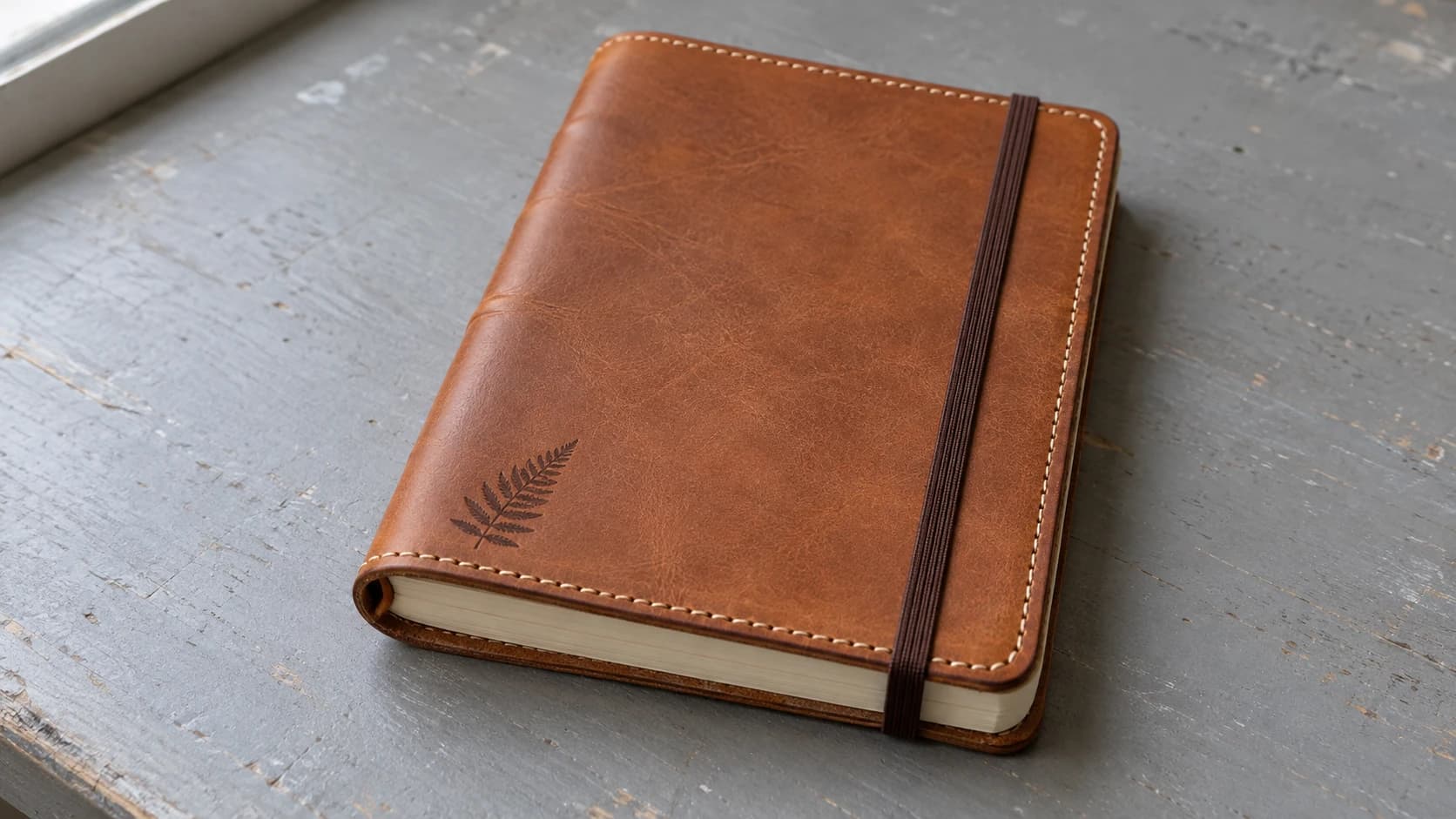
Leather is one of the most satisfying materials you can put under a laser. The smell of a clean burn on vegetable-tanned leather is pleasant (think campfire, not chemical plant). The contrast is gorgeous. The finished pieces feel premium in a way that wood and acrylic simply can't match. People will pick up a laser-engraved leather journal cover and immediately ask "how did you make this?"
But leather is also one of the most misunderstood materials from a safety perspective. The wrong type of leather can release genuinely toxic fumes that no exhaust system can make safe. Before you engrave your first piece, you need to know what you're working with.
If you're new to laser work in general, start with our laser engraving beginner's guide for the fundamentals. This guide assumes you know the basics and focuses specifically on leather.
Vegetable-Tanned vs Chrome-Tanned: The Critical Difference
This is the single most important thing to understand before lasering leather. It is not optional reading. It is a safety issue.
Vegetable-tanned leather is processed using natural plant-based tannins (from tree bark, leaves, and other organic materials). It's the safe choice for laser work. Confirm the piece is untreated (no unknown coatings, dyes, or finishes) and follow your laser manufacturer's ventilation requirements. The fumes smell like burning leather, which is unpleasant but manageable with proper airflow.
Chrome-tanned leather is processed using chromium salts. When heated by a laser, it can release hazardous chromium compounds and other toxic fumes. This is not something ventilation makes safe. Your exhaust fan does not fix the problem. Avoid lasering chrome-tanned leather entirely.
Warning
Never laser chrome-tanned leather. It can release hazardous chromium compounds and other toxic fumes when burned. This is not a "use good ventilation" situation. It is a "do not do this" situation. If you are unsure what type of leather you have, do not laser it until you confirm with the supplier that it is vegetable-tanned.
How to Tell the Difference
Check the edges. Cut or look at a cross-section of the leather. Vegetable-tanned leather is brown or tan all the way through. Chrome-tanned leather often has a bluish or grayish tint in the core, sometimes called "wet blue" in the industry.
Ask the supplier. Any reputable leather supplier will tell you the tanning method. If they can't answer or won't answer, buy from someone who can. This is not a detail to guess about.
Get it in writing. If the edge check and a direct question to the supplier still leave you unsure, ask for written confirmation of the tanning process before you laser it. Don't try to identify tanning chemistry by smell or by burning a sample yourself. That exposes you to the same unknown fumes this guide is warning you about.
Check the label. Many leather goods are labeled. "Full grain vegetable tanned" is what you want. "Genuine leather" tells you almost nothing about the tanning process.
PRINT. CUT. CARVE.
- Multiple formats (SVG, DXF, PNG)
- Machine-tested designs
- Commercial licenses
Sponsored by PrintCutCarve.com
Best Leather Types for Laser Work
Not all vegetable-tanned leather is equal. Here's what works well and what to avoid.
Vegetable-Tanned Leather (The Gold Standard)
This is your default choice. Veg-tan leather engraves with beautiful dark contrast on a natural tan background. It's widely available in various thicknesses and takes engraving and cutting cleanly. Most leather craft suppliers stock it.
The natural surface darkens where the laser hits, creating a branded or burned appearance that looks intentional and professional. Thinner pieces (1-2mm) cut cleanly. Thicker pieces (3-4mm+) engrave beautifully but require more power or multiple passes to cut through.
Latigo Leather
Latigo is a combination-tanned leather that uses both vegetable and chrome tanning, finished with a heavy oil and wax treatment. Because it contains chrome tanning, do not laser it. The rule is the same one that applies to any chrome-tanned hide, and a supplier calling a product laser-safe does not change what the tanning chemistry releases when it burns. Use pure vegetable-tanned leather instead.
Tooling Leather
Tooling leather is vegetable-tanned leather selected for hand-tooling and carving, and it's available across a range of weights. Heavier tooling leather is excellent for laser engraving because the thickness gives you room for deeper burns without going through the material. Great for belts, holsters, and anything that needs to be sturdy.
Suede
Suede describes a napped surface finish, not a tanning method, so a piece of suede may be vegetable or chrome tanned. Confirm the tanning before it goes anywhere near the laser, and only proceed if it is vegetable-tanned. Vegetable-tanned suede engraves nicely, and the nap takes the mark as a smooth, slightly shiny contrast against the fuzzy background. Cutting is less predictable: the fibers can fray and leave rough edges depending on the specific suede and settings. Test a scrap piece before committing to a cut project, and lean on engraving if the cut edges don't come out clean.
What to Avoid
Bonded leather. This is ground-up leather scraps mixed with polyurethane and pressed into sheets. It's essentially leather-scented plastic. The polyurethane releases toxic fumes when burned.
PU leather and faux leather. Some synthetic leathers contain PVC (polyvinyl chloride). Lasering PVC releases hydrochloric acid and chlorine gas. This will damage your laser's optics and rails, corrode metal parts, and harm your lungs. Confirm the material composition before lasering any synthetic leather, and never laser anything confirmed or suspected to be PVC-based.
Patent leather. The glossy coating is typically a plastic finish. Even if the base leather is vegetable-tanned, the coating creates toxic fumes.
Any leather where you can't confirm the tanning method. When in doubt, don't laser it. A ruined piece of leather costs a few dollars. Hospital bills cost considerably more.
Laser Settings for Leather
These are starting points. Leather thickness, moisture content, and even the specific animal hide all affect results. Always test on a scrap piece first. For more on dialing in settings for different materials, our common laser engraving mistakes guide covers the most frequent errors.
| Operation | CO2 (40-60W) | Diode (5-10W) | Notes |
|---|---|---|---|
| Light engrave | 10-20% power, 200-400 mm/s | 20-40% power, 800-1200 mm/s | Surface mark only, subtle contrast |
| Deep engrave | 25-40% power, 100-200 mm/s | 50-80% power, 400-800 mm/s | Deeper burn, strong contrast, slight texture |
| Cut (thin, 1-2mm) | 30-50% power, 8-15 mm/s | 60-90% power, 2-5 mm/s | Single pass usually sufficient |
| Cut (thick, 3-4mm) | 50-80% power, 3-8 mm/s | 100% power, 1-2 mm/s, 2-3 passes | Multiple passes recommended |
Info
Diode lasers work on leather but are significantly slower for cutting. Common blue-light diode modules handle leather well, much better than they handle clear materials like acrylic. If you only have a diode laser, you can absolutely engrave and cut leather. Just budget more time for thicker cuts.
Engraving vs Cutting Leather
Engraving
Laser engraving leather removes or darkens the top surface layer. On natural vegetable-tanned leather, the laser creates a darker mark against the lighter background. The result looks like a traditional brand or burn mark.
The depth and darkness of the engrave depends on your power and speed settings. Light engravings barely change the texture and just darken the surface. Deeper engravings create a visible depression and stronger contrast.
For photo engravings on leather, Photo Converter turns photographs into clean line art that engraves beautifully on the material. The pen-and-ink style output translates perfectly to the branded look that leather produces.
Cutting
Laser-cut leather has clean, slightly darkened edges with minimal charring when settings are dialed in. The edges are sealed by the heat, which actually helps prevent fraying.
The key to clean cuts is using multiple passes at moderate power rather than a single pass at maximum power. A single high-power pass generates excessive heat that chars the edges, warps the leather, and creates an unpleasant burnt smell. Two or three passes at lower power keep the leather cooler and produce cleaner results.
This is a common mistake covered in our laser engraving mistakes guide. Going too hot and too slow is the number one error people make when cutting leather.
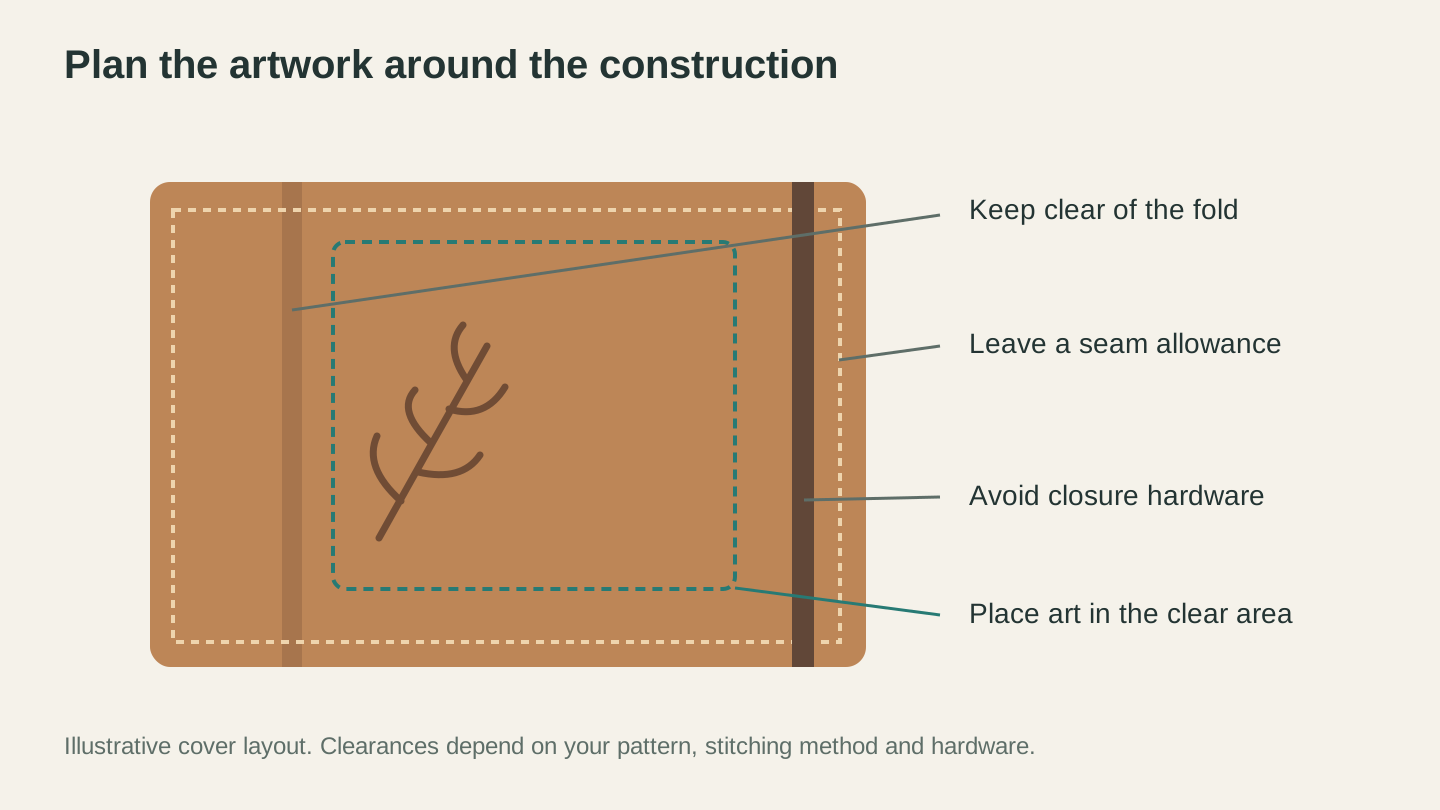
Plan the decoration around the cover’s construction. The fold, seam allowance and closure all need their own space.
Tips for Better Results
Use Masking Tape
Apply a layer of painter's tape or transfer tape over smooth leather before engraving. The tape catches smoke residue and soot that would otherwise stain the surface around the engraved area. After engraving, peel the tape off to reveal clean, crisp marks with no haze.
This works best on smooth, finished leather. It doesn't stick well to suede or heavily textured surfaces.
Adjust Air Assist
If your laser has air assist, use it, but at lower pressure than you would for wood. High-pressure air on leather can blow lightweight pieces around and may affect the burn consistency on thin leather. A gentle stream is enough to clear smoke from the cutting path.
Focus Carefully
Leather thickness varies, sometimes even within the same piece. A hide might be 2mm at one end and 2.5mm at the other. If you're engraving a large area, check the focus across the entire workpiece. Even small focus variations affect engrave quality.
For projects that demand consistency, use a flat press or weighted board to hold the leather flat against the bed.
Consider Wetting (Advanced Technique)
Some makers lightly dampen vegetable-tanned leather before engraving. The moisture creates more steam during the laser pass, which deepens the mark and creates slightly more contrast. This is an advanced technique that requires experimentation. Too much water causes uneven burning and warping. A light misting with a spray bottle is enough.
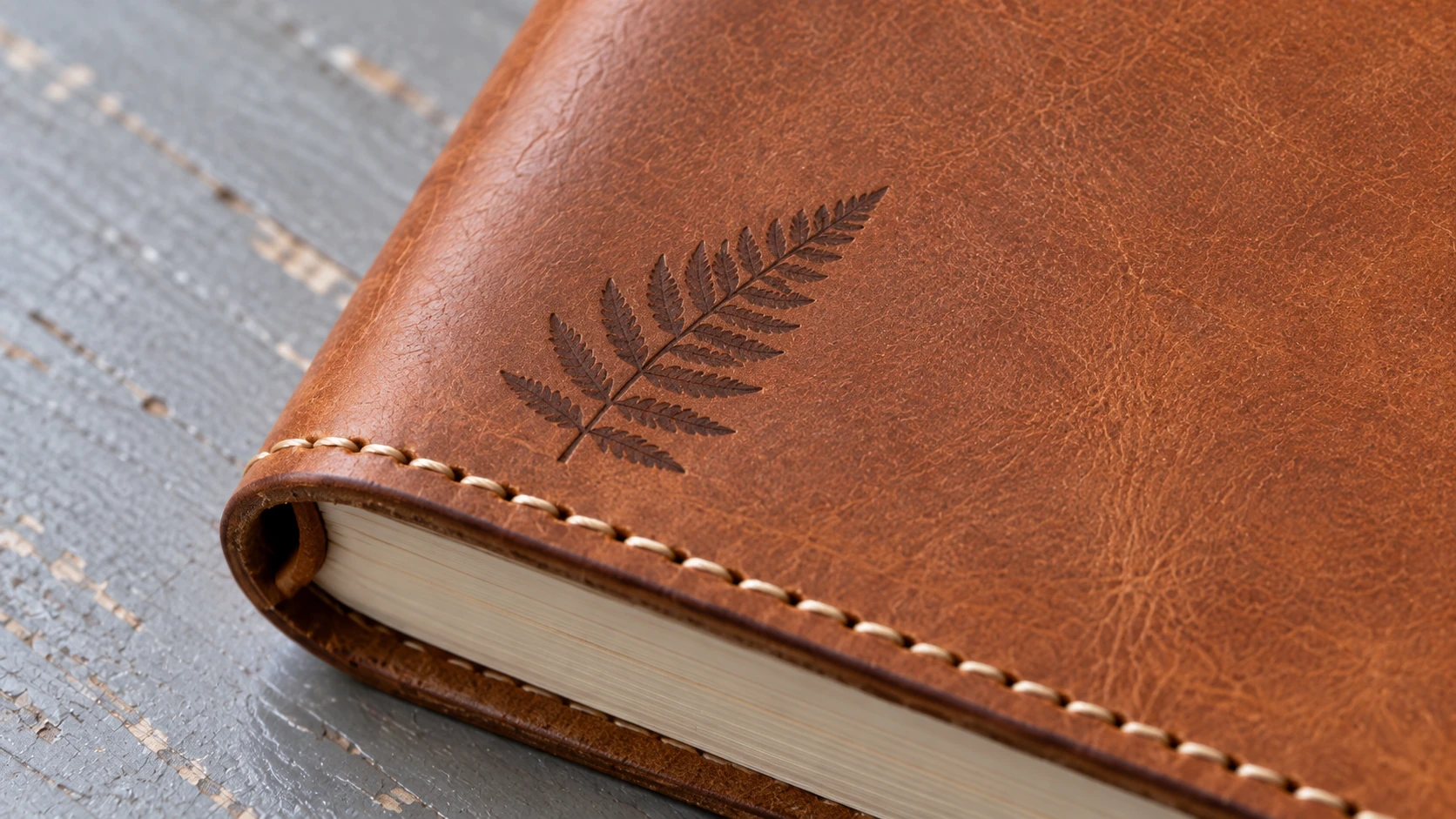
Keep fine artwork clear of the stitched edge. This close view shows the same cover’s surface texture and small fern motif.
Project Ideas
Leather projects sell well and make excellent gifts. The material feels premium, lasts for years, and looks better as it ages. Here are proven projects to get you started.
Journal and notebook covers. A personalized leather cover wrapped around a basic notebook instantly turns it into a gift-worthy item. Engrave a name, monogram, or intricate pattern. Use Vector Studio to generate custom decorative designs if you don't want to draw your own.
Wallets and card holders. Slim card holders are quick to cut and engrave, and they're one of the best-selling leather items on Etsy. Engrave initials, a small logo, or a subtle pattern.
Keychains and luggage tags. Small, fast to produce, and low material cost. These are perfect for craft fairs and markets. You can cut and engrave a batch in minutes.
Patches and badges. Laser-cut leather patches look far more premium than embroidered ones. Great for branding on bags, jackets, or hats.
Belts. Engrave patterns, names, or artwork along the length of a thick tooling leather belt. The weight of the leather gives the finished piece a substantial, handcrafted feel.
Coasters. Leather coasters are surprisingly popular. They're absorbent, durable, and look great with engraved designs. Turn photos into engraveable artwork with Photo Converter for personalized sets.
Dog collars. Personalized leather dog collars with the pet's name and owner's phone number are a reliable seller. Use thick veg-tan for durability.
Guitar straps. A wide leather strap with custom engraving is a dream project for musician friends. Lots of surface area for detailed artwork.
If you're looking for design ideas beyond text and names, Vector Studio can generate custom SVG artwork from a text description. Describe the pattern or image you want and get a machine-ready vector file that engraves beautifully on leather.
What About Other Materials?
Leather sits in a unique spot among laser materials. It's organic, forgiving, and produces results that look handcrafted rather than machine-made. If you're building a materials repertoire, pair it with wood projects (our best wood for laser engraving guide covers the top species) and acrylic work (see the laser cutting acrylic guide for that side of things).
Each material has its own quirks and strengths. Leather's advantage is that it ages beautifully. A laser-engraved leather piece looks good on day one and even better after a year of use. The patina that develops on vegetable-tanned leather over time makes every piece unique.
Getting Started
Start small. Buy a few scrap pieces of vegetable-tanned leather from a craft supplier. Confirm it's veg-tan. Run a few test engravings at different power and speed settings on a corner of the scrap. Once you find settings that produce the contrast and depth you want, move on to a real project.
A simple keychain or luggage tag is the perfect first leather project. It uses a small amount of material, involves both cutting and engraving, and the result is something you can actually use. If it turns out well, you'll have a new favorite material. If it doesn't, you're out a couple of dollars and a few minutes.
Leather rewards patience and respect. Get the basics right, use the right type, and the material does most of the work for you.
Ready to design your first piece? Turn a photo into clean, laser-ready line art with Photo Converter, or describe a pattern and generate a machine-ready SVG with Vector Studio.
Related Tools
Ready to try these tools?
Sign up free, no credit card required. Free tools available immediately.
Start Free