

Best Filaments for 3D Printing: PLA, PETG, TPU, and Beyond
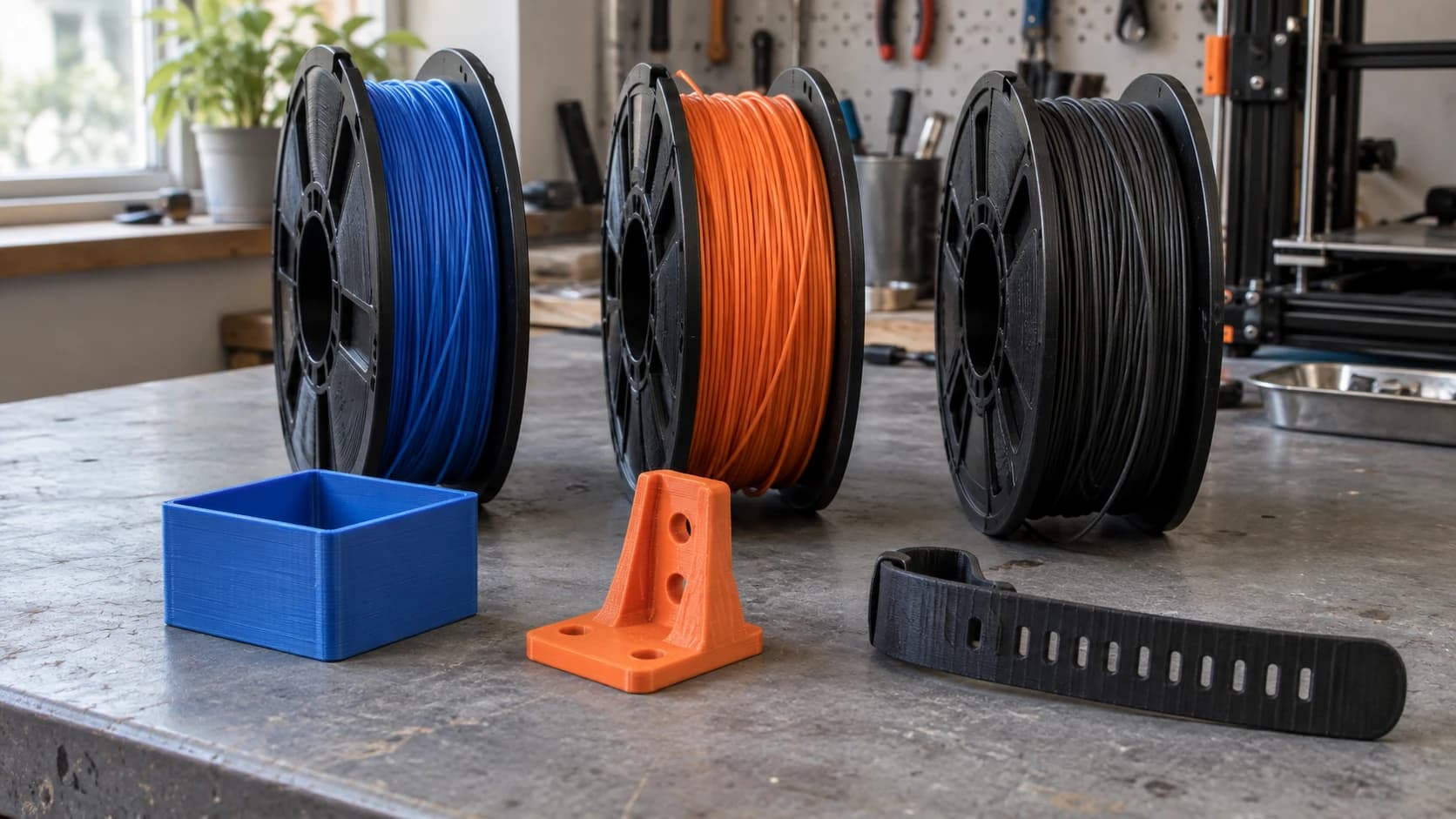
Every 3D printer owner eventually stares at a wall of filament spools and wonders which one they actually need. PLA is everywhere. PETG sounds tougher. TPU bends. ABS smells. Nylon costs as much as a nice dinner. And then there's wood-fill, carbon fiber, silk, glow-in-the-dark, and whatever else showed up in your feed last week.
The difference between a part that works and a part that snaps, warps, or melts in the sun often comes down to picking the right filament. Not the fanciest. Not the cheapest. The right one for what you're making.
This guide covers every filament you'll realistically use, with print settings, strength characteristics, and honest pros and cons for each. If you're just getting started, our beginner's guide covers machine setup and first prints. This post picks up where that guide's filament section left off.
What Makes a Filament Easy (or Awful) to Print
Before diving into individual materials, three properties determine how much trouble a filament will give you:
Warping tendency. Some plastics shrink as they cool. If one part cools faster than another, the uneven shrinkage pulls corners off the bed and distorts the geometry. ABS is infamous for this. PLA barely warps at all.
Temperature sensitivity. Higher print temps mean more precise hotend and bed control. Materials above 240C often need an enclosed printer to maintain consistent ambient temperature. Your open-frame Ender can handle PLA and PETG. ABS and Nylon want an enclosure.
Moisture absorption. Some filaments absorb water from the air and print terribly when wet. Nylon is the worst offender. PLA barely cares. If a spool prints great when fresh and terrible a month later, moisture is almost always why.
PRINT. CUT. CARVE.
- Multiple formats (SVG, DXF, PNG)
- Machine-tested designs
- Commercial licenses
Sponsored by PrintCutCarve.com
PLA (Polylactic Acid)
The default. The one that came with your printer. The one you'll use for 80% of everything you print, and that's perfectly fine.
PLA is derived from plant starches and is the easiest filament to print successfully. It doesn't warp, sticks to almost any bed surface, prints at low temperatures, and comes in more colors than a paint store. If you're making something decorative, a prototype, or anything that won't see heat or heavy stress, PLA is the answer.
Nozzle temp: 190 to 220C
Bed temp: 50 to 60C (prints fine on an unheated bed too)
Bed adhesion: Sticks to everything. Glass, PEI, BuildTak, blue tape. PLA is not picky.
Strength: Moderate. Rigid and stiff, but brittle under sharp impact. It cracks rather than flexing.
Ease of printing: The easiest. If PLA doesn't print well on your machine, something is wrong with the machine.
Cost: $15 to $25 per kg. The most affordable filament category.
Best for: Decorative prints, prototypes, figurines, cosplay props, display models, lithophanes, anything staying indoors at room temperature.
Warning
PLA softens around 55 to 60C. Don't leave PLA parts in a car on a hot day, near a heater vent, or in a dishwasher. That dashboard phone mount you printed will become a dashboard phone puddle by August.
PETG (Polyethylene Terephthalate Glycol)
PETG is the sensible upgrade from PLA. It's stronger, more flexible, more heat-resistant, and nearly as easy to print. If PLA is the daily driver, PETG is what you reach for when the part needs to survive real-world use.
The print behavior is slightly different from PLA. PETG is stringier (those thin threads between travel moves) and sticks to the nozzle more aggressively. But these are cosmetic annoyances, not print failures. A bit of retraction tuning and you're fine.
Nozzle temp: 220 to 250C
Bed temp: 70 to 80C
Bed adhesion: Good on PEI and textured surfaces. Can bond too well to smooth glass (use glue stick or hairspray as a release agent).
Strength: Good. Stronger than PLA with some flex before failure. Won't shatter on impact like PLA does.
Ease of printing: Easy to medium. More stringing than PLA, but very forgiving overall.
Cost: $18 to $28 per kg.
Best for: Functional parts, enclosures, brackets, outdoor items, mechanical parts that need some flex, and food-contact parts only when the exact filament is certified by its manufacturer for the intended use and the full printing process meets that guidance.
Tip
Base-resin claims, a stainless steel nozzle, or a generic "food-safe" epoxy do not by themselves make a printed part suitable for food contact. Use only the exact filament and any coating certified by their manufacturers for the intended contact conditions, with clean compatible hardware, a cleanable design, and the specified printing, curing, cleaning, and use instructions.
ABS (Acrylonitrile Butadiene Styrene)
ABS is the plastic LEGO bricks are made from. It's tough, heat-resistant, and has been used in 3D printing since the beginning. It's also the filament that teaches beginners what warping and fume extraction mean.
ABS needs an enclosed printer. Full stop. On an open-frame machine, ambient air cools the print unevenly, causing warping and layer splitting. With an enclosure (Bambu Lab P1S, Creality K1, or DIY), ABS prints reliably and produces strong, durable parts. Without one, you'll fight failures more than you print.
Nozzle temp: 230 to 260C
Bed temp: 90 to 110C
Bed adhesion: Moderate. Needs high bed temps. ABS juice (ABS dissolved in acetone) or glue stick helps. Warps aggressively on unheated beds.
Strength: Very good. Tough, impact-resistant, and doesn't shatter like PLA.
Ease of printing: Hard. Requires enclosure, high bed temps, and good ventilation. Produces fumes (styrene) that you don't want to breathe.
Cost: $18 to $25 per kg.
Best for: Mechanical parts, automotive components, heat-resistant applications, parts that need acetone smoothing for a glossy finish.
Warning
ABS produces styrene fumes during printing. Always print in a ventilated space or use a printer with a carbon filter. Don't print ABS in your bedroom with the door closed.
TPU (Thermoplastic Polyurethane)
TPU is flexible. Truly, rubber-like flexible. Print a phone case and you can bend it. Print a gasket and it actually seals. Print a vibration dampener and it actually dampens. TPU opens up an entire category of parts that rigid filaments simply can't produce.
The tricky part is feeding it. TPU is soft and squishy, which means it can buckle or jam in the extruder instead of feeding smoothly. Direct drive extruders handle it well. Bowden tube setups are hit or miss. Slower print speeds are essential.
Nozzle temp: 210 to 230C
Bed temp: 40 to 60C
Bed adhesion: Good. TPU sticks well to most surfaces. Sometimes too well.
Strength: Low rigidity, but very high elongation. TPU stretches and bends rather than breaking.
Ease of printing: Medium. Direct drive extruders handle it fine. Bowden setups struggle. Print slowly (20 to 30 mm/s) and disable retraction or keep it minimal.
Cost: $25 to $40 per kg.
Best for: Phone cases, watchbands, gaskets, bumpers, vibration mounts, grips, flexible hinges, wearables.
Tip
TPU hardness is measured in Shore A. 95A is the most common and a good starting point. Lower numbers (85A) are softer and more flexible but harder to print. Higher numbers (98A) are stiffer and easier to feed through the extruder.
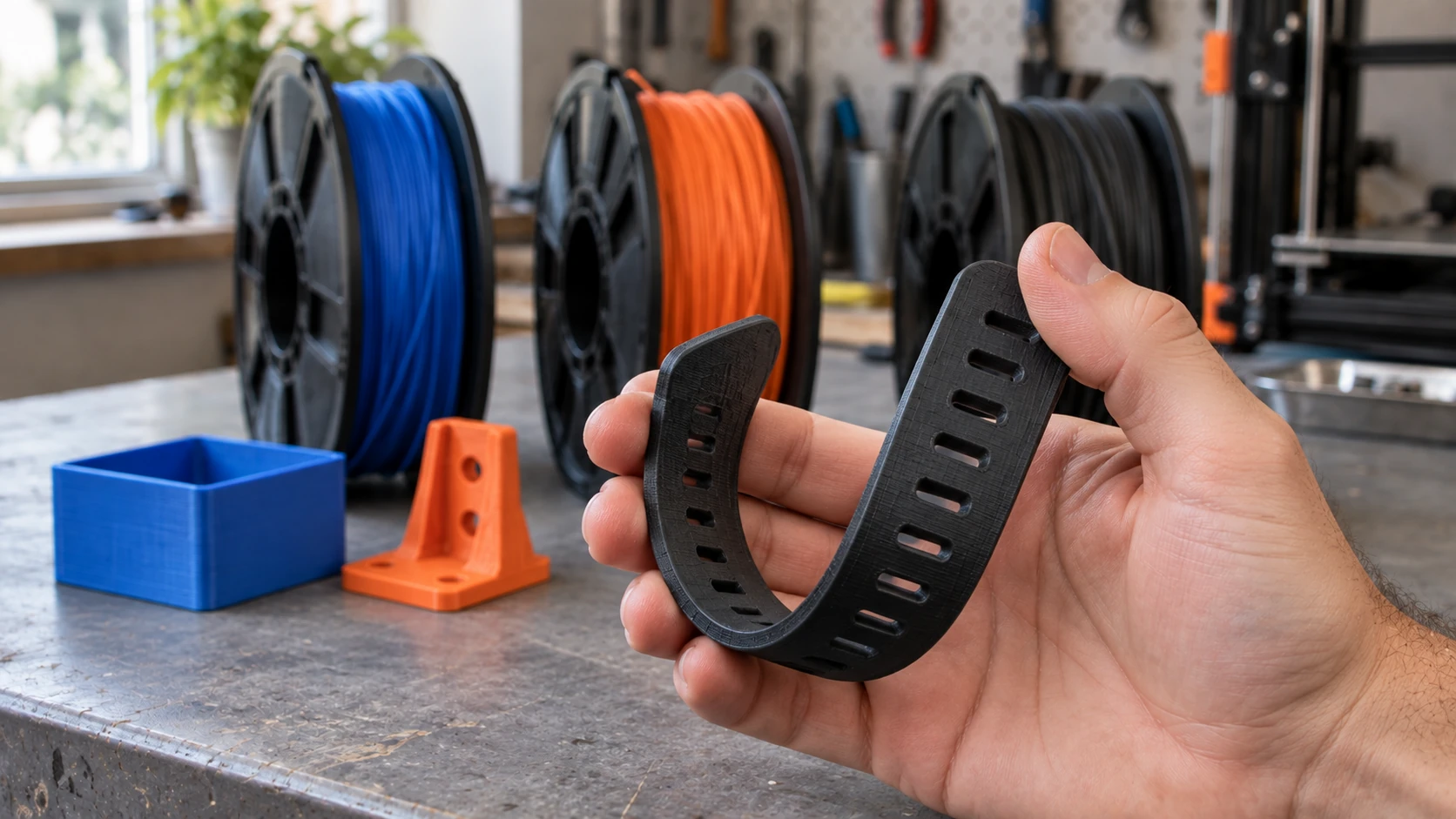
A flexible filament lets a part bend in ways a rigid print cannot. This shows the movement; it is not a strength test.
ASA (Acrylonitrile Styrene Acrylate)
ASA is what ABS wants to be when it grows up. Same strength and heat resistance, but with UV resistance that ABS completely lacks. ABS parts left outdoors yellow and become brittle over months. ASA shrugs off years of sun exposure.
Printing requirements are the same as ABS: enclosed printer, high bed temp, good ventilation. If you can print ABS, you can print ASA. The main reason to choose ASA over ABS is outdoor use.
Nozzle temp: 235 to 260C
Bed temp: 90 to 110C
Bed adhesion: Similar to ABS. Needs enclosed printer and heated bed.
Strength: Very good. Comparable to ABS with added UV stability.
Ease of printing: Hard. Same enclosure and ventilation requirements as ABS.
Cost: $25 to $35 per kg.
Best for: Outdoor parts, garden fixtures, automotive trim, anything exposed to direct sunlight long-term.
Nylon (PA6, PA12)
Nylon is the material for parts that take serious abuse. It's incredibly tough, wear-resistant, and has a natural slipperiness that makes it ideal for gears, bearings, and sliding parts. It's the filament you graduate to when PLA and PETG aren't strong enough.
The catch is that nylon absorbs moisture from the air like a sponge. A spool left unsealed for a week can become unprintable. You'll hear popping and crackling during printing (that's moisture boiling in the nozzle), and parts will have rough surfaces and poor layer adhesion. Dry your nylon before every print and store it sealed with desiccant.
Nozzle temp: 240 to 270C
Bed temp: 70 to 90C (some blends need higher)
Bed adhesion: Poor on most surfaces. Use PEI with glue stick, or garolite (the gold standard for nylon adhesion).
Strength: Excellent. The strongest common filament. High impact resistance, wear resistance, and fatigue resistance.
Ease of printing: Hard. Hygroscopic (absorbs moisture), warps significantly, needs enclosure. Not beginner-friendly.
Cost: $30 to $50 per kg.
Best for: Gears, bearings, hinges, living hinges, structural parts, anything requiring wear resistance or repeated flexing.
Specialty Filaments
These filaments blend a standard base material (usually PLA) with additives for specific effects. They're fun, look great, and each has its quirks.
Wood-Fill PLA
PLA mixed with fine wood particles (usually around 30% wood fiber). Prints look and feel like wood. You can sand and stain the finished part. Different brands use different wood species, so the color and texture vary.
Nozzle temp: 190 to 220C. Higher temps produce darker "grain" variation.
Best for: Decorative items, picture frames, figurines, anything where a natural wood look adds value.
Watch out for: Use a nozzle 0.5mm or larger. The wood particles clog 0.4mm nozzles over time. Hardened steel nozzles last longer than brass with filled filaments.
Carbon Fiber Reinforced
PLA or PETG reinforced with short carbon fiber strands. Dramatically stiffer than the base material, with a matte, textured surface finish that looks professional.
Nozzle temp: Same as base material (PLA or PETG range).
Best for: Drone frames, RC car parts, structural brackets, anything needing maximum stiffness at minimum weight.
Watch out for: Carbon fiber is abrasive. It will destroy a brass nozzle within a few prints. Use a hardened steel or ruby nozzle. This is not optional.
Silk PLA
PLA with additives that create a glossy, silk-like sheen. Available in single colors and multi-color "rainbow" variants that shift color along the spool. This is the filament people buy to make things that look impressive on a shelf.
Nozzle temp: 200 to 230C (slightly higher than standard PLA).
Best for: Vases, decorative objects, display pieces, gifts. Anything where visual impact matters more than structural strength.
Watch out for: Silk PLA is weaker and more brittle than standard PLA. Don't use it for functional parts. It's purely decorative.
Glow-in-the-Dark PLA
PLA mixed with strontium aluminate particles that absorb and re-emit light. The particles are abrasive and produce a slightly grainy surface texture.
Nozzle temp: 200 to 220C.
Best for: Night lights, signs, kids' toys, Halloween decorations, keychain fobs.
Watch out for: Abrasive. Use a hardened steel nozzle. Print quality is slightly rougher than standard PLA due to the particles.
Filament Comparison Table
| Filament | Nozzle Temp | Bed Temp | Strength | Flexibility | Enclosure | UV Resistant | Ease | Cost |
|---|---|---|---|---|---|---|---|---|
| PLA | 190-220C | 50-60C | Moderate | Brittle | No | No | Easy | $ |
| PETG | 220-250C | 70-80C | Good | Slight flex | No | Moderate | Easy-Med | $$ |
| ABS | 230-260C | 90-110C | Very Good | Slight flex | Yes | No | Hard | $$ |
| TPU | 210-230C | 40-60C | High toughness | Very flexible (low stiffness) | No | Varies | Medium | $$$ |
| ASA | 235-260C | 90-110C | Very Good | Slight flex | Yes | Yes | Hard | $$$ |
| Nylon | 240-270C | 70-90C | Excellent | Good | Yes | No | Hard | $$$$ |
| Wood PLA | 190-220C | 50-60C | Low | Brittle | No | No | Easy | $$ |
| CF-PLA | 200-230C | 50-60C | High (stiff) | Brittle | No | No | Easy | $$$ |
| Silk PLA | 200-230C | 50-60C | Low | Brittle | No | No | Easy | $$ |
How to Pick Your Filament
Not sure which material fits your project? Run through this quick decision tree:
Outdoors in direct sun? Use ASA. ABS and PLA degrade in UV. PETG holds up okay but not as well.
Needs to flex or compress? TPU. Nothing else comes close for flexible parts.
Needs to survive heat above 60C? Avoid PLA. Use PETG (up to ~80C), ABS/ASA (up to ~100C), or Nylon (up to ~110C).
Repeated impact or mechanical stress? Nylon for best impact resistance. PETG for a good middle ground. PLA will crack.
Decorative and staying on a shelf? PLA. Silk PLA if you want to impress. Wood-fill for a natural look.
Prototype you'll reprint later? PLA. Cheap, fast, disposable.
First 3D print and not sure what you're doing? PLA. Always PLA.
Tip
Buy one spool of PLA and one spool of PETG. Between those two, you can handle 90% of projects. Add TPU when you need something flexible and ABS/ASA when you need heat resistance. Nylon and specialty filaments are "buy when you need them" materials.
Storage Matters More Than You Think
Even PLA prints worse when wet. Nylon becomes unusable. PETG gets stringy. Proper filament storage isn't fussy, it just needs to be consistent.
Sealed containers with desiccant are the minimum. Large Ziploc bags with a handful of silica gel packets work for casual use. Cereal containers with gasket lids are the budget upgrade.
Filament dry boxes let you print directly from a sealed container. Essential for Nylon, recommended for PETG and TPU in humid climates.
Filament dryers actively remove moisture. If a spool has been sitting out, 4 to 6 hours at the right temperature restores it. Nylon at 70C, PETG at 65C, PLA at 45C.
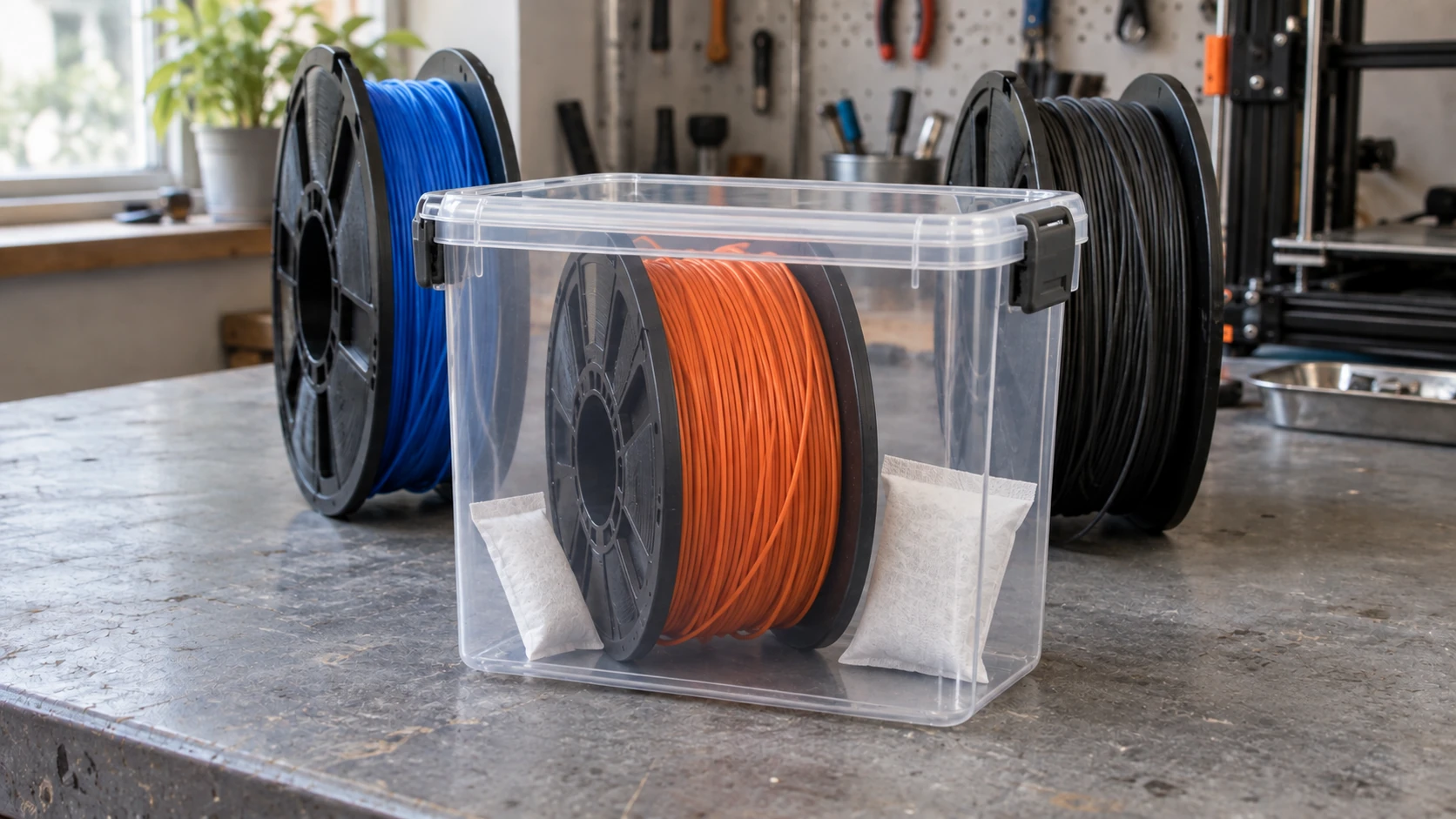
A sealed container and desiccant help keep dry filament dry between prints. A storage box does not replace drying a spool that has already absorbed moisture.
File Formats and Conversions
Most slicers want STL files, but models come in OBJ, 3MF, and other formats too. If you download a model in a format your slicer doesn't accept, File Converter handles STL, OBJ, and 3MF conversions without using tool credits. Upload, pick your output format, download. Downloading the converted file requires an active paid plan.
3MF is worth knowing about. It bundles mesh data, color information, and print settings into a single file. Most modern slicers support it natively, and it's becoming the preferred format for sharing print-ready models. If you're combining 3D printing with laser cutting or CNC, our guide on free design software covers tools that handle both 2D and 3D workflows.
Once you're comfortable with filaments, try turning photos into 3D relief models or lithophanes. Both are great PLA projects that show off what your printer can really do.
Start Printing
You don't need a filament collection to get started. One spool of PLA teaches you everything about your printer's behavior, your slicer settings, and your own preferences. Once you understand how layer height, speed, and temperature interact, branching into PETG and beyond feels natural rather than overwhelming.
Once you've picked a filament, you'll probably still need to wrangle the model file itself. If it lands in a format your slicer won't open, File Converter converts between STL, OBJ, and 3MF without using tool credits, right in your browser. Downloading the converted file requires an active paid plan.
Happy making.
Related Tools
Ready to try these tools?
Sign up free, no credit card required. Free tools available immediately.
Start Free