

3D Printed Jigs, Fixtures, and Accessories for Your Workshop
Your 3D printer isn't just a gadget that makes phone stands and Pokémon figurines. It's a tool factory. A machine that builds custom parts for your other machines, solves problems specific to your workshop, and churns out accessories that would otherwise cost $40 at a specialty store or simply don't exist anywhere.
Once you start thinking of your printer this way, you'll wonder how you ever worked without it. That laser focus gauge you've been eyeballing for five minutes? Print one. That CNC clamp that's always slightly too tall for your stock? Design one that's the exact height you need. That rats nest of hex keys in your drawer? Yeah, there's a printed holder for that too.
This post covers practical, print-it-tonight accessories for CNC machines, laser engravers, 3D printers, and your workshop in general. Each one solves a real problem. If you're new to 3D printing, our beginner's guide covers machine setup and first prints. If you need help choosing the right filament for functional parts, our filament comparison guide goes deep on material properties.
Your 3D Printer Is a Tool Factory
Most maker setups involve multiple machines. A CNC router. A laser engraver. Maybe a cutting machine. And somewhere in the corner, a 3D printer that keeps them all running better.
The magic of 3D printing for workshop accessories is customization. Commercial jigs are designed for the average user with the average machine. Your setup isn't average. Your wasteboard has specific T-slot spacing. Your laser has a specific bed height. Your caliper has a specific width. 3D printed parts can match your exact dimensions, and if they break, you print another one in an hour.
The cost is almost nothing. Most jigs and fixtures use less than 50g of filament. That's about a dollar's worth of PLA or PETG. Compare that to buying machined aluminum clamps or injection-molded organizers, and the economics are almost comically lopsided.
PRINT. CUT. CARVE.
- Multiple formats (SVG, DXF, PNG)
- Machine-tested designs
- Commercial licenses
Sponsored by PrintCutCarve.com
CNC Accessories
If you own a CNC router, you already know the pain of workholding, chip management, and keeping track of bits. Here's what your 3D printer can do about it.
Hold-Down Clamps and Cam Clamps
The clamps that ship with most hobby CNC machines are fine. Not great. Fine. You always need more of them, and they're rarely the right height for your current stock.
Print a set of stepped hold-down clamps in 3, 5, and 10mm heights. Design them for your specific T-slot or threaded insert spacing. The beauty of printed clamps is that you can make twenty of them in an afternoon, and if you snap one by over-tightening (we've all done it), you print a replacement.
Cam clamps are even better for quick changes. A cam clamp uses an eccentric lobe that tightens against your workpiece with a quarter-turn. Print the cam and the base, add a bolt and wing nut, and you've got one-handed clamping.
Tip
Print CNC clamps in PETG rather than PLA. They'll take more abuse before cracking, and they won't deform if your spindle heats up the area around the workpiece. See our filament guide for more on PETG vs PLA for functional parts.
Dust Shoe Adapters
Most aftermarket dust shoes don't perfectly fit every spindle and router combination. A 3D printed adapter ring bridges that gap, matching your spindle's exact diameter to your dust shoe's inner bore. Print it in PETG for durability. Takes about two hours and saves you from the duct tape and zip tie solution you're probably using right now.
Wasteboard Leveling Jigs
A flat wasteboard is critical for consistent cut depth, especially on thin materials. Print a jig that clamps around your spindle housing and holds a dial indicator at a fixed offset. Map the surface, find the high spots, and surface accordingly. The printed part costs pennies and saves you from ruined workpieces.
Bit Organizers and Touch-Off Blocks
CNC bits are small, sharp, and expensive. They also roll off tables. A printed bit organizer with labeled slots for each diameter keeps them upright and accounted for.
Touch-off blocks are another easy win. Print a block at a precise known height (say, 15mm) for consistent Z-zero setting. Add a recess on top for a piece of conductive tape if your CNC supports electronic touch-off.
If you're getting started with CNC, our CNC routing beginner's guide covers the fundamentals of workholding, toolpaths, and feeds and speeds.
Laser Engraver Accessories
Laser engravers have their own set of frustrations, mostly around material positioning, focus distance, and fume management. Here's what to print.
Honeycomb Pins and Material Standoffs
Small or thin materials love to fall through honeycomb bed gaps or shift during cutting. Printed honeycomb pins with a tapered bottom friction-fit into the hexagonal cells and create raised support points. Print a batch of 30 to 50 and you'll always have enough to support any shape.
For materials that shouldn't touch the metal honeycomb (reflective surfaces can bounce the beam back upward), printed standoffs elevate the workpiece above the bed entirely.
Focus Gauges
Your laser has an optimal focal distance. Too high or too low and your cut quality drops. Print a stepped focus gauge with markings for common material thicknesses (3mm plywood, 6mm MDF, leather, acrylic) and you can set focus in seconds without doing math every time.
Warning
Print focus gauges in PLA and keep them away from the active cutting area. Even a low-power laser can ignite PLA if it hits the gauge directly. Use the gauge to set your distance, then remove it before firing.
Material Spacers and Templates
Consistent material placement matters for batch production. If you're laser engraving 50 coasters, you want each one positioned identically so your design lands in the same spot every time.
Print corner jigs that define the exact X/Y position for your material. A simple L-shaped bracket with alignment pegs works perfectly. For round items, print a ring that holds the workpiece centered under the laser head.
Fume Extraction Adapters
Connecting your laser's exhaust port to a shop fan or duct often requires a reducer or transition piece. These are simple cylindrical shapes with different diameters on each end, perfect for 3D printing. Use PETG here, since PLA will soften in warm exhaust airflow over time.
Our laser engraving beginner's guide covers the full setup if you're just getting started.
Rotary Attachment Jigs
Getting cylindrical objects centered and level on a rotary attachment is a balancing act. Print custom V-shaped cradles that match common item diameters (standard tumblers, wine glasses, Yeti cups) and the guesswork disappears.
3D Printer Accessories (Yes, It Can Improve Itself)
Your 3D printer can print upgrades for itself. It's recursive manufacturing, and it's one of the best things about the hobby.
Filament Spool Holders and Dry Box Adapters
The stock spool holder on most printers is a bare metal rod. Print a roller-style holder with 608 skateboard bearings (about $0.50 each) for smooth feeding. Even better, print a dry box passthrough adapter that lets you feed filament directly from a sealed container with desiccant. Nylon, TPU, and PETG all print noticeably better when kept dry.
Tool Holders and Camera Mounts
Print a tool caddy that mounts to your printer's frame for nippers, spatula, tweezers, and deburring tool. Everything within arm's reach.
Camera mounts for timelapse recording are another popular print. Most designs clamp to the Z-axis rail and position a webcam or phone at the right angle for OctoPrint-style timelapses.
Bed Leveling Knobs
If your printer uses manual bed leveling, the stock thumbwheels are often too small to grip comfortably. Print larger knobs with M4 press-fit inserts or direct threading onto the existing screws.
Tip
Print bed leveling knobs in a bright color so they're easy to find under the bed. Bright orange or green stands out against the typical black printer frame.
General Workshop Organization
These prints aren't specific to any machine. They just make your workspace better.
Drawer Organizers and Screw Sorting Trays
Custom drawer dividers sized to your exact drawers beat generic organizers every time. Measure your drawer, design a grid, and print it. Label each cell. Suddenly your M3, M4, and M5 hardware each have a home instead of living together in a single zip-lock bag of chaos.
Screw sorting trays with separate compartments for each size and head type save time on every project. Print a tray with eight to twelve wells and a snap-on lid.
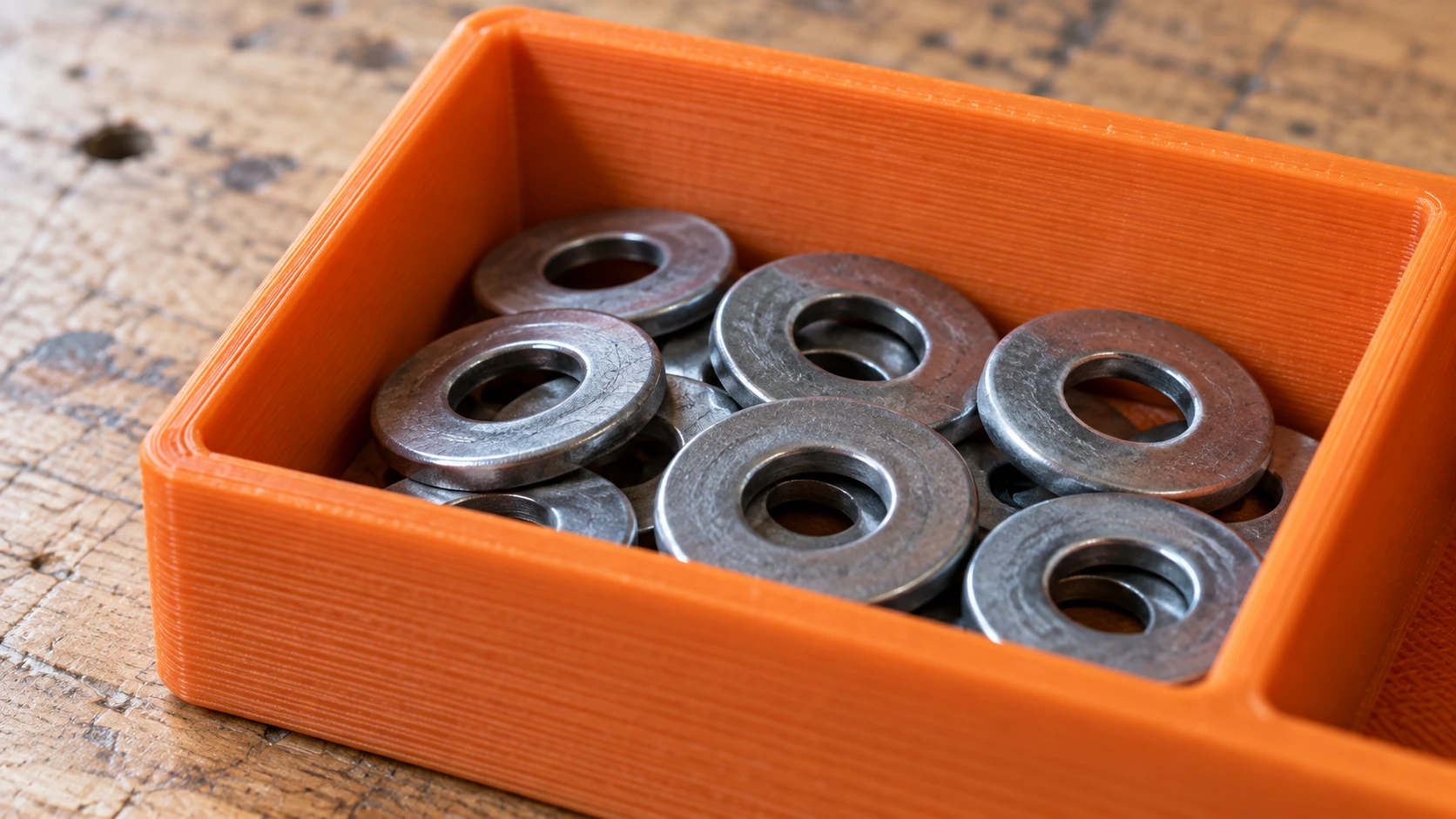
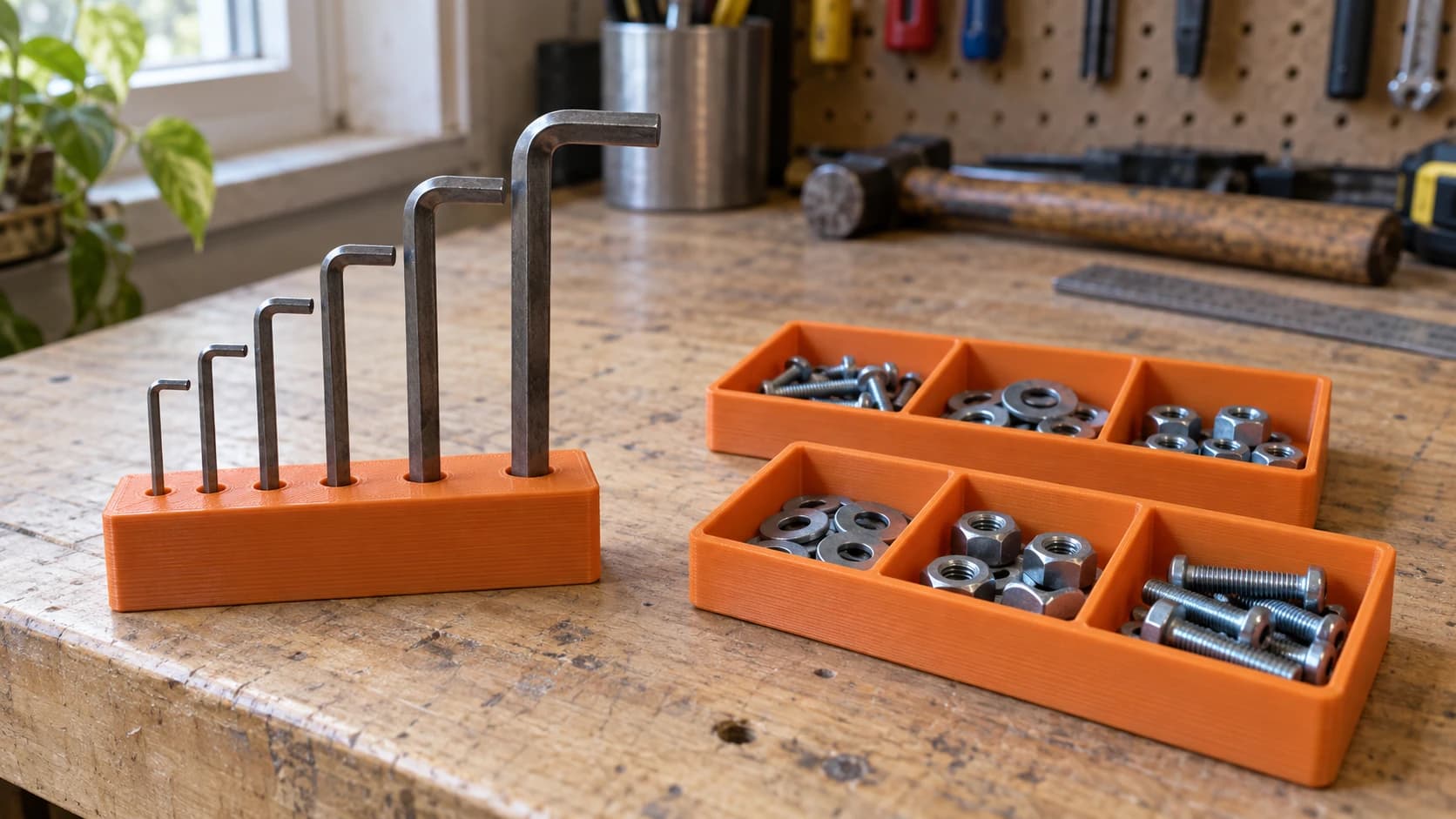
A divided tray keeps small hardware together. Size the compartments for the parts you actually reach for, with room to pick them up.
Hex Key Organizers
Every maker has at least four sets of hex keys in various states of completeness. Print a wall-mounted rack with labeled slots for each size. You'll know instantly which one is missing, and more importantly, which one your kid borrowed.
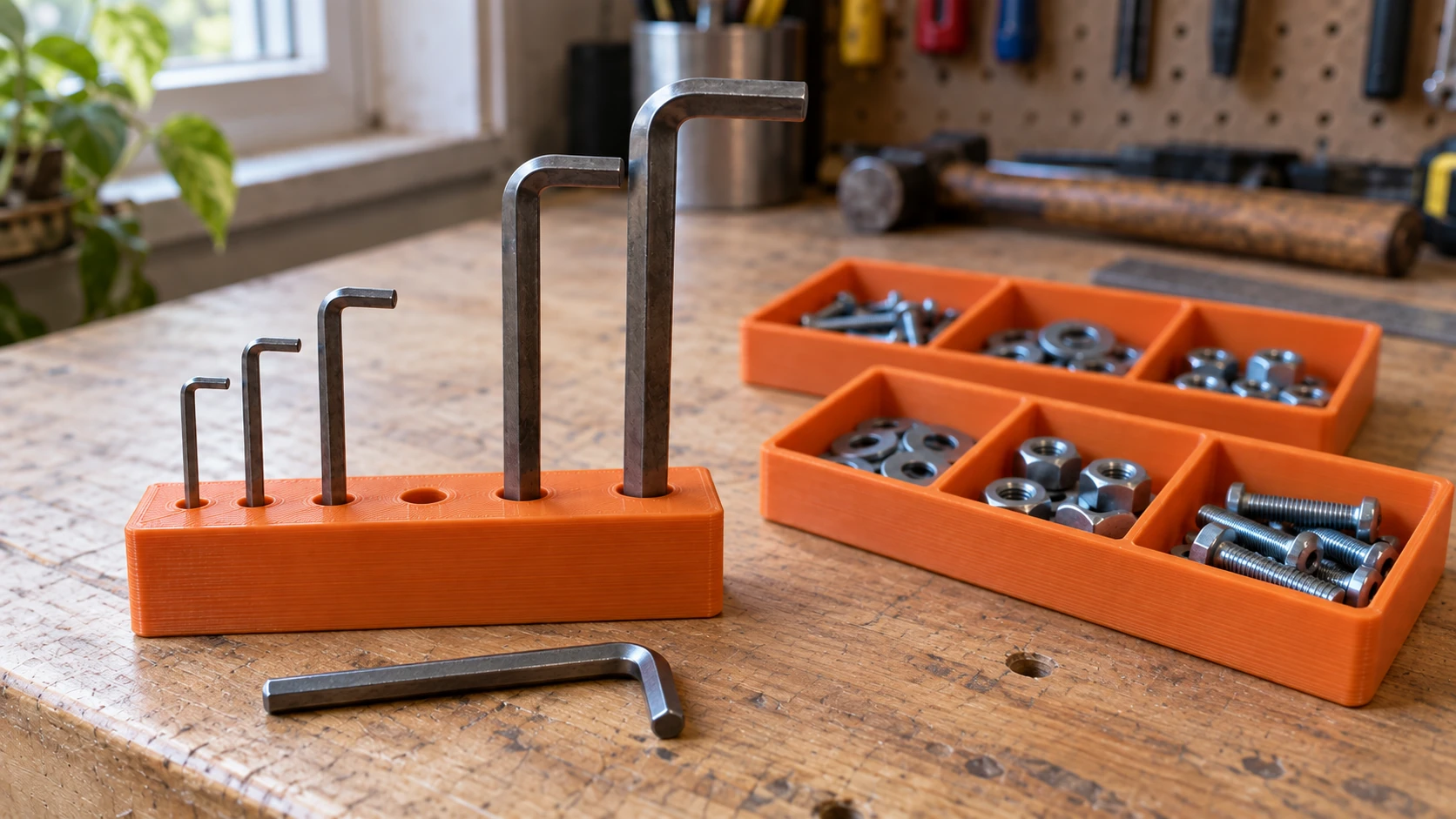
A missing tool is easy to spot when each one has a place. This index uses holes matched to the individual hex keys.
Cable Management and Tool Holders
Workshop cables and hoses are everywhere. Printed cable clips that mount to your table edge, screw into the wall, or clamp onto T-slot extrusion keep everything routed and tidy.
Digital calipers slide around on your bench and fall on the floor. Print a wall-mounted holster that holds them vertically, display-out, ready to grab. A magnetic-backed holder (press a small neodymium magnet into a pocket) sticks to any steel surface in your shop.
Print Settings That Matter for Functional Parts
Decorative prints and functional prints have very different requirements. A figurine can get away with 15% infill and 2 walls. A CNC clamp cannot.
Filament Selection
PLA works for anything that doesn't see heat, impact, or sustained mechanical stress. Focus gauges, organizers, tool holders, cable clips. It's rigid, dimensionally accurate, and easy to print. If the part will live in your climate-controlled workshop and doesn't take abuse, PLA is fine.
PETG is the default for anything functional. Clamps, dust shoe adapters, spool holders, fume extraction fittings, anything near a heat source. PETG is tougher than PLA, more heat resistant (glass transition around 80C vs 60C for PLA), and has some flex before failure instead of snapping like PLA.
TPU is for soft parts. Vibration dampening feet for your printer, soft jaws for vise inserts that won't mar your workpiece, and gaskets or seals for dust collection adapters. TPU requires slower print speeds and a direct-drive extruder (Bowden tubes struggle with flexible filaments).
ABS or ASA for anything that needs to survive heat above 80C or prolonged UV exposure. Outdoor fixtures, parts near spindle motors, or anything in a non-climate-controlled garage. ABS needs an enclosed printer to avoid warping. ASA is the UV-stable version of ABS with similar print requirements.
For a full breakdown of every filament option, check our filament comparison guide.
Infill and Wall Count
Functional parts need more material than decorative ones.
| Part Type | Infill | Walls | Top/Bottom Layers |
|---|---|---|---|
| Organizers, holders | 20 to 30% | 3 | 4 |
| Clamps, brackets | 40 to 60% | 4 | 5 |
| Load-bearing parts | 60 to 80% | 5+ | 6 |
| Soft jaws, gaskets (TPU) | 30 to 50% | 3 | 4 |
More walls generally matter more than more infill for strength. A part with 4 walls and 30% infill is often stronger than one with 2 walls and 60% infill, because the outer shell carries most of the load.
Print Orientation for Strength
3D printed parts are weakest across layer boundaries. Orient the part so the expected force runs in the layer plane and along the layers, not across layer boundaries. A clamp that squeezes vertically should be printed on its side. A hook that pulls downward should be printed so the load path runs along the layers, not across them.
Tip
If a part can't be oriented to avoid weak layer lines in the stress direction, print it with more walls and higher infill to compensate. Or split the design into two pieces that bolt together so each piece can be oriented optimally.
Design Tips for Workshop Parts
You don't need to be a CAD expert to design functional workshop accessories. But a few principles will save you from the "it looks right on screen but doesn't fit in real life" disappointment.
Measure Twice, Print Once
3D printers are accurate to about 0.1 to 0.2mm on most machines. That's good enough for workshop fixtures, but it means you need accurate measurements to start with. Use digital calipers (not a ruler) to measure the things your printed part needs to fit against: bolt diameters, T-slot widths, spindle housing diameters, drawer dimensions.
Tolerances for Hardware
Printed holes are always slightly smaller than designed because plastic contracts as it cools. Here's how much to add:
| Fit Type | Tolerance to Add | Example |
|---|---|---|
| Loose clearance | +0.3 to 0.5mm | Bolt passes through easily |
| Sliding fit | +0.15 to 0.25mm | Bolt fits snugly, can slide |
| Press fit | +0.05 to 0.1mm | Bearing pressed in with force |
| Threaded insert | Check insert datasheet | Heat-set inserts have specific hole sizes |
Test Fitment Before Full Prints
Before printing a four-hour jig, print a small test piece with the critical dimensions. A 20mm cube with the bolt hole or slot width takes 15 minutes and tells you immediately if your tolerances are right.
Parametric Design
Use parametric CAD software so your dimensions are variables. If your T-slot width changes, you update one number and the entire model adjusts. This also makes it easy to share designs that others can customize for their machines.
Free design software options for makers covers the best tools for creating your own designs.
Converting Between 3D File Formats
Not every model you download will be in the format your slicer wants. File Converter handles STL, OBJ, and 3MF conversions without using tool credits. Upload your file, pick the output format, and download the result. No software installation, no credits needed. Downloading the converted file requires an active paid plan.
Tip
3MF is becoming the preferred format for modern slicers. It supports color data, print settings, and multiple objects in a single file. If you're sharing models, 3MF is the way to go. File Converter can convert your STL and OBJ files to 3MF in seconds.
Start With One Problem
You don't need to print every jig on this list tonight. Pick the one thing in your workshop that annoys you most. The clamps that aren't the right height. The hex keys you can never find. The laser focus distance you keep forgetting. Print a solution for that one problem.
Then print the next one. And the next one. Before long, your workshop will be full of custom, purpose-built accessories that fit your exact machines, your exact workflow, and your exact way of working. That's the real power of a 3D printer in a maker's workshop. It doesn't just make things. It makes everything else work better.
Downloaded a model that's in the wrong format for your slicer? File Converter converts between STL, OBJ, and 3MF without using tool credits, so you can get straight to printing. Downloading the converted file requires an active paid plan.
Related Tools
Ready to try these tools?
Sign up free, no credit card required. Free tools available immediately.
Start Free