

Why Your Cutting Machine Is Tearing the Material (and How to Fix It)
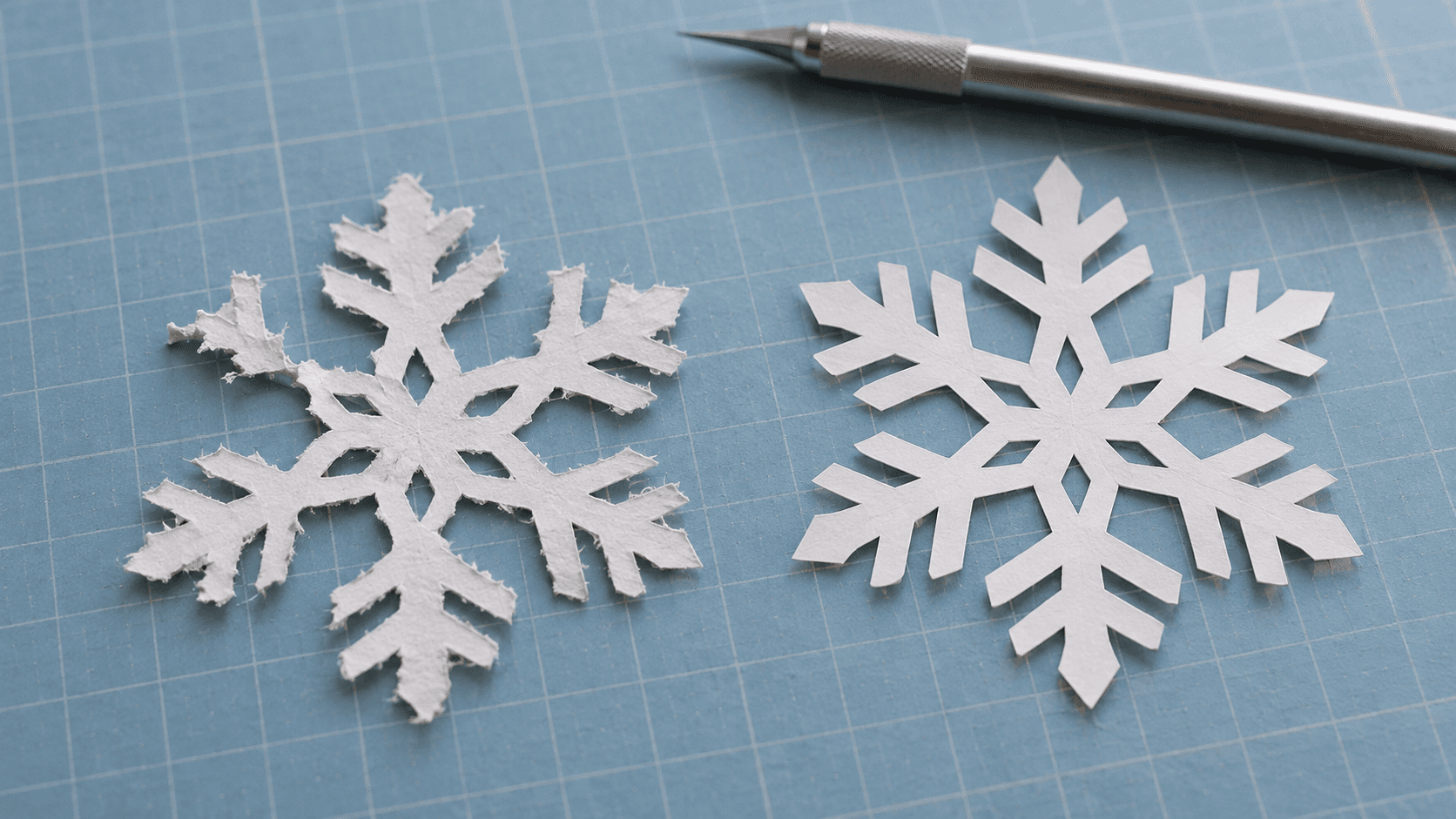
The machine hums along, the mat comes out, and your delicate cardstock snowflake has fuzzy edges and two arms ripped clean off. Or your vinyl lettering peels up with the backing and drags itself into a sticky little ball.
Tearing is the most common cutting machine complaint, and it almost always comes from one of five things. Check them in order, from cheapest fix to most involved, and you'll usually find it in the first two.
1. The Blade
A dull or dirty blade drags through material instead of slicing it. That's the classic cause of fuzzy cardstock and torn vinyl.
- Check for gunk. Bits of paper fiber and vinyl adhesive collect in the blade housing. Pull the blade out (carefully) and clean the housing.
- Check for wear. Blades dull with use. Cardstock and glitter materials wear them out especially fast.
- Use the right blade. Thicker materials like chipboard or felt often need a deeper or specialty blade.
Tip
Keep a separate blade just for paper and cardstock. Paper dulls blades quickly, and a fresh blade reserved for vinyl stays sharp much longer.
2. Pressure and Material Settings
Too much pressure crushes and tears. Too little leaves cuts incomplete, so you pull and rip the pieces free.
- Pick the exact material setting, not something close. "Cardstock" and "Heavy cardstock" are different.
- Run a test cut with the small test shape your machine offers. It costs a few square inches of material and saves the sheet.
- Adjust one thing at a time. Change pressure, test, then change passes if needed.
3. The Mat
The mat has to hold the material firmly while the blade moves, then let it go cleanly.
| Problem | Likely mat issue | Fix |
|---|---|---|
| Material shifts during cutting | Mat not sticky enough | Clean the mat or replace it |
| Cardstock tears when you remove it | Mat too sticky | Use a lighter-grip mat, or tack it down on fabric first |
| Pieces curl or rip on removal | Peeling material off the mat | Flip the mat and peel the mat off the material instead |
That last one is a game changer. Turn the mat upside down and bend the mat away from the paper, rather than pulling the paper off the mat. Delicate cuts survive.
4. The Material
Not all cardstock is equal. Cheap cardstock with loose fibers tears easily no matter how good your settings are. The same goes for vinyl: some brands cut and weed far more cleanly than others.
If one pack keeps giving you trouble while another works fine on the same settings, it's the material. Our best materials for Cricut and Silhouette guide covers what to look for.
5. The Design
Sometimes the machine is doing exactly what you asked, and what you asked is too fine to survive:
- Lines thinner than about 1 mm tear in cardstock and lift during vinyl weeding.
- Tiny islands (like the centers of letters) rip loose.
- Sharp interior corners in thick material catch the blade.
- Hundreds of tiny nodes in a traced design make the blade start and stop constantly, which roughens edges.
Traced images are the usual offenders. If you trace a drawing into a cut file with MonoTrace (it's free), keep the design bold and simple, and clean it up before cutting. Our guide to cleaning up a traced image for cutting shows how.
Warning
If the blade housing makes a grinding sound or the machine cuts noticeably off from where it should, stop and check for a damaged blade or a loose housing before you keep cutting. Pushing on can damage the machine or your mat.
A Quick Checklist
Before your next big cut:
- Clean blade, right blade for the material
- Exact material setting and a test cut
- Clean mat with the right grip
- Good-quality material
- Design with no hair-thin lines
For vinyl specifically, our vinyl weeding tips post covers the other half of clean results.
Work through the list once and you'll know your machine far better. Start with a clean blade and a test cut. That alone fixes most tearing. And when you design your next cut file, trace it in MonoTrace with bold, simple lines that survive the blade.
Keep reading



Related Tools
Ready to try these tools?
Sign up free, no credit card required. Free tools available immediately.
Start Free