
Beginner CNC Projects You Can Finish in a Day
The most dangerous place for a new CNC owner is a project gallery. You scroll past a grandfather clock, a topographic map of Lake Tahoe, a guitar body, and suddenly your first project is a three-week epic that stalls on day two and haunts the corner of the shop forever.
Here's the alternative: pick something you can design in the morning, carve in the afternoon, and hand to someone that evening. Finishing a project, start to end, teaches you more than any half-built masterpiece. You learn the full sequence, you get the win, and you actually want to go back out to the shop tomorrow.
This is a list of twelve projects that genuinely fit inside one day, including the design work, plus what makes each one fast and which Craftgineer tool gets you the artwork. If you haven't run your machine at all yet, start with the CNC routing beginner's guide first. This post assumes you can zero the machine and run a file.
What Makes a Project One-Day Feasible
Not every "easy" project is a fast project. A day-sized project has three things going for it, and you can use them as a filter for any idea you find anywhere.
Small stock. A 4x4 coaster carves in minutes. A 12x24 sign blank takes real machine time even for shallow work, and big boards also mean more clamping fuss, more sanding, and more finish drying you have to wait on. Small stock keeps every step short.
Shallow operations. V-carving, shallow pockets, and single-pass profile cuts are quick. Deep 3D relief carving with a tapered ball nose and a fine stepover is beautiful and takes hours, sometimes most of a day, for the finishing pass alone. That's why relief work shows up on this list only as a stretch goal.
One or two tool changes, maximum. Every bit swap costs you a Z re-zero and a chance to make a mistake. The best beginner projects run one bit, or one V-bit plus one end mill. If a project plan calls for four tools, it is not a day project yet.
Machine settings are their own subject and this post stays out of it on purpose. Your feeds and speeds depend on your machine, your bits, and your stock, so work from your bit manufacturer's guidance and prove settings on scrap. The feeds and speeds guide explains how the numbers relate so you can tune them yourself.
PRINT. CUT. CARVE.
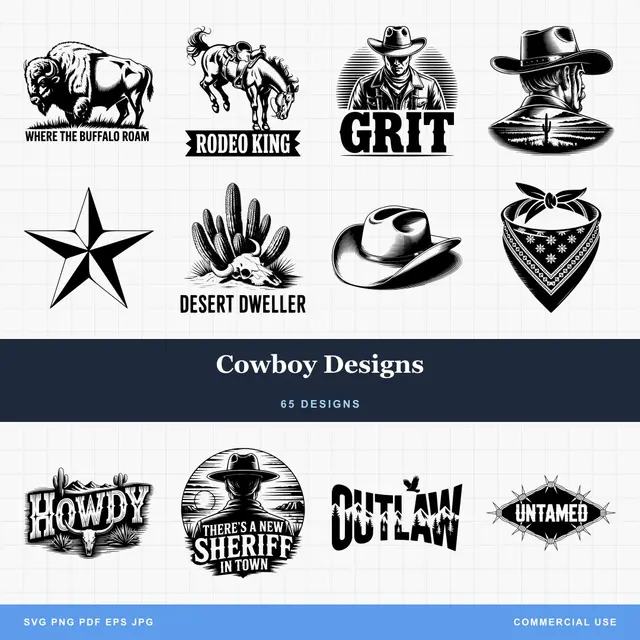
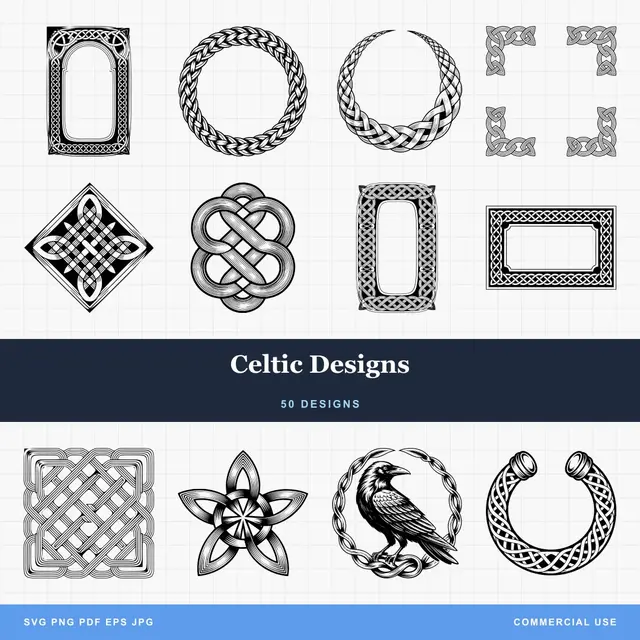
- Multiple formats (SVG, DXF, PNG)
- Machine-tested designs
- Commercial licenses
Sponsored by PrintCutCarve.com
Batch the Design Work Before You Touch the Machine
Here is the habit that makes one-day projects actually take one day: do all the design work in one sitting, before you walk to the machine.
Beginners tend to ping-pong. Design a little, cut a little, notice a problem, go back to the laptop with sawdust on your hands. Every round trip costs time and focus, and it's how a two-hour project becomes an all-day project with nothing finished.
Instead, spend the first hour of the day at the computer and come out with every file done:
- Generate or draw the artwork for the whole project, or for several projects at once.
- Convert everything to the format your CAM software wants. If it asks for DXF, run your SVGs through File Converter. It does not charge tool credits and the SVG to DXF conversion takes seconds. Downloading the converted file requires an active paid plan.
- Build the toolpaths, preview every one, and note which bit each operation uses.
- Save the files to whatever gets them to your machine, and only then go make chips.
The bonus version of this habit: design two or three projects from this list in the same sitting. The machine time on small stock is short, so the designs are the bottleneck. A batch of morning design work can turn into coasters, a door hanger, and a trivet by dinner.
Tip
When you generate artwork with Vector Studio, ask for bold shapes with closed paths and no fine detail: "a pine tree silhouette, simple bold shapes, no fine detail." Chunky vectors V-carve cleanly at small sizes. Hairline detail is what a small bit can't reach and a small coaster can't show.
The Twelve Projects
Quick view first, details after.
| Project | Stock | Operations | Tool changes |
|---|---|---|---|
| Coaster set | 4x4 hardwood squares | V-carve + profile | 1 |
| Serving board | 10x16 hardwood blank | Juice groove + optional V-carve | 1 to 2 |
| V-carved sign | 8x18 pine or poplar | V-carve | 0 |
| Door hanger | 12" round or blank | V-carve + profile | 1 |
| Trivet | 7x7 hardwood | Through-cut pattern | 0 |
| Catchall tray | 6x9 hardwood | Pocket + profile | 0 to 1 |
| Cribbage board | 4x13 hardwood | Drilling pattern + profile | 1 |
| Travel game board | 5x5 hardwood | V-carve grid + shallow pockets | 1 |
| Keyhole wall art | 8x10 hardwood | V-carve + keyhole slot | 1 |
| Monogram plaque | 8x8 blank | V-carve or profile | 0 to 1 |
| Key holder rack | 4x12 hardwood | V-carve + drilling | 1 |
| Phone stand | 5x7 plywood or hardwood | Profile + slot | 0 |
1. Drink coasters
The classic first project for a reason. Small squares of hardwood, one decorative V-carve each, then a profile pass to round the corners or cut a circle. One design carved four times makes a gift set, and repeating the same file is exactly the practice a beginner needs.
Describe a motif in Vector Studio: a compass rose, a pine branch, a wave pattern. One generation, four coasters.
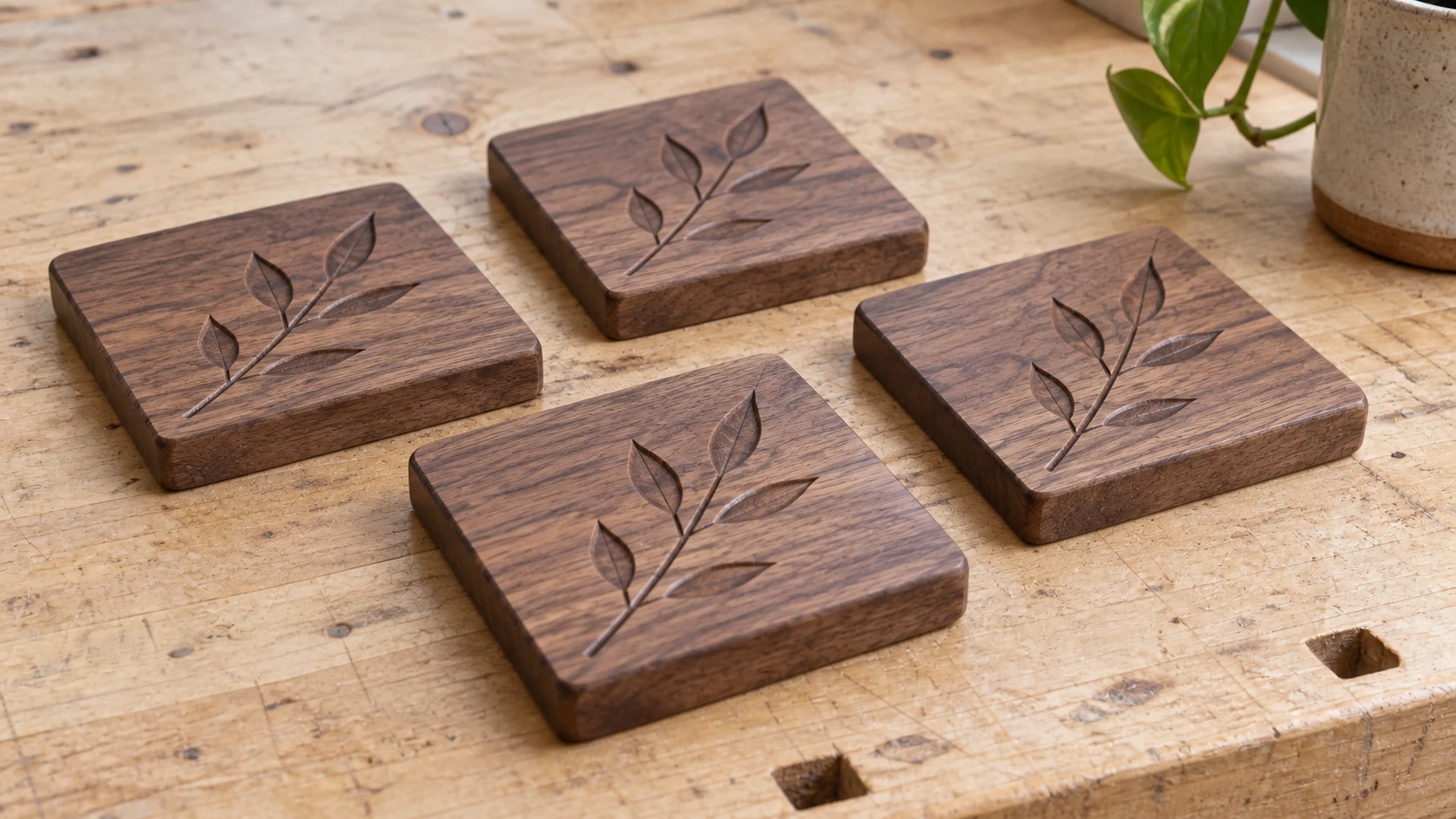
A coaster set is a separate small project with repeated geometry. Keep the first motif simple enough to inspect and finish easily.
2. Serving or charcuterie board
Buy the board blank pre-made or glue one up from offcuts, then let the machine add the parts that make it look bought: a juice groove around the perimeter and, if you like, a small V-carved motif in one corner. The groove is a single shallow toolpath with a round nose or core box bit, and it runs fast.
Use a food-safe hardwood like maple, walnut, or cherry. The best wood for CNC routing guide covers why those three behave so well under a bit.
3. V-carved decorative sign
A small sign, something in the 8x18 range, is a one-bit project: a single V-carve pass and you're done, no tool changes at all. Pine and poplar are cheap enough that a ruined blank costs you nothing but pride.
Keep the first one simple, a border and a central motif. When you're ready to do signs properly, with layout rules, raised text, and finishing tricks, the custom CNC sign walkthrough is the deep dive.
4. Door hanger
Seasonal door hangers are what half the craft-fair CNC world runs on. A shaped outline, a V-carved design, a ribbon hole, done. The stock is thin, the carve is shallow, and the profile cut is one pass with tabs.
Vector Studio handles the seasonal motifs well: a pumpkin silhouette, a snowflake, a sunflower. Ask for a solid silhouette so the outline doubles as your profile path.
5. Trivet
A trivet is a pattern of through-cuts in a 7x7 hardwood square, and it looks far harder than it is. One end mill, one operation, and the repeating geometric pattern does all the visual work. Openwork patterns also teach you about tabs and workholding, since the stock loses rigidity as the cuts complete.
Generate a geometric lattice or honeycomb pattern in Vector Studio, and make sure the walls between cutouts stay wider than your bit.
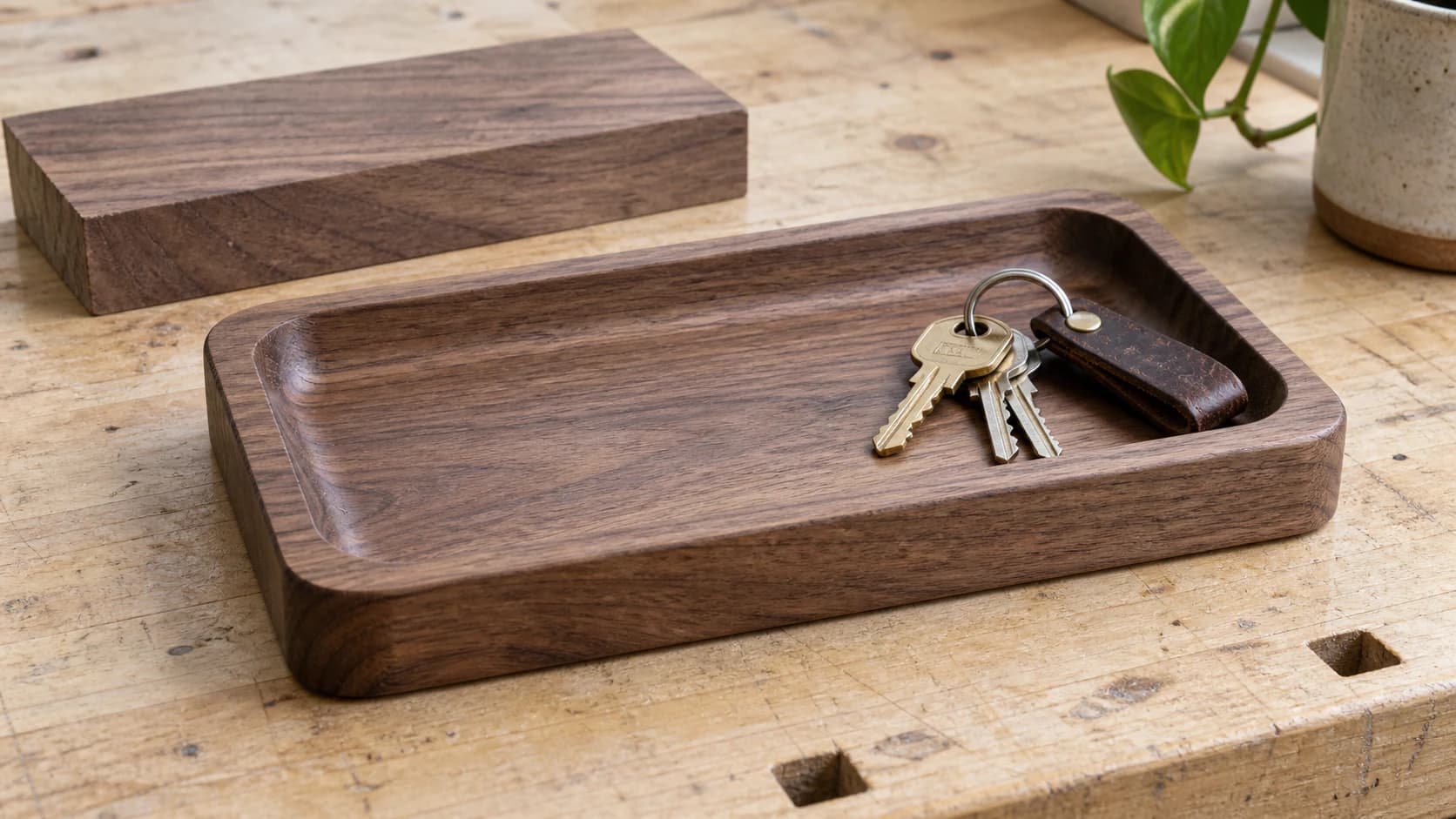
6. Catchall tray
A shallow pocket with rounded corners turns a board into a tray for keys, watches, and pocket clutter. It's the project that teaches pocketing: large area clearance, stepovers, and why a bigger bit finishes faster. Add a profile pass to round the outside and it still fits in an afternoon.
No artwork needed for the plain version. For a fancier one, V-carve a motif inside the pocket floor as a second, shallow operation.
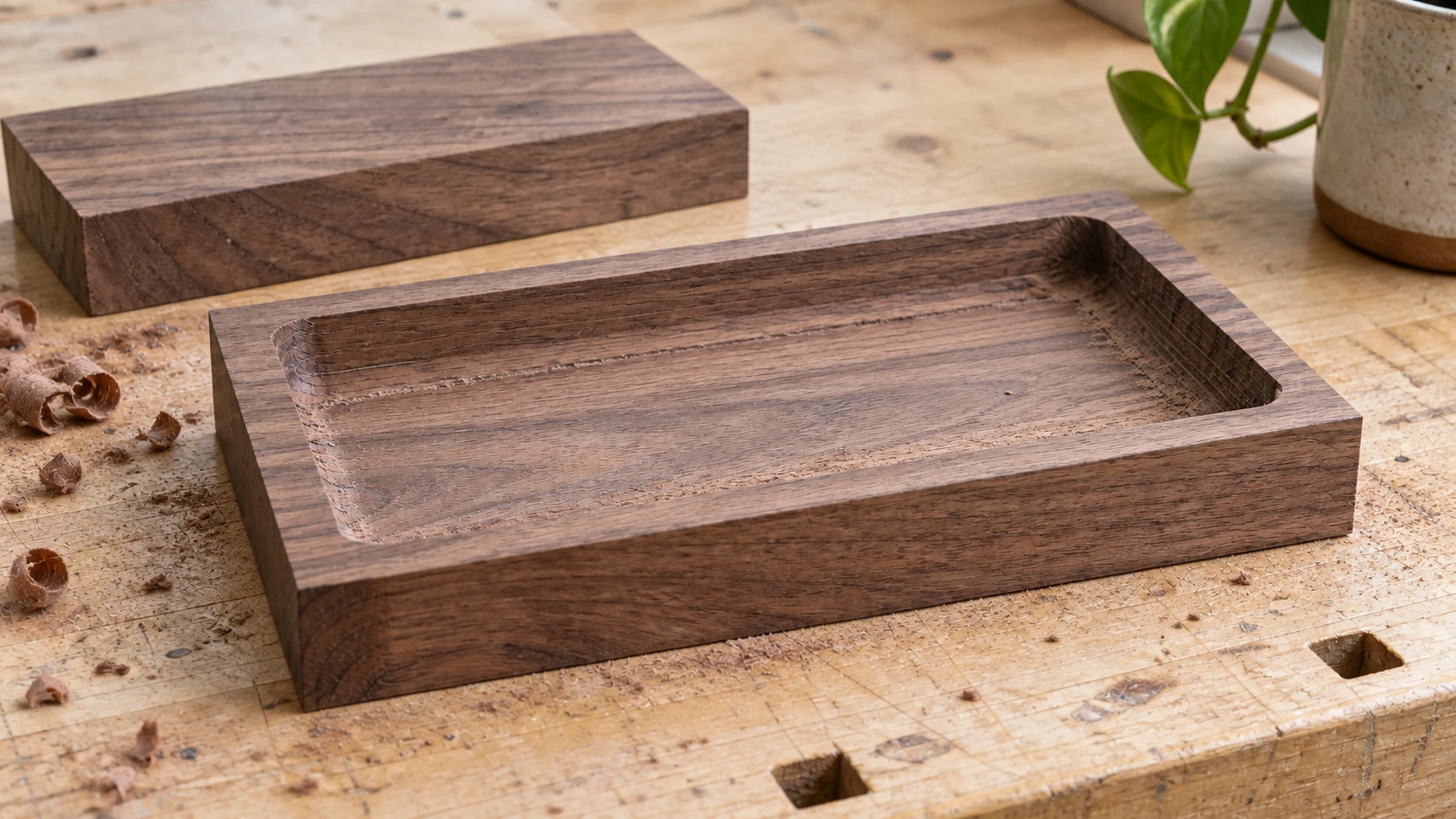
The pocket can be machined while the blank still has its full rectangular outline. Plan workholding before the final outside cut releases the part.
7. Cribbage board
This one sounds ambitious and isn't. A cribbage board is a drilling pattern: in the classic layout, 120 scoring holes plus a game hole per player track, and your CAM software's drilling operation places them from a vector file in one go. The machine does the tedious part, which is the entire point of owning it.
Grab a cribbage hole layout as an SVG, or draw the track once and array it. If your CAM software wants DXF for the drill points, File Converter converts it without a tool-credit charge. Downloading the converted file requires an active paid plan.
8. Travel game board
Tic-tac-toe or a small checkers board on a 5x5 blank: V-carve the grid lines, pocket a shallow tray in the back or side for pieces if you're feeling ambitious, and round the corners. Pair it with dowel pieces or pebbles and it's a finished gift, not just a board.
The grid is simple enough to draw directly in most CAM software. Spend your design energy on a small corner motif instead.
9. Keyhole-hung wall art
Wall art with a routed keyhole slot on the back hangs flush with no visible hardware, and the keyhole slot is a standard single toolpath with a keyhole bit. The front is any shallow V-carve you like on an 8x10 blank.
This is a great home for a decorative motif from Vector Studio, or for a mandala-style symmetric design. Flip the piece for the keyhole pass and register it against a fence so the slot lands where you think it will.
10. Monogram plaque
A single-letter or three-initial monogram, carved or cut out, is the fastest personalized gift on this list. The Monogram Generator builds the design for you, free: pick split or classic style, choose a font, add a decorative frame, and download the SVG ready for CAM.
V-carve it into a plaque for a shallow one-bit project, or profile-cut the whole monogram out for a standalone piece. Cut-out versions need a font with connected strokes, which the split monogram style handles for you.
11. Key holder rack
A small board, a V-carved motif or border, and a row of drilled holes for hooks you screw in afterward. The machine work is quick, and the hardware store hooks make it feel like a finished product instead of a workshop experiment.
This is another batch-friendly design: the same file with a different motif is a new gift.
12. Phone stand
Two flat profile-cut pieces that slot together, no glue, no fasteners. One bit, one operation per piece, and Baltic birch plywood or 1/2" hardwood both work. The slot width has to match your actual stock thickness, so measure the board with calipers rather than trusting the label.
Sketch it as simple vectors, or find a slot-together stand design and adapt the slot widths to your stock.
Warning
For anything that touches food, the serving board and any tray you'll put snacks in, stick to hardwoods like maple, walnut, and cherry with a food-safe finish such as food-grade mineral oil or a board butter made for food-contact surfaces. Skip MDF and construction pine for those pieces.
The Stretch Goal: 3D Relief Carving
At some point you'll want the showpiece: a carved eagle, a topographic map, a floral relief with real depth. ReliefMaker gets you the model, and its local AI depth mode is free: upload a photo, get a depth map and an STL ready for CAM.
Just know what you're signing up for. Relief carving runs a roughing pass and then a finishing pass with a fine stepover, and that finishing pass alone can outlast every project on this list combined. It's a wonderful second-month project. It is not a first-Saturday project, which is exactly why it lives down here instead of up in the list.
If the thing you're actually craving is two-tone contrast rather than depth, inlay work is the other classic next step, and the CNC inlays walkthrough covers that path when you're ready.
Pick One and Set a Timer
Don't pick three. Pick one, the one closest to something a specific person in your life would want, and commit to handing it over tonight. A finished coaster beats an unfinished clock every single time, and the person who gets it will not ask about your stepover.
Do the design work first, all of it, in one sitting. Generate the artwork in Vector Studio or the Monogram Generator, convert with File Converter if your CAM software wants DXF, preview the toolpaths, and then go make some chips.
Related Tools
Vector Studio
Generate SVG artwork from a written prompt and selected style.
File Converter
Convert supported combinations of vector, document, raster-image, and 3D-mesh formats.
Plan required for downloads
Monogram Generator
Create split or classic monograms with font and frame choices.
ReliefMaker
Create depth maps from images or AI generation and build relief meshes for carving or printing.
Downloads require a plan or a design unlock
Ready to try these tools?
Sign up free, no credit card required. Free tools available immediately.
Start Free