Holiday Gifts You Can Make with a Laser, CNC, or 3D Printer
Every maker hits the same realization around October: you own thousands of dollars worth of equipment that can produce amazing personalized gifts, and you have a list of people who would love to receive one. The only question is what to make for whom.
Most gift guides for makers are organized by equipment type. "Here are 10 laser projects, here are 10 CNC projects." That's useful if you're browsing for inspiration, but it's not how gift-giving actually works. You don't start with "I want to use my laser today." You start with "What do I make for Mom?"
This guide is organized by recipient. Find the person you're shopping for, pick the project that fits, and make something they'll actually keep forever. Every project includes the equipment you need, a realistic time estimate (including finishing), approximate material cost, and which Craftgineer tool speeds up the design step.
Why Handmade Gifts Hit Different
Before we get into the projects, let's be honest about why you're here. You could buy everyone a gift card and call it a day. But there's something about handing someone a gift and watching them realize you made it. The reaction is different. It's not just "thanks, I love it." It's "wait, you made this?"
Handmade gifts also solve the "what do you get for the person who has everything" problem. Nobody has a custom family wreath with their name on it. Nobody has a 3D relief carving of their childhood home. These things don't exist until you make them.
And if we're being practical: once you own the equipment, the material cost per gift is remarkably low. A $3 piece of birch plywood becomes a $40-value personalized sign. Your machine has already been paid for. Now it's time to put it to work.
PRINT. CUT. CARVE.
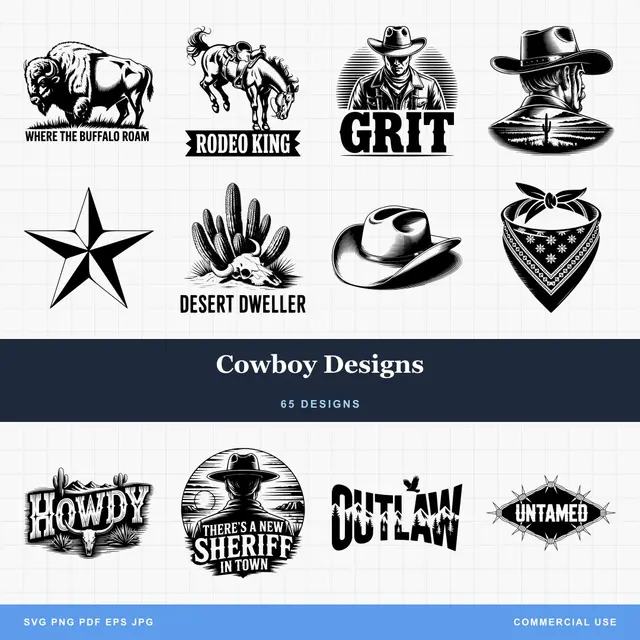
- Multiple formats (SVG, DXF, PNG)
- Machine-tested designs
- Commercial licenses
Sponsored by PrintCutCarve.com
Gifts for Parents and Grandparents
Parents and grandparents are the easiest people to make gifts for because they love anything with the family name on it. Seriously. Put their grandkids' names on a piece of wood and they will cry.
Family Name Wreath Sign
A botanical wreath with the family name in the center, perfect for hanging on a front door or above a mantel. This is one of those gifts that stays up year-round.
| Detail | Info |
|---|---|
| Equipment | Laser engraver or CNC router |
| Material | 1/4" maple or walnut plywood |
| Material cost | $3 to $8 |
| Time | 20 to 30 minutes (including finishing) |
| Tool | Family Wreath Generator (1 credit) |
Use Family Wreath Generator to create the design. Type in the family name, add a prefix like "The" and a suffix like "Est. 1985" or "Family." The AI generates a unique wreath layout with botanical elements. Download the SVG, engrave or carve, sand, and apply a clear coat.
For a complete walkthrough of materials and finishing techniques, see our custom family wreath sign guide.
Photo Relief Plaque
Turn a favorite family photo into a carved 3D relief on wood. This one consistently gets the "how did you make this?" reaction. Grandparents especially love a relief of their house, a family pet, or a photo from a family reunion.
| Detail | Info |
|---|---|
| Equipment | CNC router or 3D printer |
| Material | 3/4" hardwood (CNC) or white PLA (3D printer for lithophane) |
| Material cost | $5 to $15 |
| Time | 1 to 3 hours (mostly machine time) |
| Tool | ReliefMaker (free with local AI, or 1 credit for Gemini quality) |
Upload the photo to ReliefMaker, choose the AI engine (the free local engine works great for most photos), adjust depth settings, and export as STL. For CNC, carve it from a thick hardwood blank. For 3D printing, enable lithophane mode and print in white PLA for a backlit photo panel.
Our photo to 3D relief guide covers depth map settings, and the 3D printed lithophanes guide walks through the printing process.
Custom Cutting Board with Family Recipe
Engrave grandma's handwritten recipe onto a cutting board. This is the gift that makes people emotional. Scan or photograph the handwritten recipe, convert it to a clean line art version, and laser engrave it onto a hardwood cutting board.
| Detail | Info |
|---|---|
| Equipment | Laser engraver |
| Material | Maple or walnut cutting board blank |
| Material cost | $8 to $15 |
| Time | 30 to 45 minutes |
| Tool | Your laser's built-in image engraving mode |
Tip
Buy cutting board blanks in bulk from suppliers like Woodpeckers or Amazon. At quantities of 10+, the per-unit cost drops significantly. If you're making multiple gifts, the savings add up fast.
Stacked Layer Family Portrait
A multi-layer wood portrait with real physical depth. Each layer is cut from a separate sheet and stacked, creating shadows between layers that give the image a 3D effect. Landscapes and silhouette-style family portraits work beautifully for this.
| Detail | Info |
|---|---|
| Equipment | Laser cutter or CNC router |
| Material | 3 to 5 sheets of 1/8" birch or walnut plywood |
| Material cost | $5 to $12 |
| Time | 1 to 2 hours (cutting + assembly) |
| Tool | StackLab (1 credit) |
Upload a family photo or landscape to StackLab. The AI separates it into cumulative layers. Reorder or merge colors as needed, download the SVG layers, and cut each one. Stack from bottom up with small spacers between layers (foam squares or stacked cardstock work well).
For assembly tips and material recommendations, check out our stacked layer art guide.
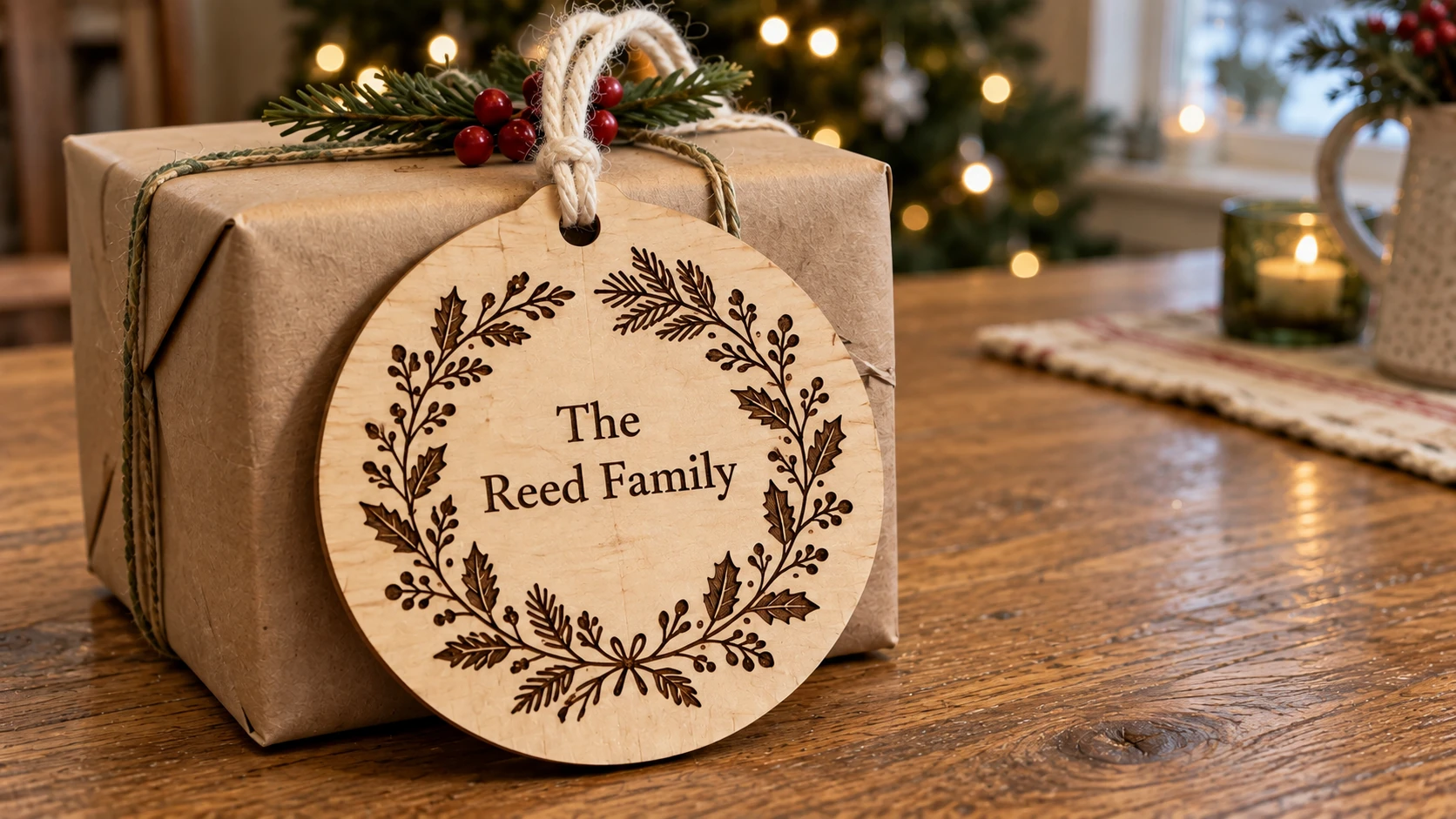
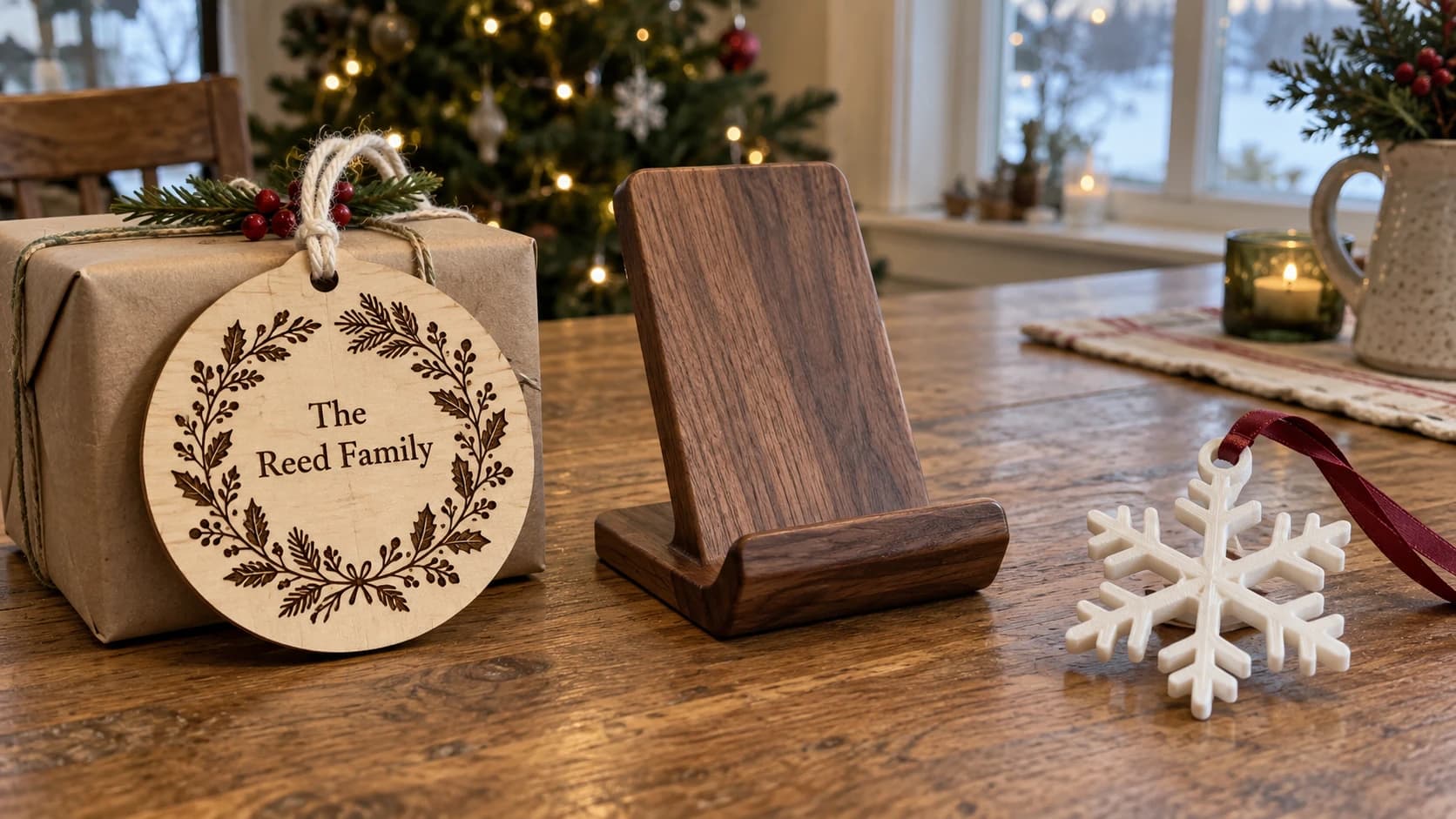
A family-name ornament gives a modest wrapped gift a personal detail. The decoration stays on one solid disc, with a cord through its hanging hole.
Gifts for Couples
Couples gifts need to feel intentional and personal. Monograms, wedding dates, and "where it all started" themes always land well.
Monogrammed Coasters, Ornaments, or Serving Tray
A matched set of monogrammed items makes an elegant gift that looks expensive but takes minutes to produce. Coaster sets are the sweet spot: low material cost, fast production, and high perceived value.
| Detail | Info |
|---|---|
| Equipment | Laser engraver, CNC router, or cutting machine |
| Material | Cork-backed bamboo coasters, 1/8" birch rounds, or acrylic |
| Material cost | $5 to $15 for a set of 4 to 6 |
| Time | 20 to 40 minutes for a full set |
| Tool | Monogram Generator (free) |
Open Monogram Generator and choose Classic mode for initials or Split mode for a family name. Pick a font that matches the couple's style. Script fonts are popular for wedding-related gifts. Serif fonts give a more traditional look.
For ornaments, use a circular frame. The frame becomes the outer cut line, so you get a finished ornament shape in one operation.
See our custom monograms guide for font pairing tips and project ideas.
Custom Map Art
Engrave or cut a map of where the couple met, got married, or bought their first home. City street grids, topographic maps, and coastlines all make stunning wall art.
| Detail | Info |
|---|---|
| Equipment | Laser engraver or CNC router |
| Material | 1/4" maple or walnut, or acrylic |
| Material cost | $5 to $12 |
| Time | 30 to 60 minutes |
| Tool | Vector Studio (1 credit) for custom map-style designs |
For map art, you have two approaches. You can find a free street map SVG online (OpenStreetMap exports work well), or use Vector Studio to generate a stylized map design. Describe the location and style you want, and the AI generates a machine-ready SVG.
Add the couple's names and a significant date below the map for the full effect.
Wedding Photo Inlay
Turn a wedding photo into a multicolor wood inlay. Different species of wood (or colored acrylic) are cut into interlocking shapes that form the image when assembled. This is a showstopper gift. It takes more time than the other projects, but the result is something people frame and display for decades.
| Detail | Info |
|---|---|
| Equipment | Laser cutter or CNC router |
| Material | 3 to 6 species of contrasting wood veneer or 1/8" plywood |
| Material cost | $10 to $25 |
| Time | 2 to 4 hours (cutting + assembly) |
| Tool | MosaicFlow (1 credit) |
Upload the wedding photo to MosaicFlow. The AI separates the image into color groups with clean vector boundaries. Adjust the color count (fewer colors = simpler project, more colors = more detail). Each color becomes a separate SVG layer. Cut each layer from a different material, then assemble the pieces like a puzzle on a backer board.
Our multicolor wood inlays guide covers the complete workflow from image upload to final assembly.
Gifts for Kids
Kids don't care about craftsmanship pedigree. They care about whether the thing is cool and whether it has their name on it. Both are easy to deliver.
Custom Name Ornaments
Personalized ornaments with the kid's name, cut from acrylic or birch plywood. Make one for each child and they become annual traditions that go on the tree every year.
| Detail | Info |
|---|---|
| Equipment | Laser cutter or cutting machine |
| Material | 1/8" acrylic or birch plywood |
| Material cost | $1 to $3 each |
| Time | 5 to 10 minutes each |
| Tool | Monogram Generator (free) for the text element |
Use Split mode with the kid's name for a classic look, or Classic mode with their initial inside a circular frame. Cut the outline, drill or laser a ribbon hole at the top, add a ribbon. Done.
Batch production tip: nest multiple ornaments on a single sheet and cut them all at once. You can knock out a dozen in under an hour.
3D Printed Toys and Fidget Gadgets
Print-in-place fidget spinners, articulated dragons, gear cubes, and other mechanical toys. Kids love things that move, and 3D printers excel at mechanisms that would be impossible to manufacture any other way.
| Detail | Info |
|---|---|
| Equipment | 3D printer (FDM) |
| Material | PLA filament in fun colors |
| Material cost | $0.50 to $3 per toy |
| Time | 1 to 4 hours per print |
| Tool | Download models from Printables or Thingiverse |
Print-in-place designs are the real crowd-pleasers. They come off the build plate already assembled and moving. An articulated dragon that flexes when you pick it up will get more excitement than most store-bought toys.
Tip
Print fidget toys in bright, contrasting colors. Kids gravitate toward bold primaries and neons. If your printer supports multi-color (or you do a manual filament swap), a two-tone fidget cube looks way more impressive than a single-color one.
Night Light with Custom Design
A custom-designed night light panel with a laser-cut design. Insert the panel into a simple LED base and you've got a personalized night light featuring their favorite animal, their name, or a scene they love.
| Detail | Info |
|---|---|
| Equipment | Laser cutter |
| Material | 1/8" clear or frosted acrylic + LED base |
| Material cost | $3 to $8 (acrylic + base) |
| Time | 15 to 25 minutes |
| Tool | Vector Studio (1 credit) |
Use Vector Studio to generate a custom design. Describe what the kid loves: "a cartoon dinosaur playing guitar" or "a rocket ship with stars." The AI generates a clean SVG. Engrave the design onto the acrylic (the engraved lines catch and scatter the LED light). Cut the bottom edge straight so it fits into the LED base slot.
LED acrylic bases are available on Amazon for $2 to $5 each in bulk. They come in single-color and color-changing RGB versions.
Gifts for Coworkers
Coworker gifts need to be thoughtful enough to show effort but not so personal that it's awkward. Desk accessories and useful items are the sweet spot.
Engraved Desk Accessories
Pen holders, phone stands, card holders, and desk organizers. Functional items that sit on a desk and quietly say "someone put thought into this."
| Detail | Info |
|---|---|
| Equipment | Laser engraver |
| Material | Hardwood blanks, bamboo, or walnut |
| Material cost | $3 to $10 |
| Time | 15 to 30 minutes |
| Tool | Monogram Generator (free) for initials |
Engrave their initials or name on a pre-made desk accessory. Bamboo desk organizers and walnut pen holders are available cheaply from craft supply stores. Add a monogram and the perceived value jumps significantly.
Custom Coaster Sets
A set of four to six laser-engraved coasters in a matching holder. Add the team name, a company logo, or inside jokes that only your group would understand.
| Detail | Info |
|---|---|
| Equipment | Laser engraver |
| Material | Cork-backed bamboo or slate coasters |
| Material cost | $5 to $10 for a set |
| Time | 15 to 30 minutes for a full set |
| Tool | Monogram Generator (free) or DecoFill (1 credit) |
For a more elegant look, use DecoFill to fill a circular coaster outline with decorative scrollwork around a monogram. The intricate patterns make the coasters look hand-carved and far more expensive than they are.
Decorative Box with Scrollwork
A small wooden box (jewelry box, keepsake box, or desk catch-all) with laser-engraved scrollwork on the lid. This is the premium coworker gift for someone you actually like.
| Detail | Info |
|---|---|
| Equipment | Laser engraver or CNC router |
| Material | Unfinished wooden box blank |
| Material cost | $5 to $12 |
| Time | 20 to 40 minutes |
| Tool | DecoFill (1 credit) |
Buy an unfinished wooden box blank (craft stores and Amazon have tons of options). Upload the lid shape to DecoFill, pick a scrollwork style that matches the recipient's vibe. Victorian for something elegant, Western for rustic, Art Deco for the person with strong opinions about fonts. The AI fills the shape with custom scrollwork. Engrave the lid, apply a clear coat, done.
Check our scrollwork patterns guide for style options and complexity settings.
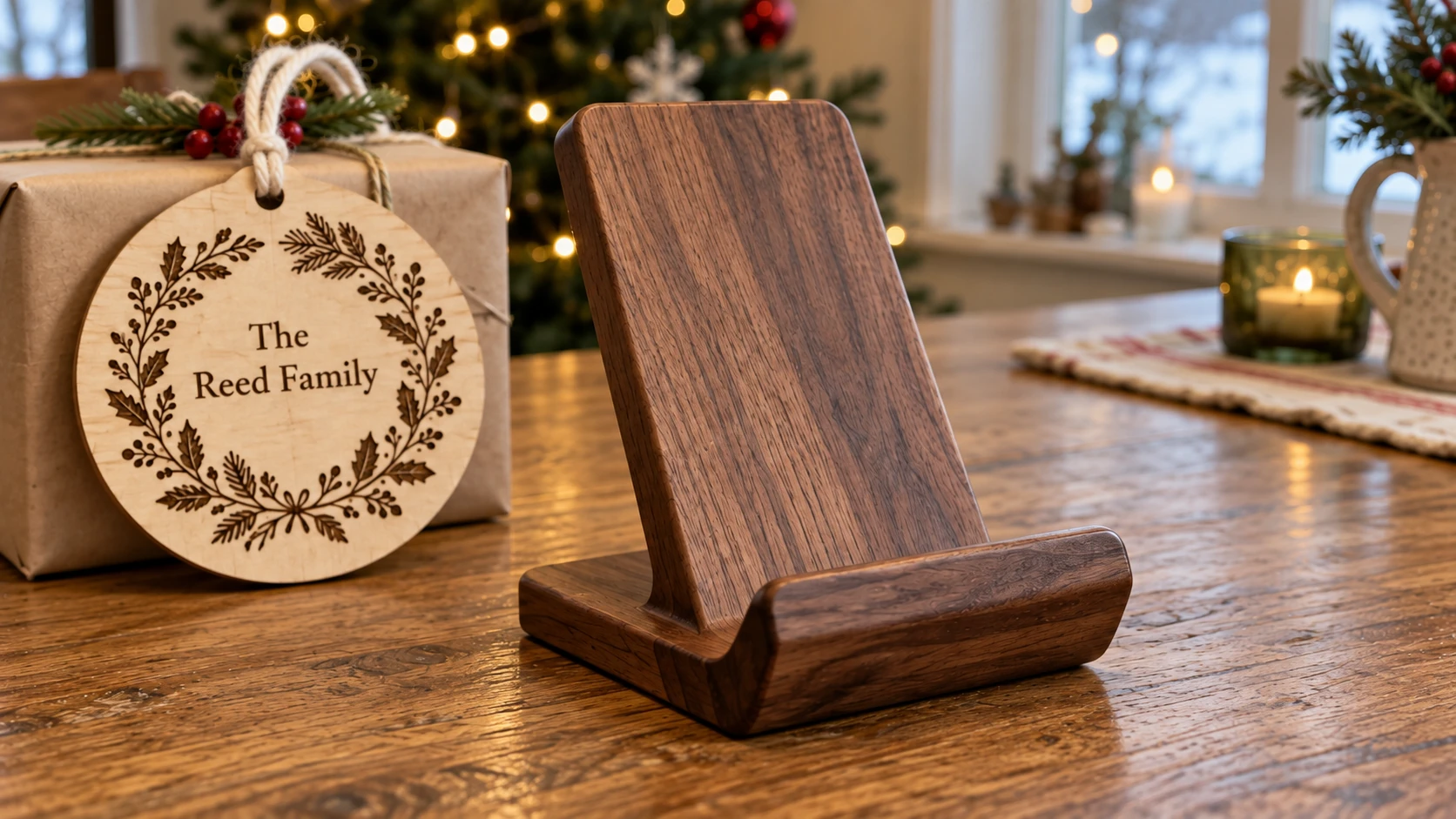
A useful desk gift starts with a stable shape and enough ledge to hold the intended phone. Check the fit before adding any personalization.
Stocking Stuffers
These projects are inexpensive and quick to batch. The goal here is volume: make a bunch in one batch session and distribute them across multiple stockings.
Quick-Hit Project Ideas
| Project | Equipment | Material Cost | Time Each | Tool |
|---|---|---|---|---|
| Keychains | Laser, cutting machine | $0.50 to $1 | 3 to 5 min | Monogram Generator |
| Bookmarks | Laser, cutting machine | $0.50 to $1 | 3 to 5 min | Vector Studio |
| Ornaments | Laser, cutting machine | $1 to $2 | 5 to 8 min | Monogram Generator |
| Phone stands | Laser, 3D printer | $1 to $3 | 10 to 20 min | Download template or design |
| Coasters (single) | Laser | $1 to $2 | 5 to 8 min | DecoFill |
| Magnets | Laser, 3D printer | $0.50 to $1 | 3 to 5 min | Vector Studio |
Batch Production Tips
The key to stocking stuffers is batch processing. Don't make one keychain, clean up, make another. Do it all at once.
Nest your designs. Arrange all your keychains, ornaments, or bookmarks on a single sheet of material in your laser software. Cut them all in one operation. A 12" x 12" sheet of birch plywood can hold 20+ keychains.
Standardize materials. Pick one or two materials and stick with them for all your stocking stuffers. Buying one sheet of birch and one sheet of acrylic is cheaper and faster than switching materials between projects.
Pre-cut blanks. If you're doing different designs on pre-made blanks (coasters, keychains), set up all the blanks on the laser bed at once. Engrave them in one batch, remove them all, and move on to finishing.
Assembly line the finishing. Sand all pieces, then apply finish to all pieces, then attach all hardware (key rings, ribbon loops, magnets). Doing the same step across all items is faster than fully finishing one item at a time.
Tip
Acrylic keychains and ornaments look more "store-bought" than wood versions, which can be a plus or minus depending on who's receiving them. Clear acrylic with engraved designs catches light beautifully. Colored acrylic (especially mirrored gold or rose gold) has a premium look that works well for gifts where you want "polished" not "rustic."
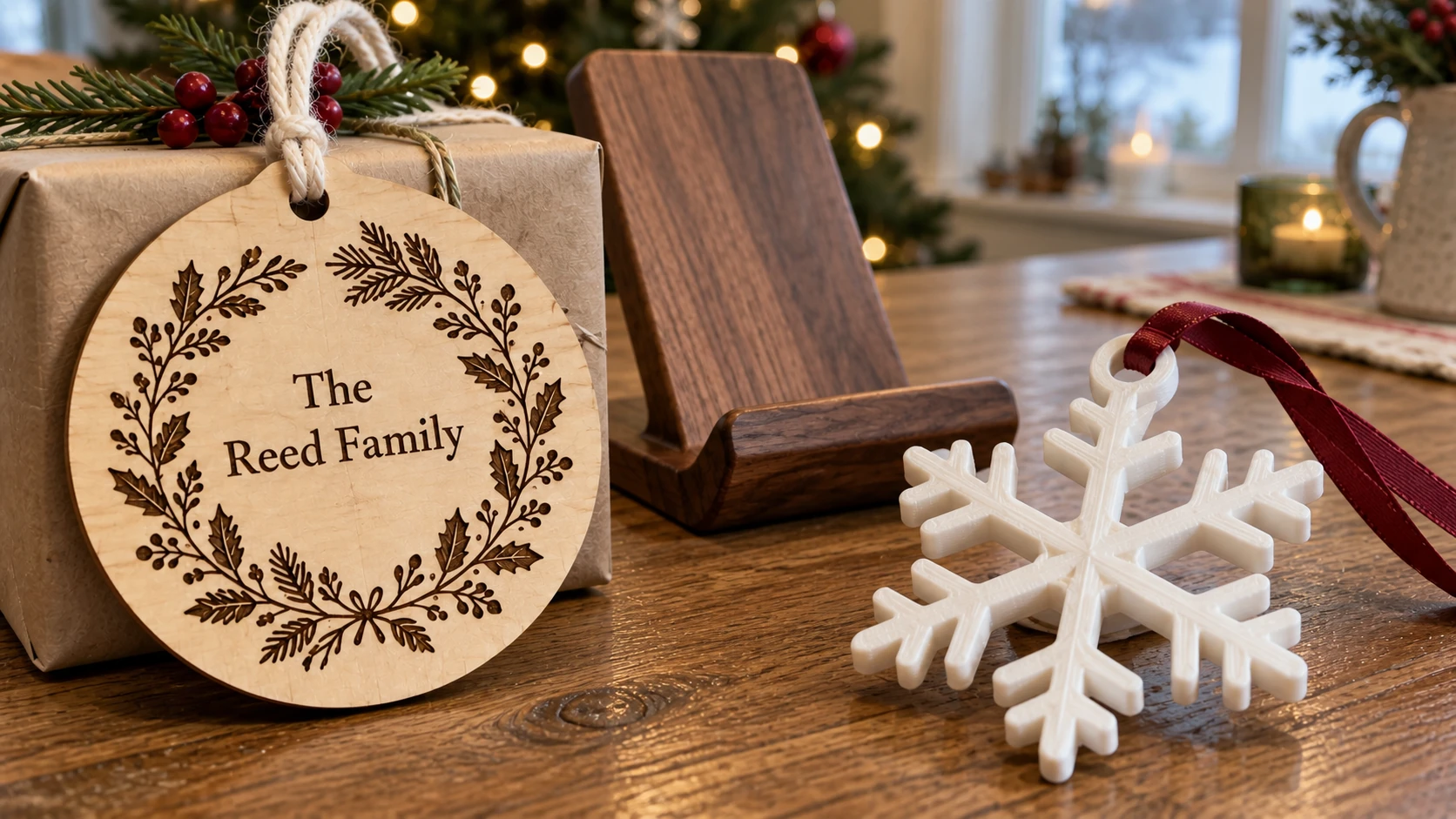
The printed ornament’s branches meet at a continuous center. An integral ring provides a real place for the ribbon.
Timeline: When to Start
Don't be the maker scrambling at 11 PM on December 23rd with sawdust in your hair and a laser that just decided to misalign. Plan ahead.
| Start Date | What to Do |
|---|---|
| 8 weeks before | Order specialty materials (exotic woods, custom acrylic colors). Source blanks in bulk. Test new project ideas on scrap. |
| 6 weeks before | Finalize your gift list. Match each person to a project. Generate all design files using Craftgineer tools. |
| 4 weeks before | Start the big projects: inlays, relief carvings, stacked layer pieces. These have longer machine times and assembly steps. |
| 2 weeks before | Cut and engrave the mid-size projects: wreath signs, monogram sets, coaster sets, decorated boxes. |
| 1 week before | Batch produce stocking stuffers. Keychains, bookmarks, ornaments, magnets. Finish and package everything. |
| 2 to 3 days before | Final finishing touches. Wrap gifts. Breathe. |
Material Prep Saves Time
Do all your material prep in one session before you start any projects. Cut all your blanks to size. Apply masking tape to all wood surfaces (for laser projects). Pre-sand anything that needs sanding. Pre-stain anything that needs staining before engraving.
Having all your materials prepped and ready means you can sit down at the machine and just run designs. No stopping to find material, cut it to size, or tape it. The setup time between projects drops to almost nothing.
Warning
Order materials early, especially if you're buying online. Plywood, acrylic, and specialty blanks can take 1 to 2 weeks to arrive. Running out of birch plywood the week before Christmas is a preventable disaster.
Pick a Project, Start Making
You don't need to make everything on this list. Pick one or two projects per person on your gift list. The key is choosing something that matches the recipient and starting early enough that you're not stressed.
The design step is the fastest part of the whole process. Generating an SVG with Family Wreath Generator, Monogram Generator, or Vector Studio takes seconds. The machine time and finishing take longer, but that's the satisfying part. Watching a design emerge from raw material never gets old.
For more project ideas and techniques, check out our guides on personalized gifts, multicolor wood inlays, and scrollwork patterns.
Ready to start? Open Family Wreath Generator and turn a family name into a finished wreath design in seconds. Happy making.
Related Tools
Family Wreath Generator
Create a personalized family-name wreath design using the available decorative choices.
Monogram Generator
Create split or classic monograms with font and frame choices.
DecoFill
Generate decorative artwork inside an uploaded outline, then prepare PNG or traced SVG output.
Vector Studio
Generate SVG artwork from a written prompt and selected style.
MosaicFlow
Turn uploaded or AI-generated artwork into separate color regions for inlays, with optional 3D exports.
Downloads require a plan or a design unlock
StackLab
Separate uploaded or AI-generated artwork into stacked layers, with adjustable layer order and optional 3D models.
Downloads require a plan or a design unlock
ReliefMaker
Create depth maps from images or AI generation and build relief meshes for carving or printing.
Downloads require a plan or a design unlock
Ready to try these tools?
Sign up free, no credit card required. Free tools available immediately.
Start Free