

How to Make Money with a Laser Engraver
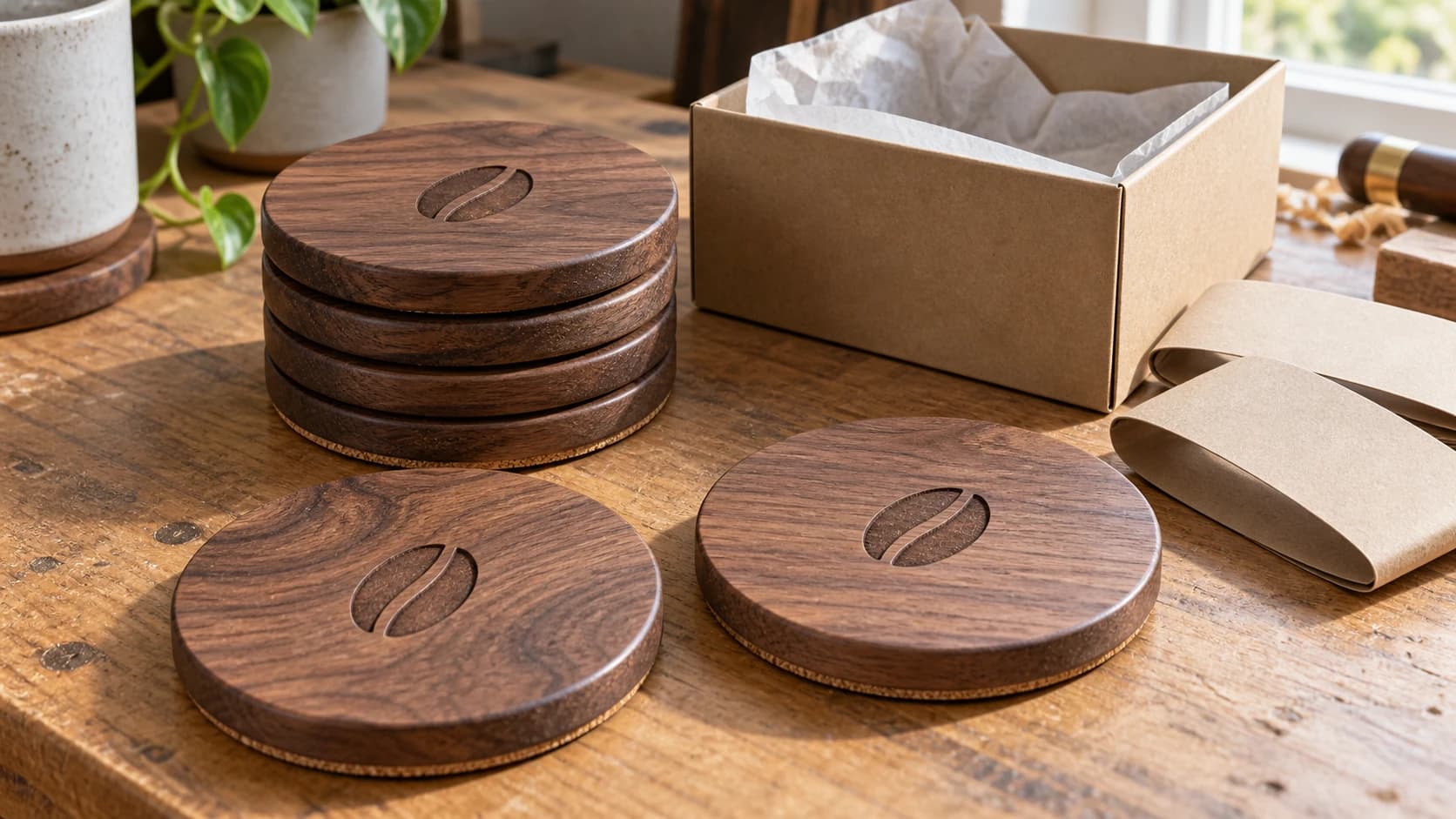
You bought a laser engraver for fun. Now you're sitting at your kitchen table surrounded by engraved coasters nobody asked for, and you're wondering: could this machine actually pay for itself?
It might, but there is no guarantee. Be skeptical of dramatic earnings claims that omit costs, hours, failed products, taxes, prior audiences, or other income.
A cautious path is to start with small tests, learn what unrelated customers actually buy, calculate every cost, and improve from evidence. The result may be a loss, hobby-cost recovery, side income, or a full-time business; effort alone does not determine the outcome.
This guide covers the full picture. Not just "what to make" (that's the easy part), but how to price it, where to sell it, how to run production efficiently, and what it actually takes to grow from "I sold a thing!" to "I run a business."
If you're still setting up your machine and figuring out the basics, start with our laser engraving beginner's guide first. Then come back here when you're ready to sell.
The Reality Check
Let's get the uncomfortable stuff out of the way first.
A laser engraver is not a money printer. It's a tool. Like any tool, it only generates income if you combine it with effort, skill, and basic business knowledge. Plenty of people buy a laser, make a few things, list them on Etsy, and get no sales. A listing alone does not prove demand, and no machine or sales channel guarantees that a business will work.
Practices that can improve the quality of a laser-business test include:
They pick a niche. They don't try to sell everything a laser can make. They get really good at a specific category (personalized gifts, pet products, wedding items) and become known for that thing.
They invest in presentation. Good photos, appropriate packaging, and clear listings can affect whether buyers understand and trust the offer.
They treat it like a business from day one. That means tracking expenses, pricing for profit (not just covering materials), and reinvesting earnings into better supplies and equipment.
They use measured iteration. They give a defined test enough time to produce useful data, then continue, change, or stop according to the results rather than adding products indefinitely.
If you're willing to do those things, a laser engraver can support a viable product business. Startup cost, margins, and demand vary widely by machine, product, location, sales channel, and the value of your time, so validate the economics with your own small tests before investing heavily.
PRINT. CUT. CARVE.
- Multiple formats (SVG, DXF, PNG)
- Machine-tested designs
- Commercial licenses
Sponsored by PrintCutCarve.com
Business Models: Five Ways to Make Money
Not all laser businesses look the same. Understanding the different models helps you pick the one that matches your goals, available time, and personality.
1. Custom and Personalized Products
This is a common model. You create products that are personalized with the customer's name, date, initials, or other custom details. Think engraved cutting boards, custom ornaments, family name signs, pet memorials.
Why it can work: Personalization can add value and make direct price comparisons harder because the exact product does not exist until the customer orders it. Whether buyers will pay enough to cover your labor, materials, fees, overhead, and profit still requires current market research and testing.
The challenge: Each order requires individual design work. You need a system for efficiently personalizing files, or you'll spend more time in front of your computer than in front of your laser.
Best for: People who enjoy interacting with customers and can handle the variability of custom orders.
For a deeper look at personalized product categories to research, see our personalized gifts guide.
2. Wholesale and Batch Production
Instead of selling one item at a time to individual buyers, you produce large quantities of the same product and sell them to retailers, gift shops, or other businesses.
Why it can work: Once a design and process are validated, batching can reduce repeated setup and custom-design work. Every unit still needs materials, machine time, supervision, inspection, finishing, and fulfillment.
The challenge: Wholesale prices are usually lower than direct-to-consumer prices. You need to calculate whether the negotiated price and volume cover your full costs, and you need to find retailers willing to carry your products.
Best for: People who prefer production over customer service, and who have the space and time for larger runs.
3. Digital Files and Templates
Sell the design files themselves rather than physical products. SVG files, design templates, font packs, jig plans, project bundles. Customers buy the file and cut or engrave it on their own machines.
Why it can work: A file can be sold repeatedly without materials, shipping, or machine time for each copy. It is lower-touch income, not truly passive: you still have design, testing, listing, marketing, customer support, platform fees, taxes, updates, and intellectual-property responsibilities.
What sells as digital files:
- Holiday ornament SVGs (Christmas, Halloween, Easter)
- Earring and jewelry cutting templates
- Sign design bundles (farmhouse, rustic, modern)
- Jig and fixture plans for popular projects
- Layered designs for multi-material projects
- Font and monogram template packs
The challenge: The market can be competitive and prices can be low. A useful catalog and discoverable listings take time to build, and there is no minimum catalog size that guarantees meaningful income. Digital files can also be copied without permission, and buyers may need support using them with different machines and software.
Best for: Designers who enjoy creating files more than producing physical products.
4. Local Business Services
Offer engraving services to local businesses: branded merchandise, employee awards, custom signage, promotional items, restaurant menu boards, or real estate signs. Research whether local buyers need these products and will pay enough for reliable production.
Why it can work: Business clients may order in batches and may reorder when you provide reliable quality and service. A restaurant that needs custom coasters or a company that gives engraved awards can become a recurring client, but order frequency and pricing are never guaranteed.
The challenge: You need to sell yourself and build relationships. Cold-calling local businesses, networking at chamber of commerce events, building a portfolio of commercial work. This is a sales job as much as a making job.
Best for: People with good interpersonal skills who don't mind the sales aspect.
5. Teaching and Content Creation
Share your knowledge through YouTube tutorials, online courses, blog posts, or in-person workshops. Monetize through ad revenue, course sales, sponsorships, or class fees.
Why it can work: If you've built significant expertise, some makers may pay to learn from you. Workshop pricing and attendance depend on the audience and market, while advertising revenue from online content is uncertain and usually requires sustained reach.
The challenge: Building an audience takes time, often months or years. Content creation is a separate skill from laser engraving. And you're competing with a lot of free content.
Best for: People who are natural teachers, enjoy being on camera, or have deep expertise in a specific area.
Tip
Some laser business owners combine two or three of these models, such as personalized products, local bulk orders, and digital files. Multiple income streams can reduce dependence on one channel, but each one also adds operational work and should earn its place.
Products That Actually Sell
Knowing what your specific customers will buy is the difference between useful inventory and unsold stock. The categories below are common starting points to research and test; they are not a promise of demand in every market.
Personalized Gifts
A popular category for laser businesses. Personalization can transform commodity items into distinctive, giftable products.
Illustrative categories and price assumptions to replace with current local research:
| Product | Materials | Price Range | Production Time |
|---|---|---|---|
| Cutting boards | Maple, walnut, bamboo blanks | $35-65 | 15-30 min |
| Christmas ornaments | 1/8" birch plywood, acrylic | $8-15 each | 5-10 min each |
| Photo engravings | Hardwood plaques, slate | $25-50 | 10-20 min |
| Name signs | 1/4" hardwood, plywood | $25-55 | 15-30 min |
| Pet memorials | Stone tiles, hardwood | $20-45 | 10-20 min |
| Coaster sets | Cork-back bamboo, slate | $15-30/set | 5-8 min/coaster |
The key with personalized gifts: create template designs that you can quickly customize for each order. You don't want to design from scratch every time. Build a library of layouts where you just swap the name, date, or initials.
For material selection and settings, our guides on wood for laser engraving, leather engraving, metal engraving, and glass and stone engraving cover everything you need to know.
Wedding Items
Weddings can create demand for custom, meaningful pieces, but budgets, competition, seasonality, and margins vary. Quote each project from its actual materials, design time, production risk, and service requirements.
What sells:
- Welcome signs ($40-120): Large wooden signs with the couple's names, date, and "welcome to our wedding." These are often 18" to 24" and can be made from plywood or solid wood.
- Table numbers and place cards ($3-8 each, sold in sets): Acrylic or wood table numbers, engraved place cards.
- Favors ($3-6 each, bulk orders of 50-200): Small engraved items like bottle openers, coasters, or ornaments with the couple's names and date.
- Cake toppers ($20-40): Cut from 1/8" acrylic or birch plywood.
- Guest books ($35-60): Engraved wood covers for guest book journals.
The opportunity to test: A wedding order may include multiple coordinated items and advance planning, but order size and acquisition channels vary. Quote the actual scope and use marketing channels permitted by their current rules.
Pet Products
Some pet owners value custom items featuring a pet's name, breed, or photo. Validate demand and price in your market.
What sells:
- Pet name signs ($15-30): Wall-mounted signs with the pet's name and breed silhouette.
- Pet portraits ($25-50): Laser-engraved photo of the pet on wood or slate. Use a photo conversion tool to create a clean engraving file from the customer's snapshot.
- Memorial plaques ($20-40): For pets that have passed. Emotional purchases with high perceived value.
- Treat jars ($15-25): Engraved glass or wood containers with the pet's name.
- Leash hooks ($15-25): Wooden wall hooks with "Woof" or the dog's name.
Home Decor
Signs, wall art, and functional items for the kitchen and living room are categories to test. Demand, competition, and seasonality differ by style and market.
What sells:
- Address signs and plaques ($20-40): House numbers on wood or acrylic. New homeowners are a natural audience.
- Kitchen signs ($15-30): "Gather," "Bon Appetit," custom family kitchen rules. These sell especially well as housewarming gifts.
- Serving trays ($30-60): Engraved handles on wooden trays. Higher price point means better per-unit profit.
- Trivets ($12-20): Laser-cut wood or cork trivets with decorative patterns or custom designs.
- Wall art ($25-80): Layered wood art, city skylines, topographic maps, state outlines.
- Bookmarks ($5-12): Small, quick to produce, and popular as add-on purchases or stocking stuffers.
- Keychains ($6-12): Custom-cut acrylic or wood keychains. Low material cost, high volume potential.
The key advantage of home decor is gift potential. Most of these items double as gifts, which expands your audience beyond people decorating their own homes to anyone looking for a thoughtful, personalized present.
Drinkware and Tumblers
Engraved tumblers and mugs are a common product category to research, including any seasonal demand in your market.
What sells:
- Insulated tumblers ($18-35 in this illustrative example): Personalized coated or bare stainless steel tumblers. The marking method depends on the surface, coating, laser wavelength, and manufacturer instructions; the need for a rotary depends on the shape and engraving area, not simply on whether the laser is diode or CO2.
- Pint glasses ($10-18): Custom etched beer glasses for groomsmen gifts, birthdays.
- Wine glasses ($12-20): Personalized for bridesmaids, mother's day, wine lovers.
Info
Continuous engraving around a cylindrical tumbler generally requires a compatible rotary attachment and controller workflow. Confirm compatibility with the laser and rotary manufacturers, follow the material and coating guidance, and test on scrap. Demand and profit must be validated from your own costs and market.
Business and Corporate Items
Some local businesses buy branded items. Interview potential customers before assuming there is an unmet local need.
What sells:
- Business card holders ($15-25): Wood or acrylic with company logo.
- Employee awards ($20-50): Plaques, acrylic standees, desk accessories with name and achievement.
- Branded coasters ($3-5 each in bulk): Restaurant logos, bar branding.
- Menu boards ($30-80): Engraved or cut menu displays for cafes and restaurants.
- Real estate closing gifts ($20-35 in this illustrative example): Some agents give personalized gifts to buyers and may reorder if the product, price, and service fit their practice.
Seasonal Products
Seasonal demand may rise before relevant events, but the timing and size of a spike are not predictable for every product or market.
| Season | Products | Peak Sales Period |
|---|---|---|
| Christmas | Ornaments, stockings, gift tags, tree decorations | September - December |
| Valentine's Day | Couples gifts, photo frames, jewelry boxes | January - February |
| Mother's/Father's Day | Personalized keepsakes, cutting boards, desk items | April - June |
| Graduation | Name plaques, class year items | April - June |
| Halloween | Decorative signs, custom tombstone stakes | August - October |
| Wedding season | All wedding items | March - October |
Plan enough lead time to design, test, photograph, list, advertise, produce, and ship safely. Use prior sales and current channel data to choose dates instead of treating this sample calendar as a fixed rule.
A smart approach: create "evergreen" versions of seasonal products. A Christmas ornament with just the family name (no year) can sell year-round as a "new home" ornament. A heart-shaped piece with a couple's names works for Valentine's Day, anniversaries, and weddings. Design products that sell in their peak season but remain relevant the rest of the year.
Pricing Your Work
A common pricing mistake is counting the visible material and laser time while omitting labor, failed pieces, fees, overhead, taxes, support, packaging, and fulfillment.
We have an entire pricing guide for handmade products that goes deep on this topic, but here's the essential framework.
The Formula
Materials + Labor + Overhead + Profit Margin = Price
Materials (Everything Physical)
The obvious: wood blanks, acrylic sheets, marking spray, leather.
The less obvious: sandpaper, finish/sealant, packaging materials, tissue paper, thank-you cards, labels, tape, shipping boxes, packing peanuts.
Track every cost. A spreadsheet or a simple note on your phone works fine. You'll be surprised how quickly the "small" stuff adds up.
Labor (Your Time Is Worth Money)
Choose a labor rate that reflects local wages, skill, taxes, benefits, risk, and the opportunity cost of your time. Then check whether the market supports a price that includes it.
Count all of your time, not just laser time:
- Design and file preparation
- Material preparation (sanding, taping, masking)
- Machine setup and alignment
- Engraving/cutting time
- Post-processing (sanding, finishing, cleaning)
- Quality inspection
- Photography for listings
- Packaging and shipping
- Customer communication
A short engrave can require substantially more total labor once design, preparation, finishing, communication, and fulfillment are counted. Time the real workflow instead of using this example as a benchmark.
Overhead (The Invisible Costs)
- Machine depreciation (spread the cost of your laser over its useful life)
- Electricity (lasers draw significant power)
- Software subscriptions (design software, listing tools)
- Marketplace fees (use the platform's current fee schedule for your country, services, and order)
- Payment-processing, advertising, currency-conversion, and deposit fees that apply to your account
- Internet, phone, and workspace costs
- Replacement parts (lenses, tubes, belts)
- Failed pieces and waste material
Do not use a generic overhead allowance. Total your actual fixed and variable overhead for a chosen period, select a consistent allocation method, and check that every product contributes enough to cover it.
Profit Margin (Not Your Paycheck)
You already paid yourself in the labor section. Profit margin is what grows the business: saving for a better machine, buying materials in bulk at a discount, running ads, or cushioning slow months.
Choose a profit target that fits your risk, demand, taxes, reinvestment needs, and market. Treat it as an explicit input to the calculation rather than a universal percentage.
A Real Pricing Example
Let's walk through a hypothetical personalized maple cutting board. These figures demonstrate the calculation only; replace every amount, wage, fee, tax, and margin with current values from your business before setting a price.
| Cost Category | Detail | Amount |
|---|---|---|
| Materials | Board blank ($7), finish ($1), packaging ($2.50) | $10.50 |
| Labor | 35 min total @ $20/hr (design, engrave, finish, pack) | $11.67 |
| Overhead | Machine wear, power, fees, workspace | $3.50 |
| Subtotal | $25.67 | |
| Profit margin (25%) | $6.42 | |
| Minimum price | $32.09 |
In this hypothetical calculation, the pre-tax floor price is about $32.09. That is not a market recommendation: compare it with current customer demand and competing offers, then change the product, process, channel, or target market if buyers will not support a price that covers your real costs.
Warning
If your calculated price feels "too high," don't lower it. Instead, find ways to reduce production time (better templates, batch processing) or target higher-value markets (corporate gifts, wedding packages). Racing to the bottom on price is a business-ending strategy.
Pricing Shortcuts by Category
These hypothetical ranges show how material cost and retail price interact; they are not current market data or guaranteed profitable pricing. Rebuild the table with your own costs and verified selling prices.
| Product | Material Cost | Typical Retail Price | Rough Margin |
|---|---|---|---|
| Custom ornament | $0.50-1.50 | $8-15 | 70-80% |
| Engraved cutting board | $7-12 | $35-65 | 55-70% |
| Personalized tumbler | $5-8 | $18-35 | 60-75% |
| Family name sign | $3-6 | $25-50 | 65-80% |
| Wedding welcome sign | $8-15 | $50-120 | 60-75% |
| Coaster set (4) | $3-5 | $15-30 | 65-80% |
| Pet memorial plaque | $4-8 | $20-45 | 65-75% |
The example assumes higher margins for personalized products with emotional value. Test that assumption in your own market. Buyers still compare quality, trust, turnaround time, and price.
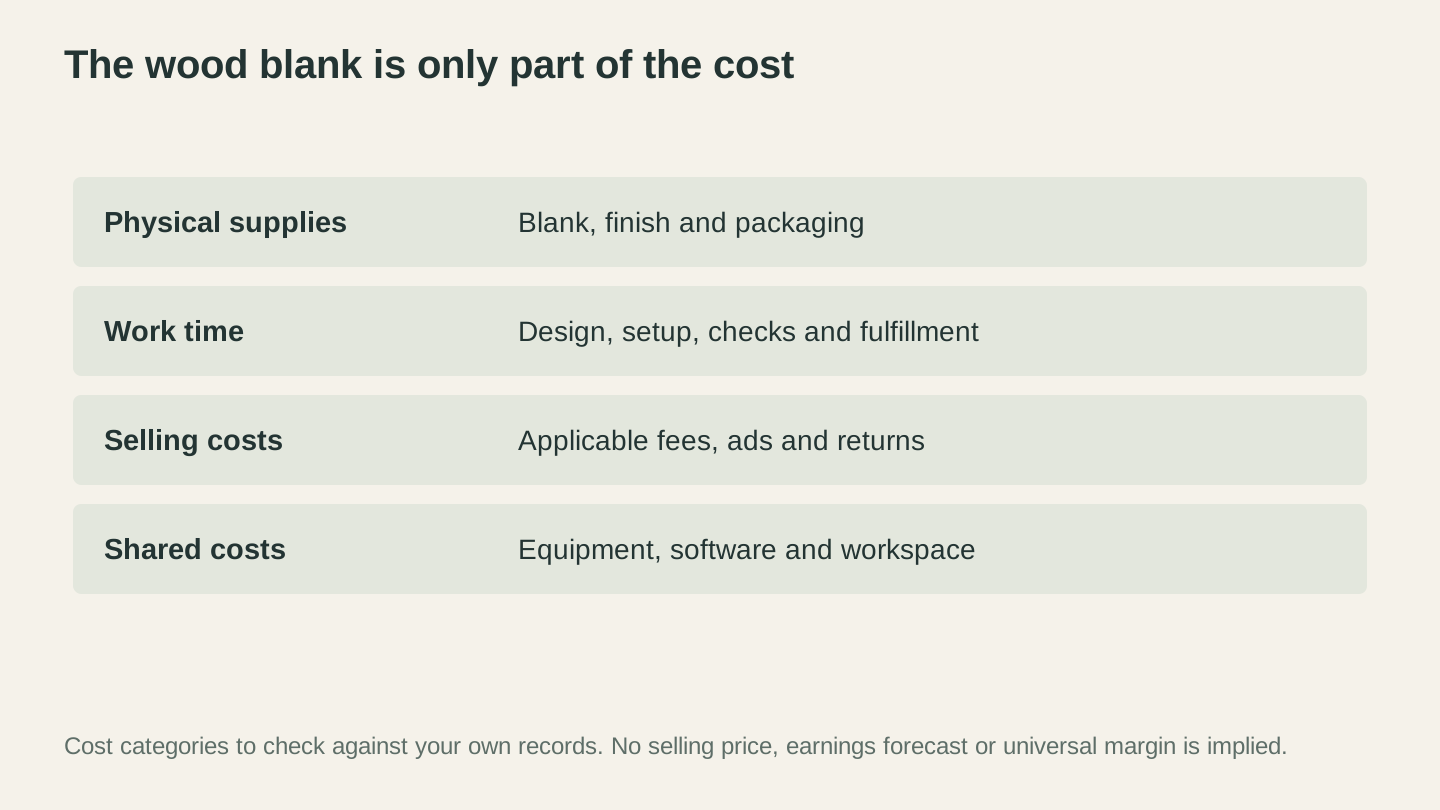
Count supplies, work time, selling costs and shared costs from your own records. Material cost alone does not tell you the profit on an order.
Sales Channels: Where to Sell
You have more options than just Etsy. Each channel has different strengths, costs, and audience types. Using more than one channel can diversify demand, but it also adds fees, inventory coordination, and customer-service work.
Etsy
Pros: Existing marketplace traffic, search and discovery, payment processing, reviews, and seller tools, subject to the current country-specific policies and availability.
Cons: Listing, transaction, payment-processing, advertising, regulatory, and other fees may apply and can change by country and service. Competition is heavy, marketplace visibility can change, and Etsy controls the platform and customer relationship. Check Etsy's current fee and policy pages before pricing.
Best for: Personalized products, gifts, seasonal items, digital files.
Getting started: Follow Etsy's current listing guidance, complete relevant attributes and tags accurately, write useful descriptions, and use clear product photos. If you test ads, set a budget you can afford to lose and measure whether the resulting sales produce profit after every fee and cost.
We have a full Etsy selling guide that covers listing optimization, SEO, photography, and everything else you need for the platform.
Craft Fairs and Markets
Pros: Same-day in-person sales are possible, along with direct feedback and no shipping for items carried away. Event, payment, tax, insurance, travel, and booth costs still apply.
Cons: Events can be time-intensive and may involve booth, payment, travel, insurance, tax, weather, inventory, setup, and teardown costs. Verify the actual event contract and economics.
Best for: Local markets, building a customer base, testing product-market fit, and collecting email addresses for future online sales.
Getting started: Consider a small event with a total loss you can afford, confirm its audience and requirements, and measure all costs and resulting sales before booking larger shows.
Our craft fair selling guide covers finding events, booth setup, display strategies, and converting fair shoppers into repeat online customers.
Facebook Marketplace and Local Selling
Pros: Local discovery, direct communication, and pickup may be available. Current selling, payment, promotion, and transaction rules vary by platform and location.
Cons: Buyers expect lower prices. Flaky buyers (no-shows, lowball offers). Less professional perception. No built-in review system. Can be time-consuming to manage messages.
Best for: Local custom orders, one-off pieces, testing new product ideas, clearing excess inventory.
Getting started: Post your best products with good photos. Join local buy/sell groups, craft groups, and community groups. Respond quickly to inquiries. Meet in public for exchanges.
Possible use: A local marketplace can be one way to test interest, but messages and clicks are not the same as profitable sales. Follow current commerce rules and use completed transactions and full costs as the evidence.
Your Own Website
Pros: More control over branding, storefront, customer relationships, and analytics. Budget for hosting, software, development, accessibility, privacy, security, taxes, payment processing, fraud, chargebacks, email, support, and customer acquisition.
Cons: You must acquire traffic and operate more of the commerce stack yourself. Search visibility and customer trust are uncertain and have no fixed timeline.
Best for: Established businesses with an existing audience from social media or craft fairs. Not great as a starting point unless you already have a following.
Getting started: Platforms like Shopify, Squarespace, or WooCommerce make it straightforward. Drive traffic through social media and email marketing. For social media strategy, see our social media marketing guide.
Wholesale to Retail Shops
Pros: Wholesale may produce larger orders and put products in retail stores, but order size, reorders, and revenue are not predictable.
Cons: Wholesale prices are negotiated and usually lower than direct retail. Packaging, delivery, returns, payment terms, minimums, and relationship management affect margin.
Best for: Products that work well in retail environments (home decor, gift items, seasonal products). Requires the ability to produce in volume.
Getting started: Research suitable retailers, prepare samples and a cost-based wholesale offer, and define minimums and payment terms. Review consignment contracts carefully because unsold inventory, loss, damage, payout timing, and insurance remain your risk unless the agreement says otherwise.
Corporate and Business Clients
Pros: Business clients may place batch orders or reorder, but per-order value, pricing, and price sensitivity depend on the buyer and competing offers.
Cons: Longer sales cycle. Requires professional communication and reliability. May need to handle invoicing, net-30 terms, and other business-to-business logistics. Competition from established trophy/awards shops.
Best for: Awards, branded merchandise, employee gifts, promotional items, restaurant items.
Getting started: Identify local businesses that use engraved items. Reach out with samples and pricing. Join your local chamber of commerce. Network at business events. Build a portfolio of commercial work to show potential clients.
Tip
Real estate professionals are one niche to interview about personalized closing gifts. A relationship may produce repeat orders, but frequency is not guaranteed; confirm demand, gift-policy constraints, budget, and timing with each client.
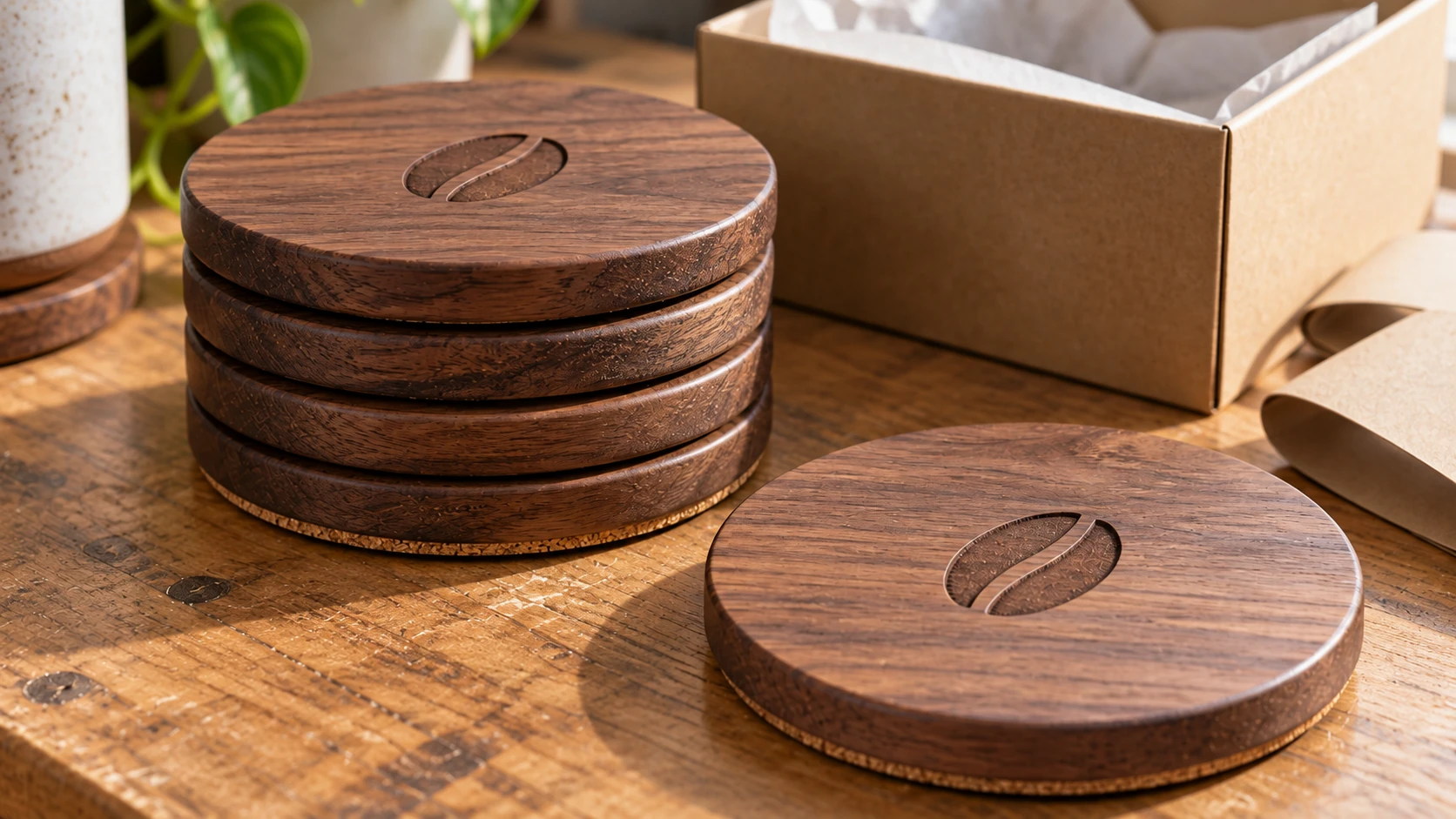
A batch still needs finishing, inspection and packing. Check each coaster’s surface and edge as well as the repeated engraving.
Setting Up Your Production Workflow
If repeat orders arrive, fulfillment may become the bottleneck. Measure each step and improve the workflow without compromising safety or quality; the time saved depends on the actual process.
Batch Processing vs. One-Offs
The biggest time-saver in a laser business is batch processing. Instead of making each product individually from start to finish, group similar tasks together.
Example workflow for a day with 8 cutting board orders:
- Morning: Open all orders. Generate all 8 personalized design files. (Total: 15-20 minutes)
- Late morning: Prepare all 8 boards (sand, tape masking if needed, stack near laser).
- Midday: Run all 8 engravings back to back. While one board is engraving, prep the next or do finishing work on completed ones.
- Afternoon: Finish all 8 boards (remove masking, apply finish, dry).
- Late afternoon: Package all 8 orders and print shipping labels.
This approach takes about 3 to 4 hours total. Doing each board individually from start to finish would take 5 to 6 hours for the same 8 orders because of setup time, context switching, and cleanup between each one.
Template Systems for Personalized Items
Don't design from scratch for every order. Create template files for your popular products.
How to build a template system:
- Design the layout once in your preferred laser or vector software.
- Set up text elements as editable fields with your standard fonts and sizes.
- Save the template with a clear naming convention (e.g., "cutting-board-family-name-12x8").
- For each order, open the template, change the text, save as a new file, and send to laser.
For items like monograms and family name signs, tools like Monogram Generator and Family Wreath Generator can generate the complete personalized design in seconds. That eliminates the template step entirely for those product categories.
Material Sourcing
Buying materials wisely has a direct impact on your margins.
Bulk purchasing: Buy blanks in quantities of 10, 25, or 50 when possible. Cutting board blanks drop from $10 each to $6-7 each at bulk quantities. Birch plywood sheets are dramatically cheaper per piece when you buy a full sheet and cut your own blanks.
Reliable suppliers: Establish relationships with 2 to 3 suppliers for your core materials. Having a backup prevents production delays when one supplier is out of stock.
Common material sources:
- Wood blanks: Woodpeckers, CuttingBoard.com, Amazon bulk sellers, local hardwood dealers
- Plywood sheets: Local lumber yards, Woodpeckers, Ocooch Hardwoods
- Acrylic sheets: TAP Plastics, Canal Plastics, Amazon
- Tumblers: Dollar Tree (budget), Kodiak Coolers, HOGG Outfitters (quality)
- Leather: Tandy Leather, Springfield Leather, Weaver Leather Supply
- Engraving supplies: CerMark/LaserBond marking spray, masking tape, transfer tape
Info
Track your material costs per unit in a simple spreadsheet. When you order from a new supplier or get a bulk discount, update the spreadsheet. This keeps your pricing accurate and helps you spot opportunities to improve margins.
Quality Control
Returns and refunds kill profitability. Every rejected piece wastes material, time, and shipping costs, plus it risks a negative review. Build quality checks into your workflow.
Before engraving: Inspect the blank for defects (cracks, knots in bad locations, warping). Check alignment and focus. Verify the customer's personalization text (spelling, dates, capitalization).
After engraving: Check engrave quality (consistent depth, clean edges, no missed spots). Verify text accuracy one more time. Clean soot and residue. Apply finish evenly.
Before shipping: Final inspection of the finished piece. Check packaging for adequate protection. Verify shipping address.
Double-checking personalization text seems excessive until the day you ship a cutting board that says "The Jhonson Family" instead of "The Johnson Family." One typo costs you a replacement board, return shipping, and a very unhappy customer.
Pro tip: Create a quality checklist and tape it to your wall next to the laser. Run through the same list for every piece. This sounds tedious, but it becomes automatic after a week and catches mistakes before they become expensive problems. Your checklist might look like: text spelling verified, material inspected, focus height set, alignment checked, engrave quality good, clean-up complete, finish applied evenly, packaging secure.
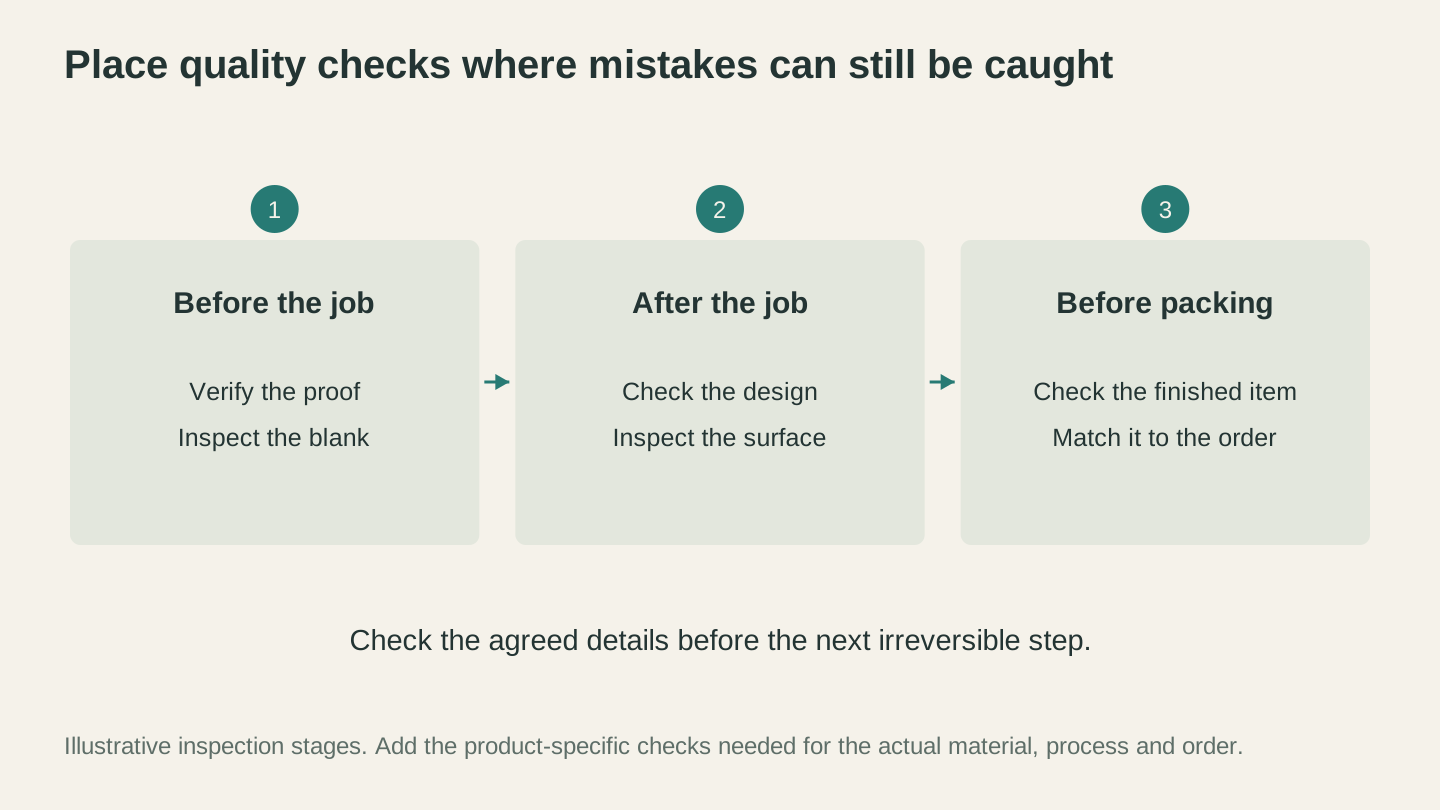
Check the agreed design before production, inspect the result after processing and match the finished item to the order before packing.
Using ListingLab for Product Listings
Writing product listings is one of those tasks that feels like it should be quick but never is. You stare at a blank description field, struggle to write something that sounds professional and includes the right keywords, and 45 minutes later you have one listing that you're not even sure is good.
ListingLab gives you a structured first draft. Upload a photo of your product, and the AI generates listing material for you to verify and edit.
What you get:
- 3 title options optimized for marketplace search (Etsy, Amazon Handmade, etc.)
- 3 descriptions covering features, materials, personalization details, and care instructions
- Key feature bullets highlighting what makes the product special
- 13 suggested SEO keywords to review against the marketplace's current guidance and your own research
- Social media posts ready for Instagram, Facebook, and Pinterest
Text generation uses the chatbot-message allowance included with your plan rather than tool credits. Your plan's message limits still apply, so check the current pricing page for the allowance available to your account.
AI Product Photos
ListingLab also generates AI product-photo variations using the styles currently shown in the app. Upload a product photo, choose an available style, and inspect the generated image carefully for product accuracy before using it. The app displays the current credit cost before generation.
This is particularly useful for:
- Seasonal promotions: Put your cutting board in a Christmas kitchen setting without building an actual Christmas kitchen set.
- Lifestyle shots: Show your product in a beautiful home environment without renting a photography studio.
- Variety: Create multiple listing images in different styles from a single product photo.
Tip
Don't just copy-paste the generated listing text. Use it as a starting point, then add personal touches: your specific process, why you chose those materials, your turnaround time. Buyers on Etsy connect with makers who feel authentic, and a little personality in your descriptions goes a long way.
Legal and Business Basics
This is the section everyone wants to skip. Don't. Getting the basics right now prevents headaches (and potentially expensive problems) later.
Business Structure
In the United States, doing business without registering another entity may make you a sole proprietor, but registration, assumed-name, tax-ID, license, permit, and zoning requirements vary by state and locality. A sole proprietorship does not create a separate legal entity, so business and personal liabilities are not separated.
An LLC can provide personal-liability protection in many circumstances, but that protection is not absolute, and revenue alone is not the right trigger for forming one. Compare risk, assets, taxes, ownership, administration, insurance, and state rules with a qualified attorney or accountant before choosing a structure. Outside the United States, use the equivalent official guidance for your country.
Business License
Licenses, permits, assumed-name registrations, home-occupation rules, and fees depend on your product and location. Check the official business portals for your country, state or province, city, and county before selling.
Sales Tax
Sales-tax, VAT, and GST obligations depend on the seller, buyer, product, location, sales channel, and where the business has physical or economic nexus.
- In-person and direct sales: Ask the relevant tax authority whether you must register, collect, file, and remit before the first sale.
- Marketplace sales: A marketplace may calculate and remit some taxes, but that does not necessarily remove your registration, filing, reporting, or off-platform obligations. Check the marketplace's current documentation and each applicable tax authority.
- Resale or exemption certificates: Use one only when your jurisdiction allows it and the purchase qualifies. Keep the required records and follow the issuing authority's rules.
Insurance
Some venues require proof of insurance. Discuss general liability, product liability, property, vehicle, home-business, cyber, and other relevant coverage with a licensed insurance professional; exclusions, limits, and prices vary by business and location.
Record Keeping
Keep complete, organized records of income, expenses, mileage, inventory, taxes, fees, refunds, and equipment purchases using a system appropriate for your jurisdiction. Separate business and personal activity, retain supporting documents for the required period, and reconcile marketplace reports with your own records.
Keep receipts and other support for business purchases. In the United States, a current expense generally must be ordinary and necessary for the business to be deductible, and special rules can apply to inventory, equipment, vehicles, mixed personal use, and startup costs. Do not assume every purchase is immediately or fully deductible.
Info
This is general information, not legal, tax, or insurance advice. Rules vary by location and change frequently. Verify requirements with current government and marketplace sources, and consult qualified local professionals for guidance specific to your situation.
Scaling: From Side Hustle to Full-Time
Scaling a laser business is not just about getting more orders. It means handling demand while maintaining quality, cash flow, safety, and profitability. The stages below are decision points, not revenue bands or timelines.
Stage 1: Testing
This is where you test whether a defined customer will buy at a profitable price. Choose small, capped experiments in channels that fit the customer and record the results.
Focus on:
- Testing a small number of distinct product hypotheses
- Learning your pricing floor (can you sell profitably at market prices?)
- Developing your production workflow
- Building a small portfolio of quality product photos
Limit irreversible spending: Avoid major expansion until measured contribution, cash flow, and repeatable demand justify it.
Stage 2: Repeatable, Profitable Demand
You have evidence that at least one product sells repeatedly at a price that covers all costs and labor. Now test whether improvements preserve quality and profit.
Focus on:
- Expanding your product line within proven categories (if cutting boards sell, add different sizes, wood types, and design options)
- Improving production efficiency (templates, batch processing, better material sourcing)
- Building a social media presence (pick one platform and post consistently)
- Collecting and showcasing customer reviews
- Reinvesting profits into better materials and equipment upgrades
Key milestone: Revenue alone is not enough. Require positive contribution after refunds, fees, taxes, overhead, and all labor, plus cash flow that can sustain the operating cycle.
Stage 3: Capacity Decisions
If demand is pressing against capacity, measure the true bottleneck before adding equipment, inventory, channels, or labor.
Focus on:
- Streamlining production (every minute you save per piece adds up across hundreds of orders)
- Diversifying sales channels (if you're only on Etsy, add craft fairs or local sales)
- Building relationships with repeat customers and business clients
- Considering equipment upgrades (faster laser, rotary attachment, larger bed)
- Tracking profitability by product to double down on winners and drop losers
Question to answer: Is this enough, or do I want to grow further? Not everyone wants a full-time business, and there's nothing wrong with maintaining a profitable side hustle. Many makers are happiest at this level: earning meaningful extra income without the pressure of relying on it entirely.
Stage 4: Full-Time Decision
Going full-time means the laser business needs to replace your current income, including benefits. That's a higher bar than just matching your salary.
Consider before making the leap:
- Do you have an emergency and operating buffer sized for your household and business risks?
- Is your revenue consistent across seasons, or do you have big dips?
- Can you handle health insurance, retirement savings, and self-employment taxes?
- Do you have the space, equipment, and systems to handle the volume?
Growth strategies at this level:
- Hiring help (even part-time, for packaging, shipping, or finishing work)
- Adding a second laser for parallel production
- Expanding into wholesale and corporate accounts
- Building your own website with direct-to-customer sales
- Developing proprietary designs that become your brand identity
Build Your Own Stage Model
For each decision point, model current and downside cases using your capacity, conversion rate, selling price, returns, fees, taxes, labor, overhead, cash timing, and household needs. A scenario becomes useful only when its inputs reflect your operation, and it should include a clear loss limit.
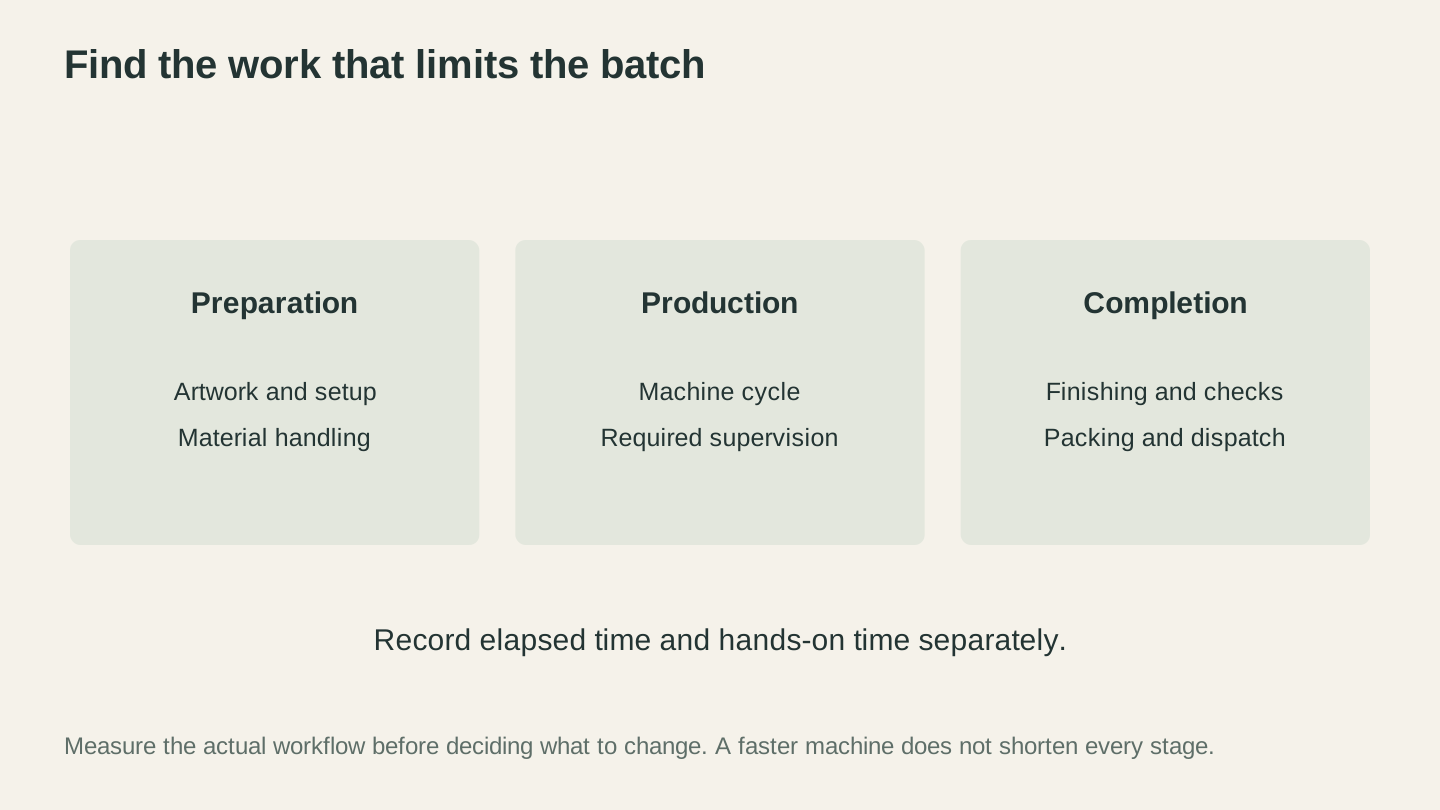
Measure where the work accumulates before adding equipment. Record elapsed time and hands-on time separately, including the supervision the process requires.
Common Mistakes New Laser Businesses Make
Learn from other people's expensive lessons.
1. Pricing Too Low
Already covered this, but it's worth repeating because it's the number one business-killing mistake. You are not competing with cheap imports. You are selling a personalized, handmade product with emotional value. Price accordingly.
2. Trying to Sell Everything
"I can engrave anything, so I'll sell everything!" No. You'll end up with 50 mediocre products instead of 5 excellent ones. Pick a niche, get known for it, then expand thoughtfully.
3. Ignoring Photography
Your product is beautiful. Your photo of it is not. Bad lighting, cluttered backgrounds, blurry images. These kill sales faster than anything else. Invest 30 minutes learning basic product photography. Natural light, clean background, multiple angles. That's it.
4. Skipping the Math
"I sold 20 cutting boards this month!" Great. How much did you actually make after materials, fees, shipping supplies, and your time? If you don't know the answer, you might be working for $5 an hour without realizing it.
5. Not Building Systems
Making one cutting board is fun. Making 200 cutting boards is a production job. If you don't build systems (templates, batch workflows, material sourcing processes, packaging stations), you'll burn out before you reach any meaningful scale.
6. Neglecting Customer Service
Respond to messages promptly. Ship on time. Handle issues graciously. Poor reviews can reduce buyer trust, but never pressure a customer to change one. Address the underlying problem, follow the marketplace's review policy, and learn from recurring complaints.
7. Not Tracking Financials
Revenue is not profit. Track expenses, labor, taxes, refunds, and cash flow so you know whether the operation meets your financial and personal goals.
8. Waiting for Perfect Before Starting
Early products and listings will reveal problems. Start with a safe, lawful, capped test, then iterate from customer and cost evidence rather than waiting for perfection or continuing blindly.
9. Copying Exactly What Top Sellers Make
Looking at existing offers for market research can be useful. Duplicating protected products, designs, copy, or photography is not. Study customer needs and competing value, then create original work and check relevant intellectual-property rights.
10. Ignoring Seasonal Planning
Seasonal timing varies by product, production lead time, channel, and customer. Use prior data and a delivery-safe schedule rather than assuming a fixed peak window.
Realistic Income Expectations
Let's end with an honest conversation about what you can expect to earn, because the internet is full of misleading "I made $10K my first month" stories that skip over important context.
The First Year
There is no reliable universal first-year revenue or profit range. Your result can be a loss, break-even, or profit depending on demand, prices, costs, time, and execution. Set a maximum test budget and concrete milestones before investing, and do not commit money you cannot afford to lose.
The first year often includes learning your machine, testing products, building listings, developing your workflow, and building a reputation. The learning curve has real financial costs, including wasted materials, pricing mistakes, and unsuccessful events.
Treat early experiments as learning whose cost must remain within your budget. Skills can improve with deliberate practice, but experience does not guarantee future income.
Year Two and Beyond
Some businesses improve in year two as they gain reviews, repeat customers, better listings, and production experience; others plateau or close. Compare your own year-over-year revenue, profit, cash flow, repeat purchases, and hours worked instead of relying on a generic growth rate.
Hourly Rate Reality Check
Here's the metric that matters most: your effective hourly rate. Take your total profit for the month and divide by the total hours you worked (including design, production, marketing, customer service, packaging, shipping, accounting, everything).
Your initial effective hourly rate may be low or negative. Set a target that accounts for local wages, taxes, benefits, risk, and unpaid administrative time, then measure whether process and pricing changes move you toward it.
If the effective hourly return misses your target, investigate price, demand, product mix, production time, acquisition cost, overhead, support, and whether the business should change or stop.
What Determines Your Ceiling
Your income ceiling depends on several factors:
Your machine's capabilities. Power rating alone does not predict a profitable business. Material compatibility, speed, bed size, optics, maintenance, ventilation, safety, reliability, and the products customers buy all affect capacity and cost.
Your time. Available hours constrain capacity, but working more, increasing throughput, or raising prices helps only when profitable demand exists and quality and safety are maintained.
Your market. Local and online channels reach different customers and create different costs and risks. Use the channel or combination supported by your evidence; more channels are not automatically better.
Your operating skills. Marketing, customer service, financial records, compliance, and process improvement matter alongside product quality. A partner or different channel may change the workload, but duties, authority, compensation, liability, and economics must be defined explicitly.
Start Where You Are
You don't need a better laser. You don't need to wait until you've mastered every material. You don't need a perfect business plan.
You need three things: a product someone wants to buy, a place to sell it, and a price that makes you money.
Start with one product. Make it well. Take a good photo. Write a solid listing (or let ListingLab write one for you). Put it where buyers can find it.
Then make the next one a little better.
Every business starts by testing whether it can create value for a customer and retain enough revenue to cover its real costs. Start small, measure honestly, and decide from evidence whether to continue, change direction, or stop.
Happy making.
Related Tools
Ready to try these tools?
Sign up free, no credit card required. Free tools available immediately.
Start Free